Citrix ADC MPX
LED Color LED Indicates
Flashing RED and GREEN Warning (OVP/UVP/OCP/OTP/Fan); OVP = Over
Voltage Protection; UVP = Under Voltage
Protection; OCP = Over Current Protection;
OTP = Over Temperature Protection
• Disable alarm button. Press this button to silence the power alarm when one of two power
supplies loses input power or when a power supply is malfunctioning.
• Non-Maskable Interrupt (NMI) Button, used at the request of Technical Support to initiate a core
dump. To press this red button, which is recessed to prevent unintentional activation, use a pen,
pencil, or other pointed object. The NMI Button is also available remotely over the network in
the LOM GUI, in the Remote Control menu. For more information about the lights out manage-
ment port of the appliance, see Citrix ADC MPX hardware-soware compatibility matrix.
Citrix ADC MPX 17500, MPX 19500, and MPX 21500
February 25, 2019
The Citrix ADC models MPX 17500/19500/21500 are 2U appliances. Each model has two 6-core proces-
sors and 48 gigabytes (GB) of memory.
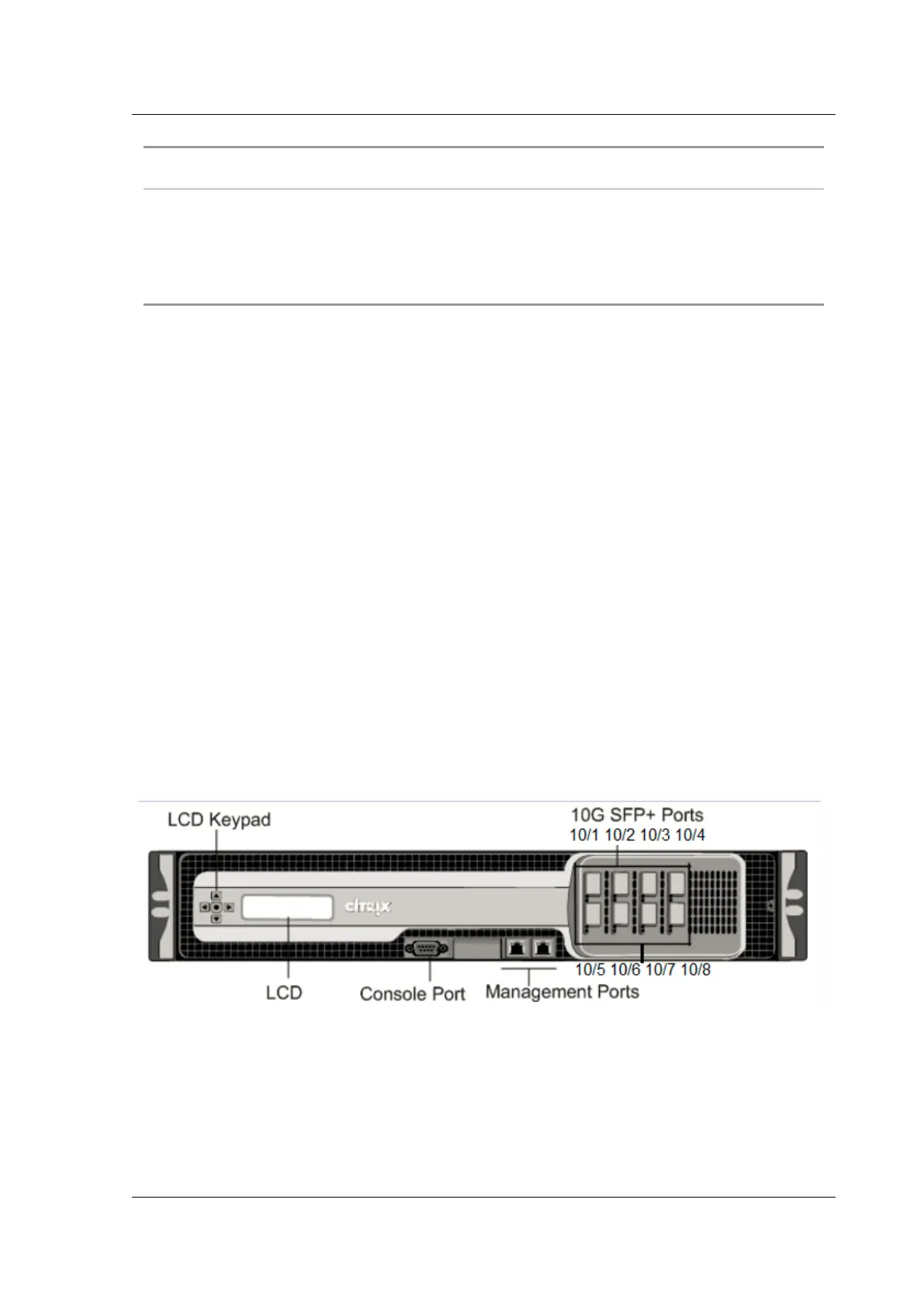
The following figure shows the front panel of the MPX 17500/19500/21500 appliance.
Figure 1. Citrix ADC MPX 17500/19500/21500 appliance, front panel
The MPX 17500/19500/21500 appliances have the following ports:
• RS232 serial console port.
• Two 10/100/1000Base-T copper Ethernet management ports (RJ45), numbered 0/1 and 0/2 from
le to right. These ports are used to connect directly to the appliance for system administration
functions.
© 1999-2019 Citrix Systems, Inc. All rights reserved. 60



 To Next Page
 Loading...

