Codonics Virtua User’s Manual 7-3
Working with Jobs
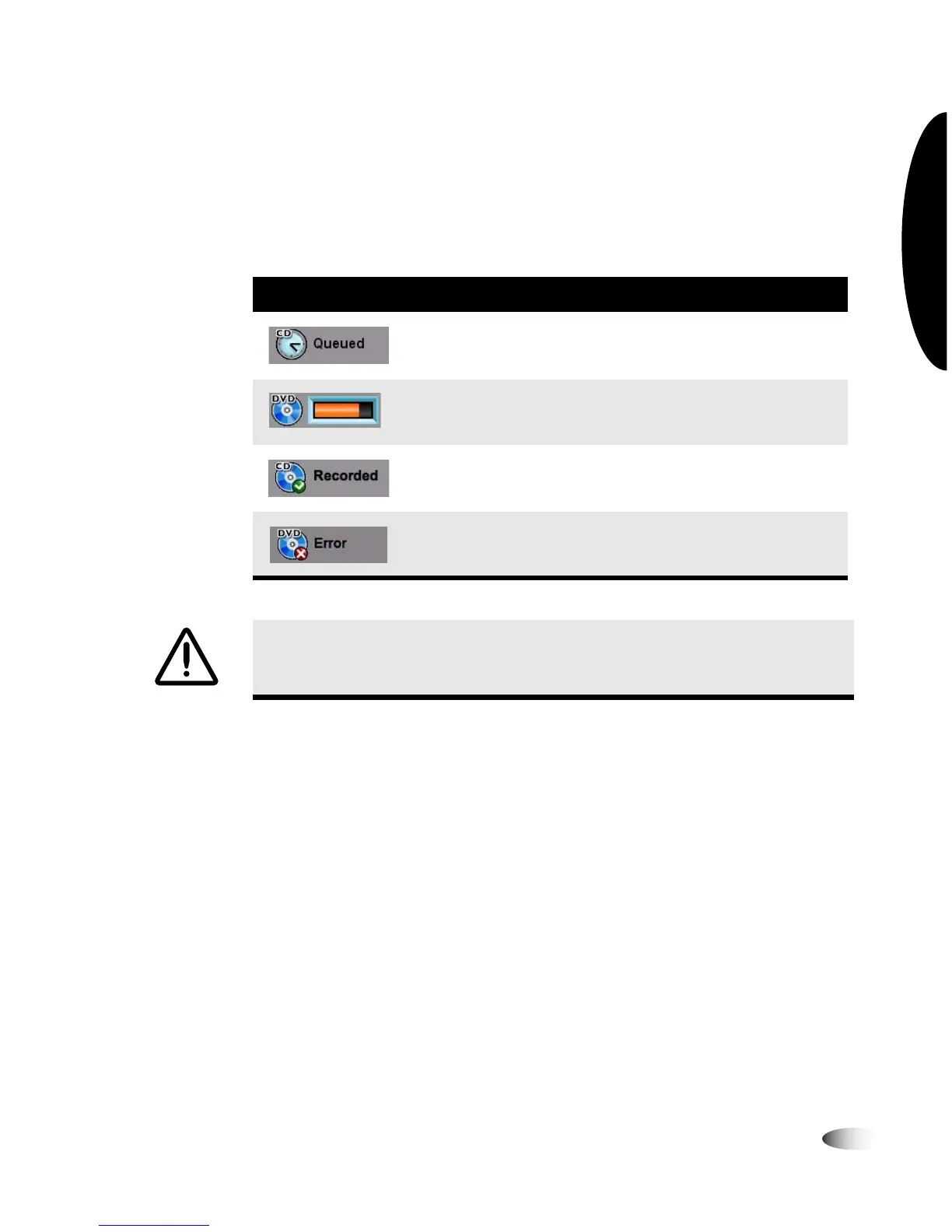
Job Status Indicators
The Status column displays icons to indicate the current status of
each job.
Table 7-1. Job Status Indicators
Status Icon Description
The job has been queued for recording. The media type—CD
or DVD—is indicated in the icon.
The job is being recorded, or the disc on which it has been
recorded is being printed.
The job has been recorded and the disc has been placed in the
device’s output bin.
The job failed to complete successfully.
CAUTION
Discs that fail to record properly are either labeled with the word “Reject”
or not labeled at all. These discs should be destroyed to protect the confidentiality of
patient data.



 To Next Page