Codonics Virtua User’s Manual 3-7
Setting Up the Software
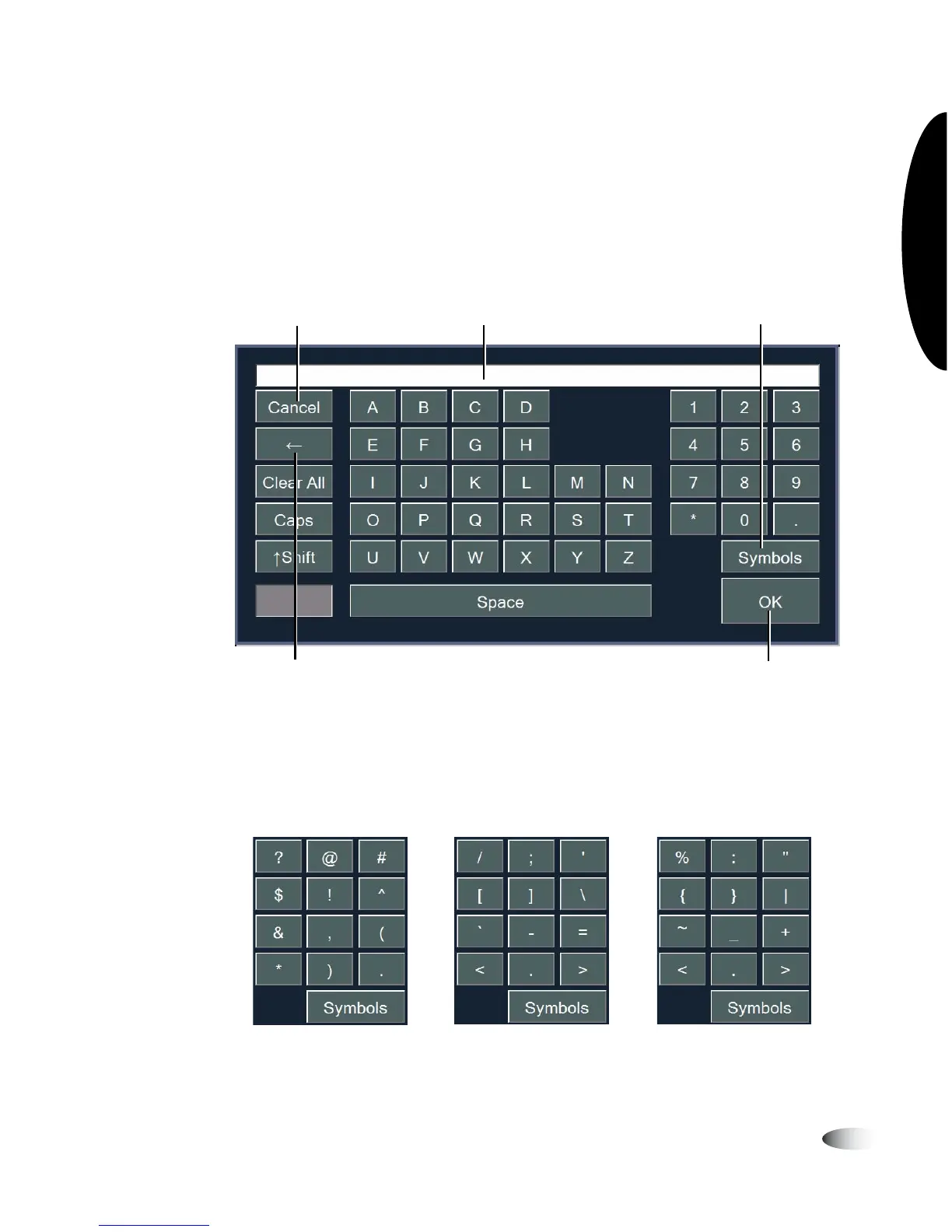
Touch Screen Keyboard
The touch screen keyboard allows text or numeric data to be
entered directly from the Display. The following illustration
describes the special functions on the touch screen keyboard.
The
Symbols
key toggles the numeric keypad through four sets of
characters—numbers and the three sets of special characters shown
below.
Current text entry
displayed here
Closes the keyboard,
discarding any
entered text
Closes the keyboard and
enters text into the field
Backspace
key
Toggles keypad
through numbers and
special characters



 To Next Page