Codonics Virtua User’s Manual 2-21
Setting Up the Hardware
1. Connect the power cord to a grounded power outlet that
supplies the appropriate voltage for the applicable country.
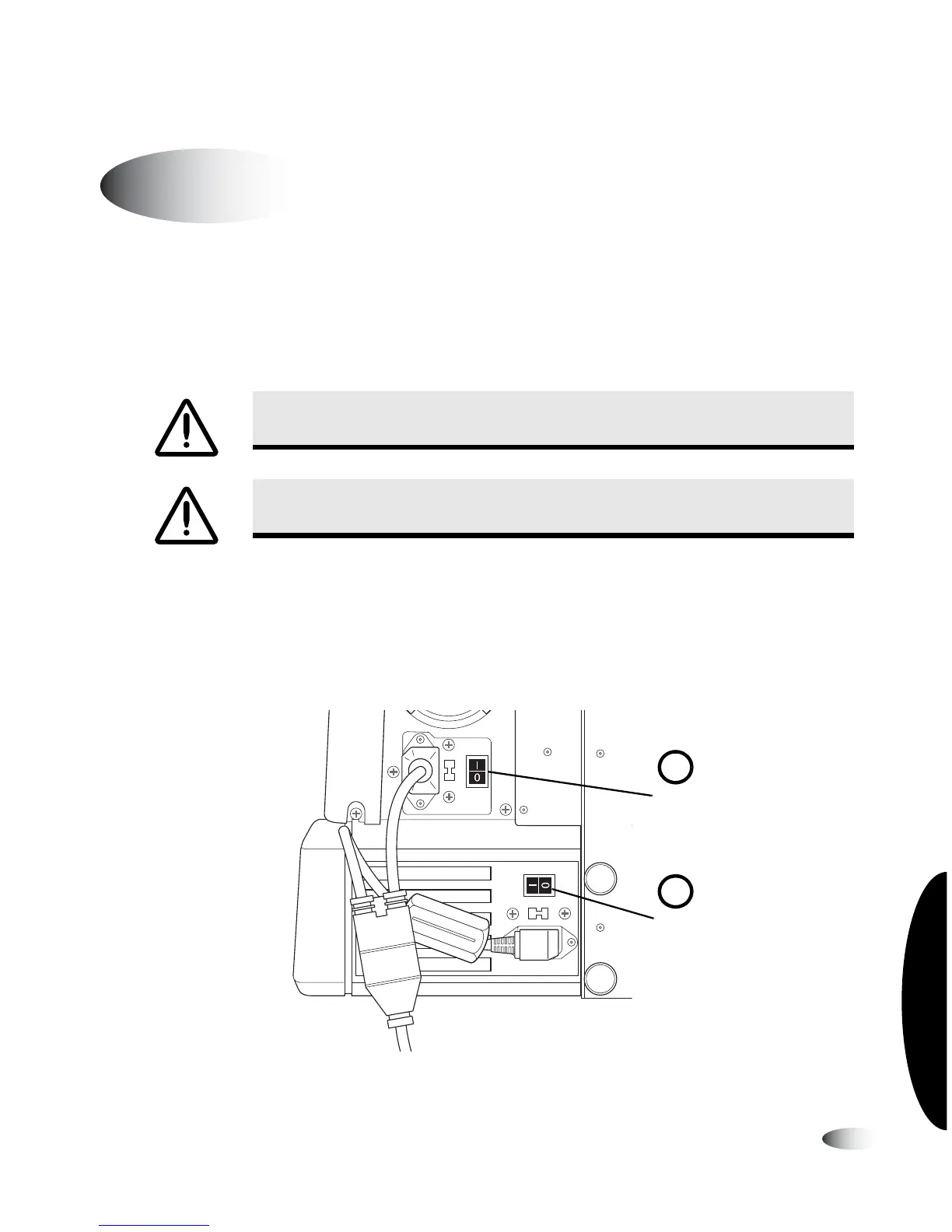
2. Set the hard power switch at the rear of the Recorder to the
I
(on) position.
3. Set the hard power switch at the rear of the Controller to the
I
(on) position.
Power switch locations (Virtua-1-PS1 model shown)
Powering On the Device
WARNING The power cord plug is the main disconnect for the device. The
power outlet should be near the device and be easily accessible.
WARNING Remove the power cord plug from the power outlet to disconnect
overall power to the device.
8
To power on
the device
Recorder hard
power switch
Controller hard
power switch
1
2



 To Next Page