Codonics Virtua User’s Manual 2-7
Setting Up the Hardware
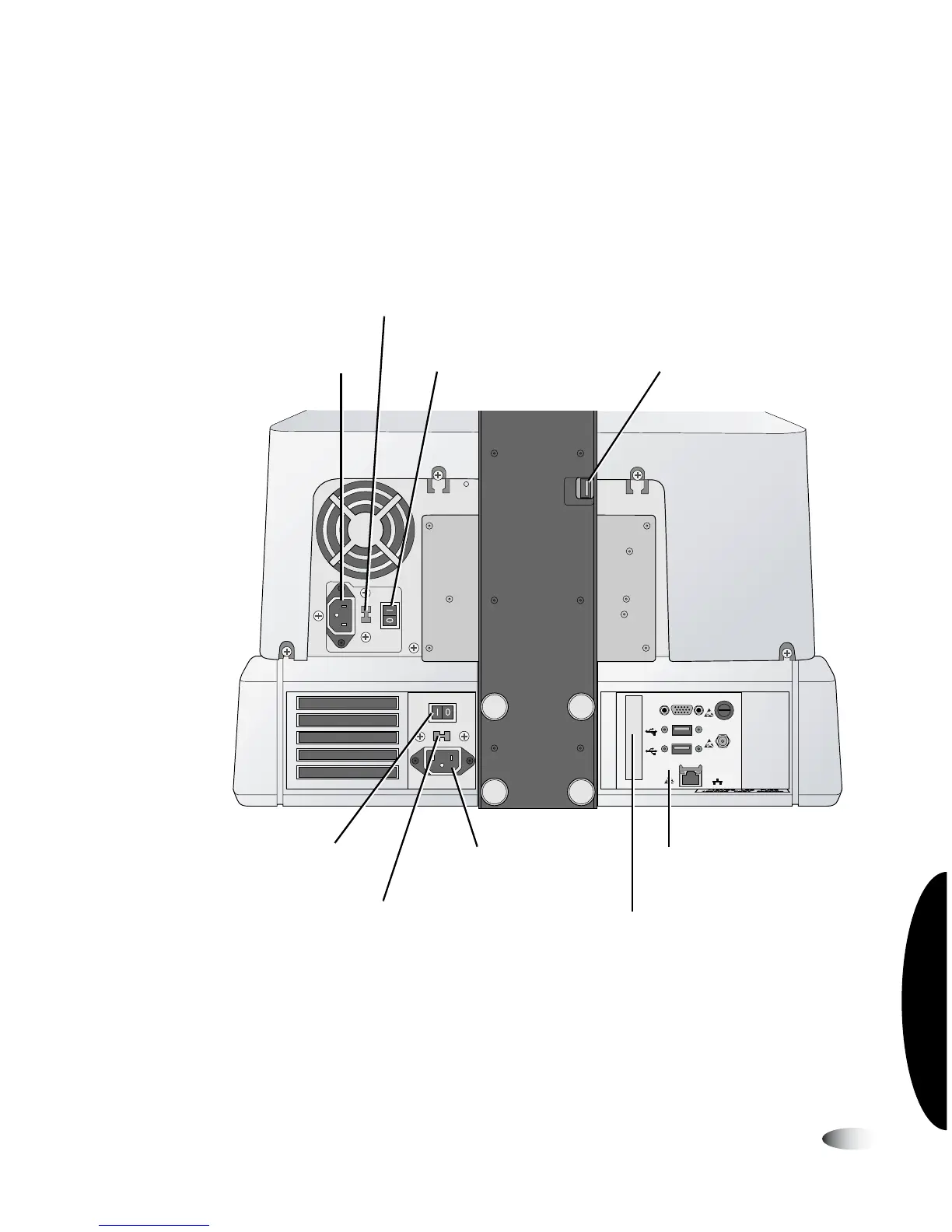
Controller and Recorder Rear Panels
The following illustration shows the input/output ports and the
hard power switches found on the Controller and Recorder rear
panels.
Controller and Recorder rear panel components
NOTE:
The CMOS reset switch is provided on some systems to reset the Controller
motherboard’s CMOS settings and clock. Use this switch only when directed to do so by
Codonics Technical Support.
VGA
USB
USB
FUSE
LCD
PWR
NETWORK
Controller hard
power switch
Controller
input/output ports
Controller power
input port
Recorder power
input port
Recorder hard
power switch
Recorder USB 2.0
port
Recorder power supply
voltage selection switch
(Virtua-1-PS1 model only)
Controller power supply
voltage selection switch
(Virtua-1-PS1 model only)
CMOS reset switch
(included on some systems)
3



 To Next Page