2-22 Setting Up the Hardware
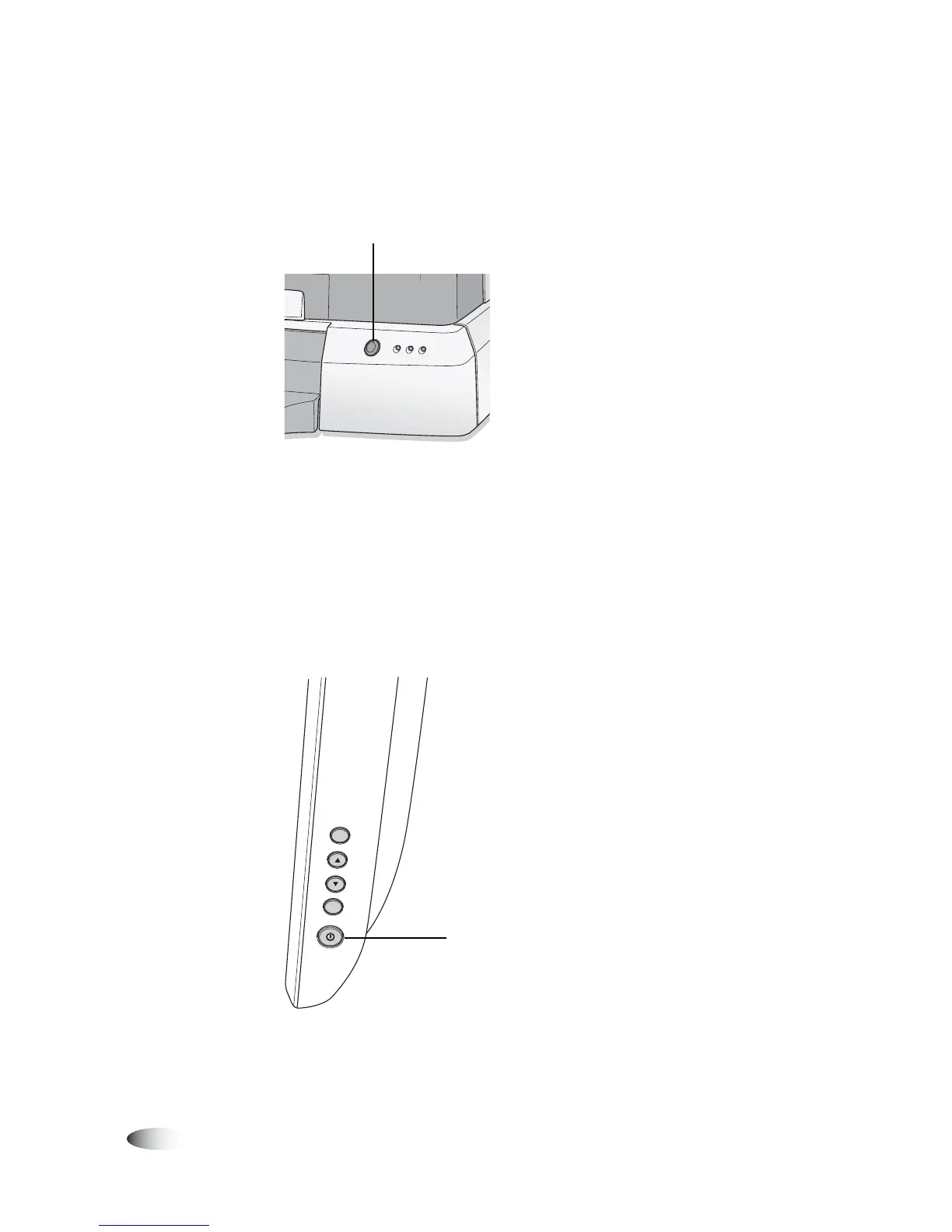
4. Power on the device by pressing the green soft power button on
the Controller front panel.
Controller soft power button
The Display shows startup messages as the device initializes.
When the Login screen displays, the device is ready to receive
studies.
If the Display is not showing the startup messages, it might not
be powered on. To power on the Display, press its power switch.
Display power switch, at right side of the Display
You are now ready to install the ink cartridge.
Controller soft
power button
SELEC
T
MENU
Display power
switch



 To Next Page