Codonics Virtua User’s Manual 3-15
Setting Up the Software
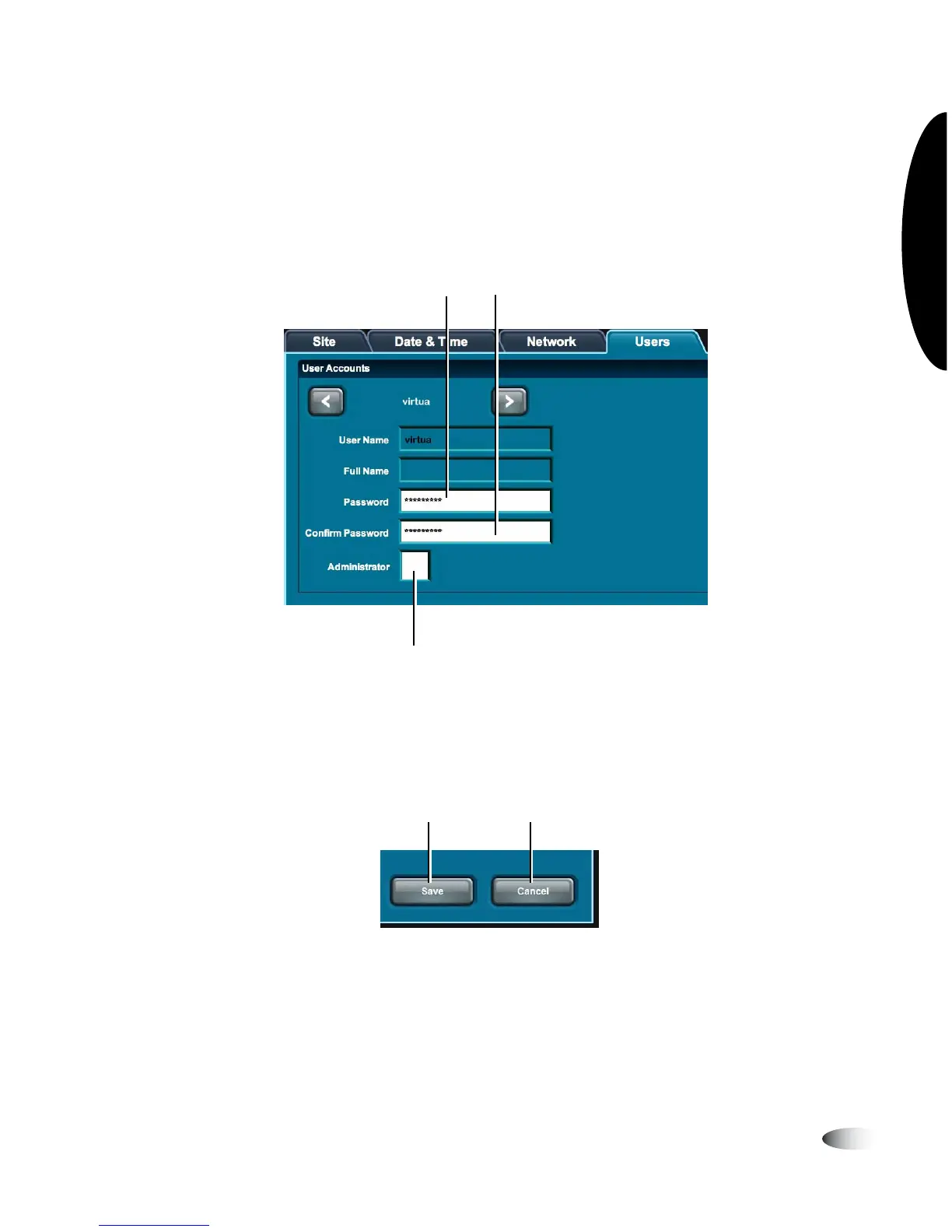
3. Touch the
Password
and
Confirm Password
fields to enter the
new password.
4. Touch the
Administrator
checkbox to select/unselect
administrator privileges for this user.
5. To save your changes, touch the
Save
button.
To cancel your changes, touch the
Cancel
button.
Touch these fields to enter the new password
To select/unselect administrator
privileges, touch this checkbox
To cancel your changes,
touch the Cancel button
To save your changes,
touch the Save button



 To Next Page