VIEWING AREAS
27
Comau Robotics Product Instruction
3.2 Opening and closing the Environments
– Opening
– Closing
3.2.1 Opening
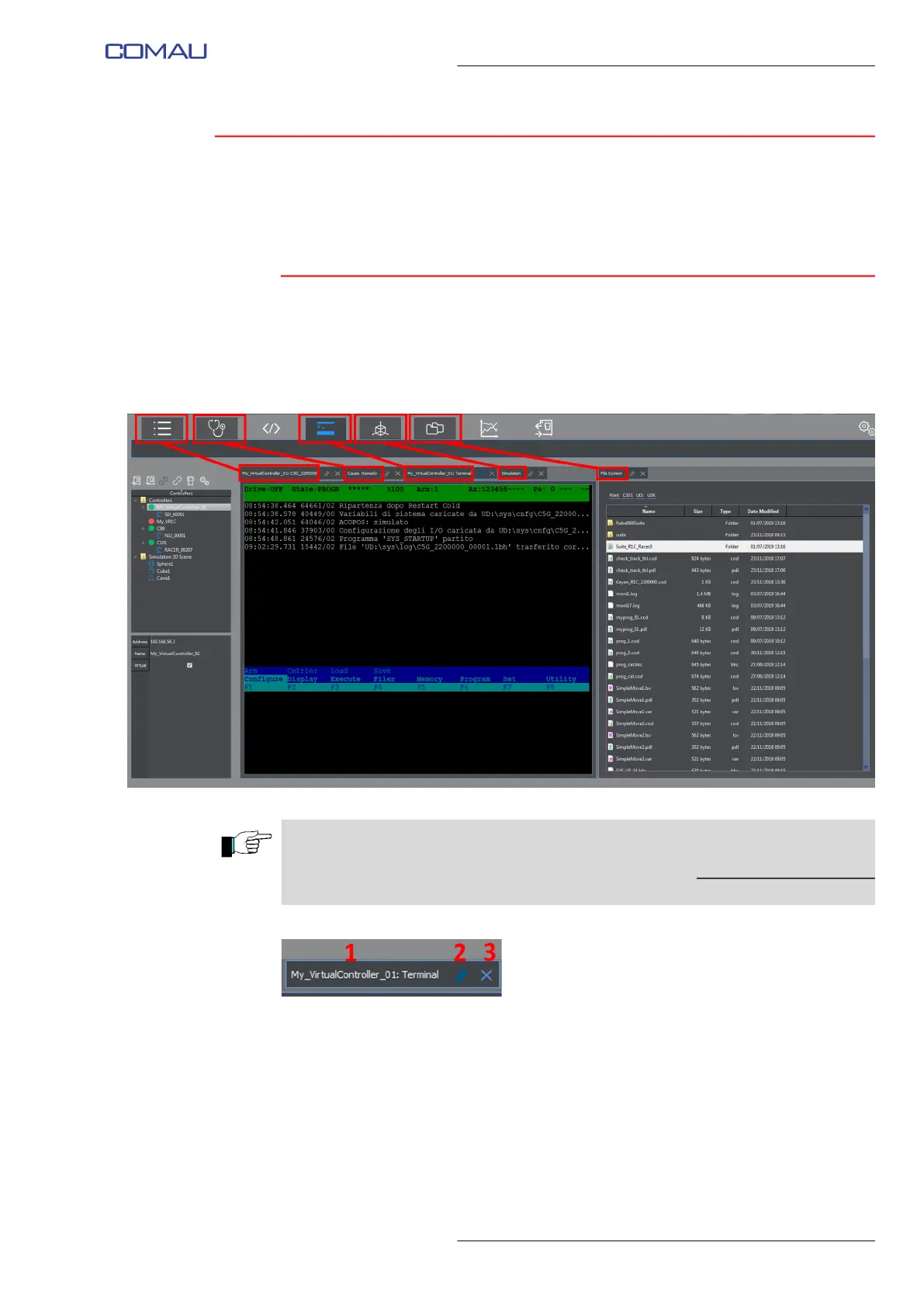
To open an Environment, click its corresponding key.
In the example shown in the figure below, there are 5 open environments (Logger,
Cause&Remedy, Terminal, 3D Visualization, File System), but 2 only are displayed.
The panels corresponding to the Environments are composed by a viewing window and
a label (tab) containing the following information (figure above):
• name (1) - name of the corresponding environment
• placeholder (2) - allows making the panel movable or fixed. Clicking the first
time, the panel is released from the viewing area. The next click causes it to
be fixed to the viewing area again.
• closure key (3) - allows closing the panel.
In the Viewing Area a maximum of TWO panels related to the Environments can be
displayed at the same time.
If some more Environments are wished to be opened, the opened but not displayed
panels are selectable by means of the corresponding tabs.



 To Next Page