MULTICONTROL PANEL
77
Comau Robotics Product Instruction
The configuration of such a modality is made by means of the FTP server settings
window, shown in the figure above.
Some configurable ports are defined in this window to be allowed to access. A maximum
of 9 can be configured.
The user should specify the following information for each port
:
– enable/disable, using the corresponding checkbox
– home directory
for the connection - it can be specified either by typing the path or
clicking the three horizontal dots, browsing until the wished folder and then clicking
Select folder.
– NET_C - in case of backup and restore functionality, with RoboShop acting as the
Control Unit server, it is allowed to use the NETx: ports (with ‘x’ from 1 to 9) after
enabling the corresponding checkbox.
5.3 Nodes Panel
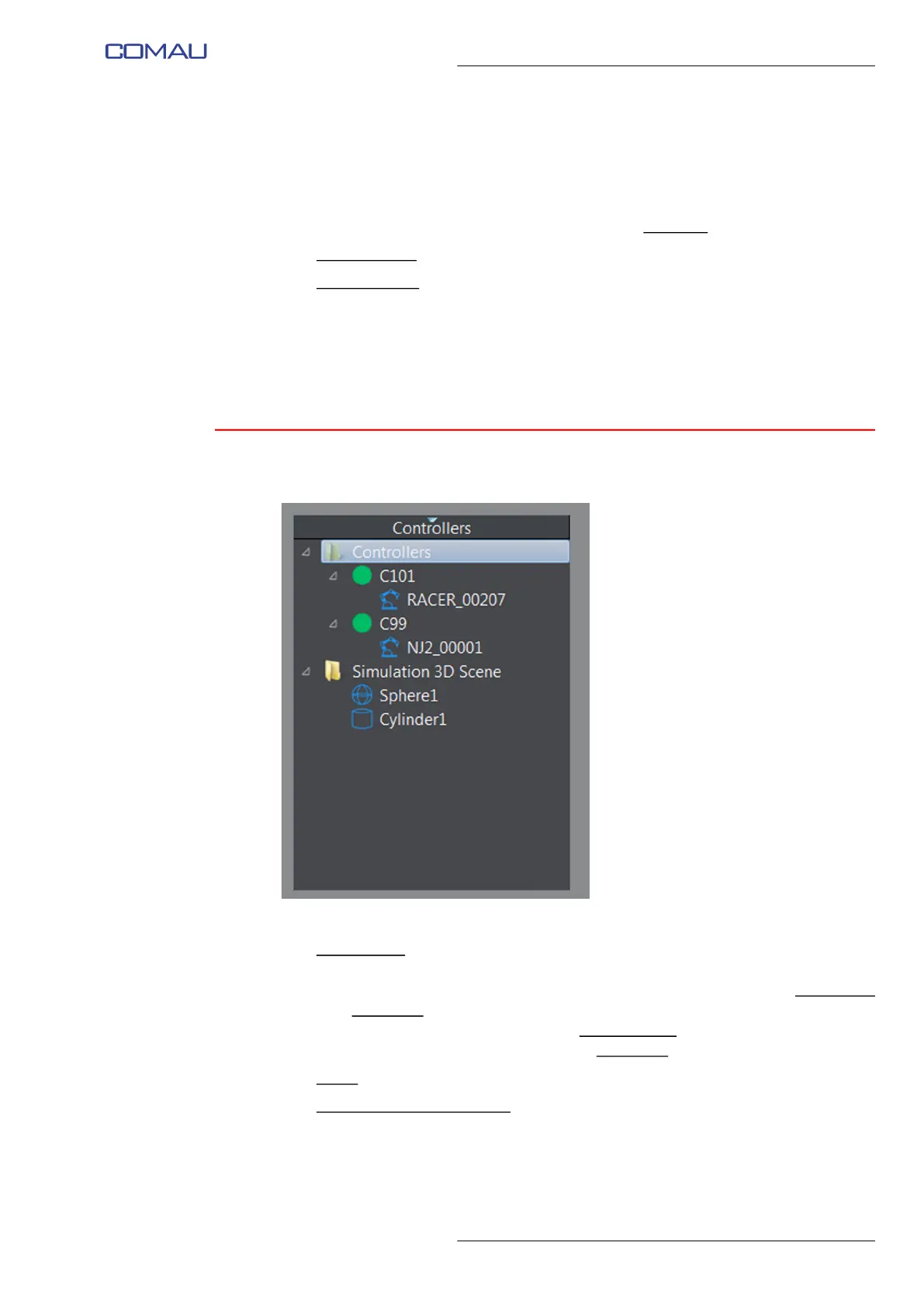
In this panel, RoboShop handles a tree structure containing the following Nodes:
– Control Units
(in the Controllers folder). A “LED” is associated to each Control Unit
name. Its color has the following meaning:
• grey - the Control Unit has been added to the tree but it has never been
connected
• red - the Control Unit is currently not connected
• green - the Control Unit is currently connected.
– Robot
(as Control Unit child Nodes)
– Objects of the 3D simulation (in the Simulation 3D scene folder).



 To Next Page