Comau Robotics Product Instruction
70
MULTICONTROL PANEL
The VirtualTP5 keyboard includes
– Standard Virtual Keys, i.e. the ones corresponding to the TP5 real keyboard keys,
– Additional Virtual Keys, to simulate all buttons/selector existing in the real TP5.
5.2.6 Standard Virtual Keys
The standard virtual keys simulate all the black, blue and other colours keys, existing
in the real TP5 keyboard.
To simulate pressing and releasing the standard virtual keys, use the mouse left
and
right keys, according to the following rules:
– clicking left
on a virtual key, switches it to the opposite state, until the mouse key is
not released
– clicking right
on a virtual key, keeps it in the opposite state: if the virtual key WAS
NOT pressed, clicking right presses it and keeps it pressed; if the virtual key WAS
pressed, clicking right releases it and keeps it released
– to remove the press of only one standard virtual key
, just click right on it.
– to remove the press of one or all pressed standard virtual keys
, just click either left
or right, everywhere out of the virtual keys.
5.2.7 Additional Virtual Keys
These virtual keys allow a better use of the virtual Teach Pendant, taking advantage of
some functionalities related to the visualization and other buttons/selector existing in the
real TP5.
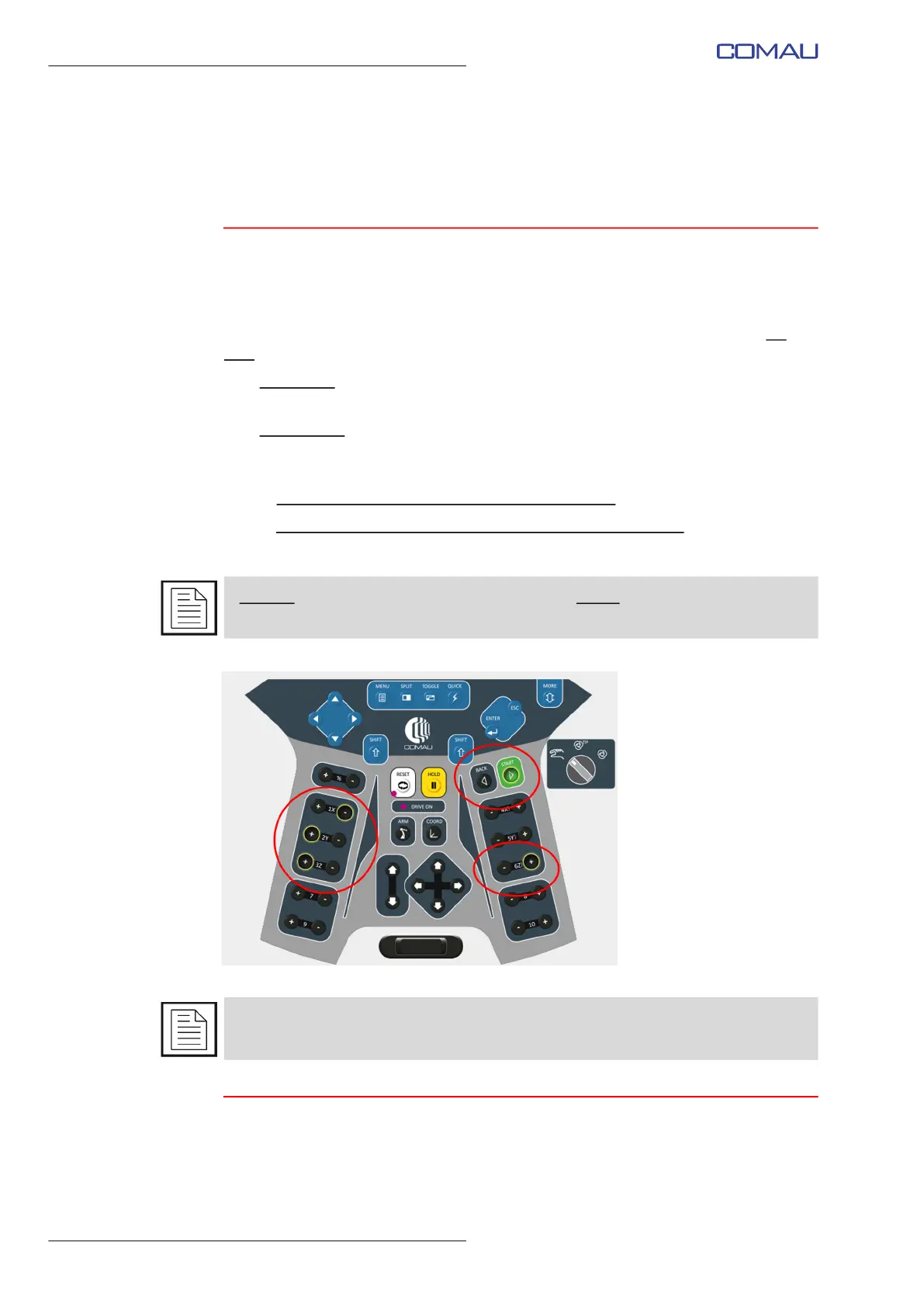
A pressed standard virtual key is represented by a yellow border (see the examples in
the following figure).
For further details about the real TP5 keyboard, refer to Control Unit USE, chap.TP5
Teach Pendant, par.5.3.1 Keys.



 To Next Page