ENVIRONMENTS
37
Comau Robotics Product Instruction
4.4 Editor
– Description
– Contextual keys.
4.4.1 Description
This environment allows editing any files in Unicode or ASCII codes. More in detail, it
allows creating, viewing, modifying and saving the majority of the existing files on a
Control Unit, meaning .PDL, .COD, .LSV, .VAR, .C5G, .XML and their backup copies
(.BKP, .BKC, .BKL, .BKV, .BK5, .BKM).
It takes advantage of assisted writing mechanisms, with autotype functionality and use
of colours.
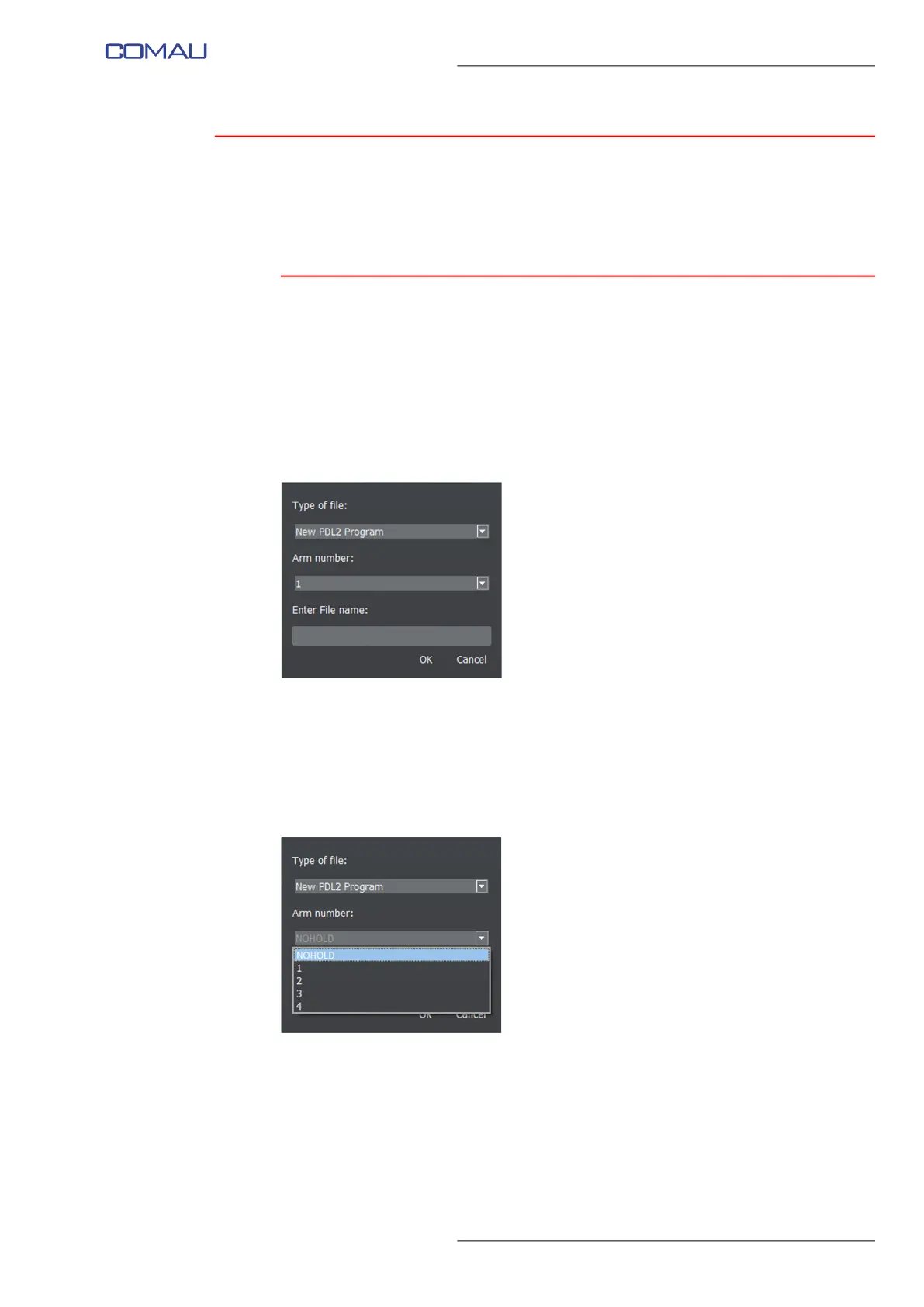
The New File creation window is displayed when clicking the Editor key.
The user can insert the following information in it, related to the new file:
– Type of file - indicates whether a new file is wished to be created containing a
PDL2 language program (New PDL2 Program) or empty (Blank File)
– Arm number - if the new file contains a PDL2 program, this field specifies either
the used arm for motion programs or the NOHOLD attribute (figure below). In case
of empty file, this field is not active
– Enter File name - indicates the wished filename.
Clicking OK, RoboShop opens the Editor window for the new file.
To open an already existing file, instead, on the PC or on one of the existing Control
Units in the Nodes Panel, choose the corresponding device and folder including such a
file, by means of the File System function and click twice on its filename. In such a way,
the file is opened in the Editor environment.



 To Next Page