MULTICONTROL PANEL
71
Comau Robotics Product Instruction
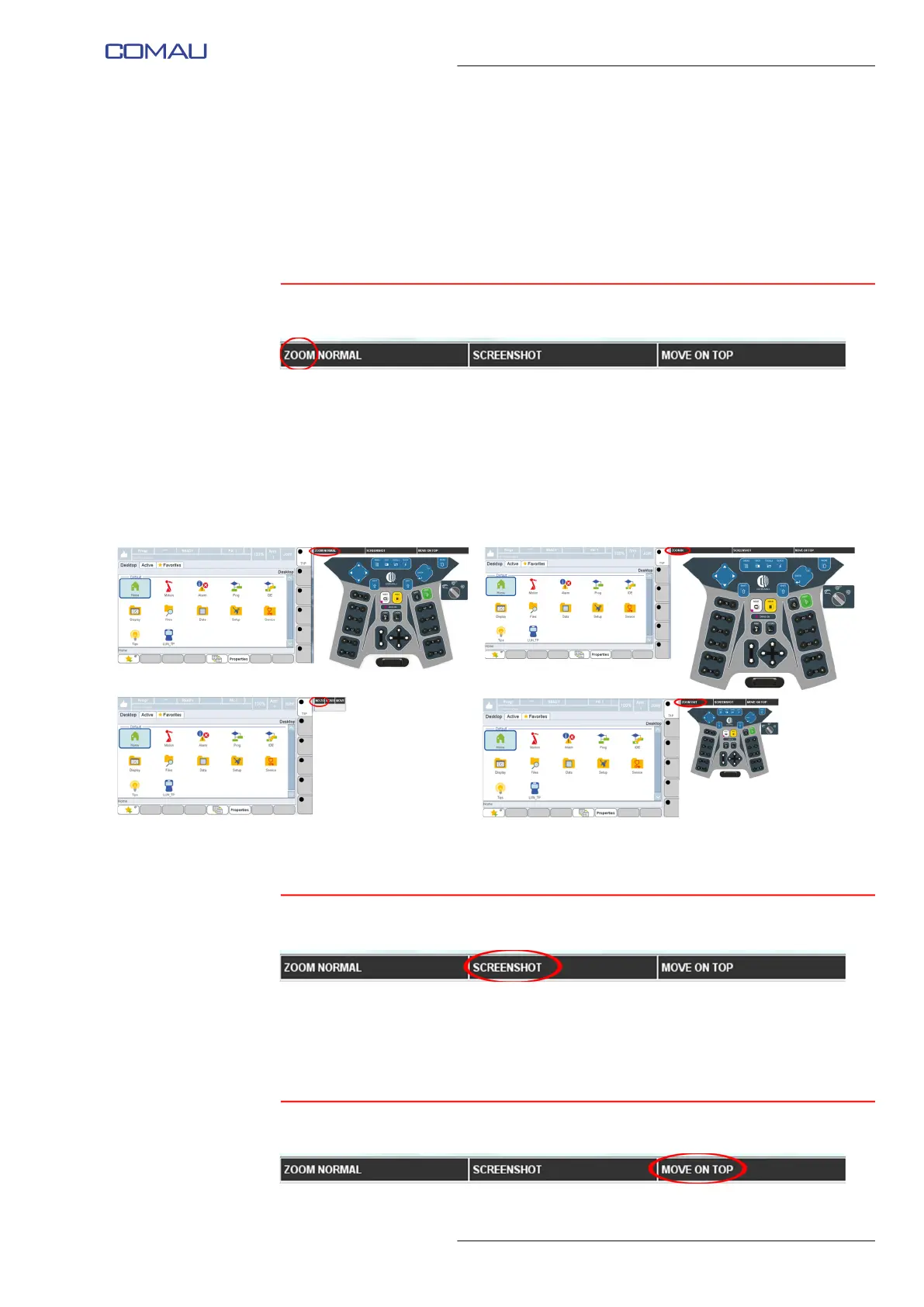
– ZOOM
– SCREENSHOT
– MOVE ON TOP
– Virtual State Selector
– Virtual Enabling Device.
5.2.7.1 ZOOM
This key allows modifying, in circular mode, the virtual keyboard visualization, as shown
in the next figures. The available visualizations are:
– ZOOM NORMAL - medium size
– ZOOM IN - big size
– NO ZOOM - virtual keyboard not displayed
– ZOOM OUT - small size
Each click on this key circularly changes (NORMAL -> IN -> NO -> OUT -> NORMAL,
etc.) the virtual keyboard visualization, as shown in the four figures above.
5.2.7.2 SCREENSHOT
It allows to capture the current virtual screen view and save it to a file, with unique name
assigned by the system, in the screenTP folder, automatically created on the Personal
Computer Desktop. A suitable message informs that the new file has been saved. Click
OK to close it. Each click on this key, creates and saves a new file.
5.2.7.3 MOVE ON TOP



 To Next Page