Comau Robotics Product Instruction
68
MULTICONTROL PANEL
i. At the end of the system power up, the new Virtual Controller is properly configured
and ready to be used.
5.2.2 Remove node
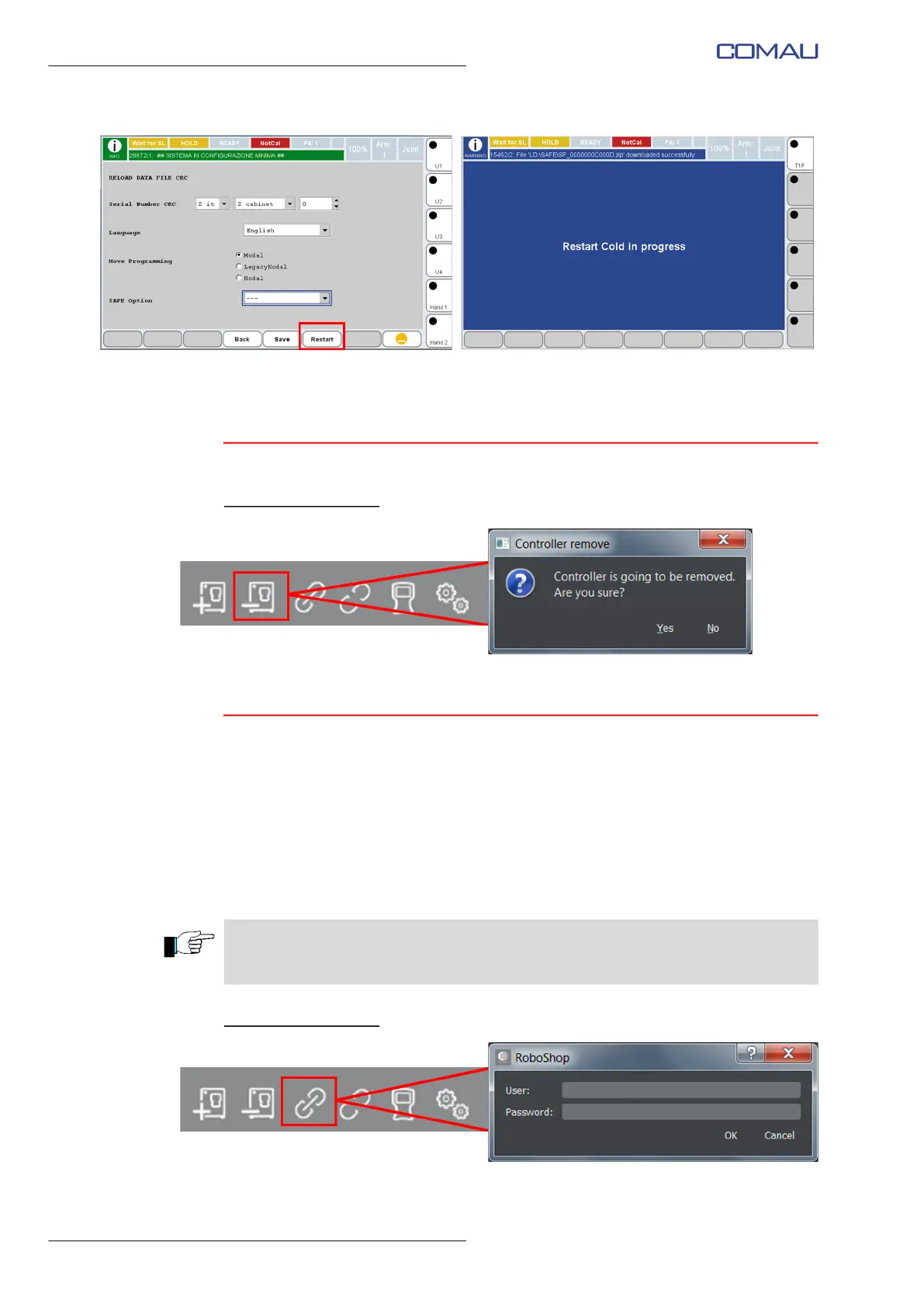
Select the Control Unit to be removed and click on the Remove node key .
Click Yes to remove.
5.2.3 Connect
The connection between PC and real Control Unit is based on the TCP/IP protocol.
When the physical connection is done, run RoboShop program.
Note that in case of Virtual Control Unit, the mentioned above physical connection is not
required.
If needed, some functionality Settings can be modified before connecting.
Click Connection key to connect to the Control Unit, as shown in the figure below.
Select the Control Unit
to be connected and click the Connect key (figure below).
Insert Username and Password; click OK to proceed. The connection operation could
CAUTION
Roboshop allows connecting MORE THAN ONE real Control Units at the same time
and JUST ONE Virtual Control Unit.



 To Next Page