MULTICONTROL PANEL
67
Comau Robotics Product Instruction
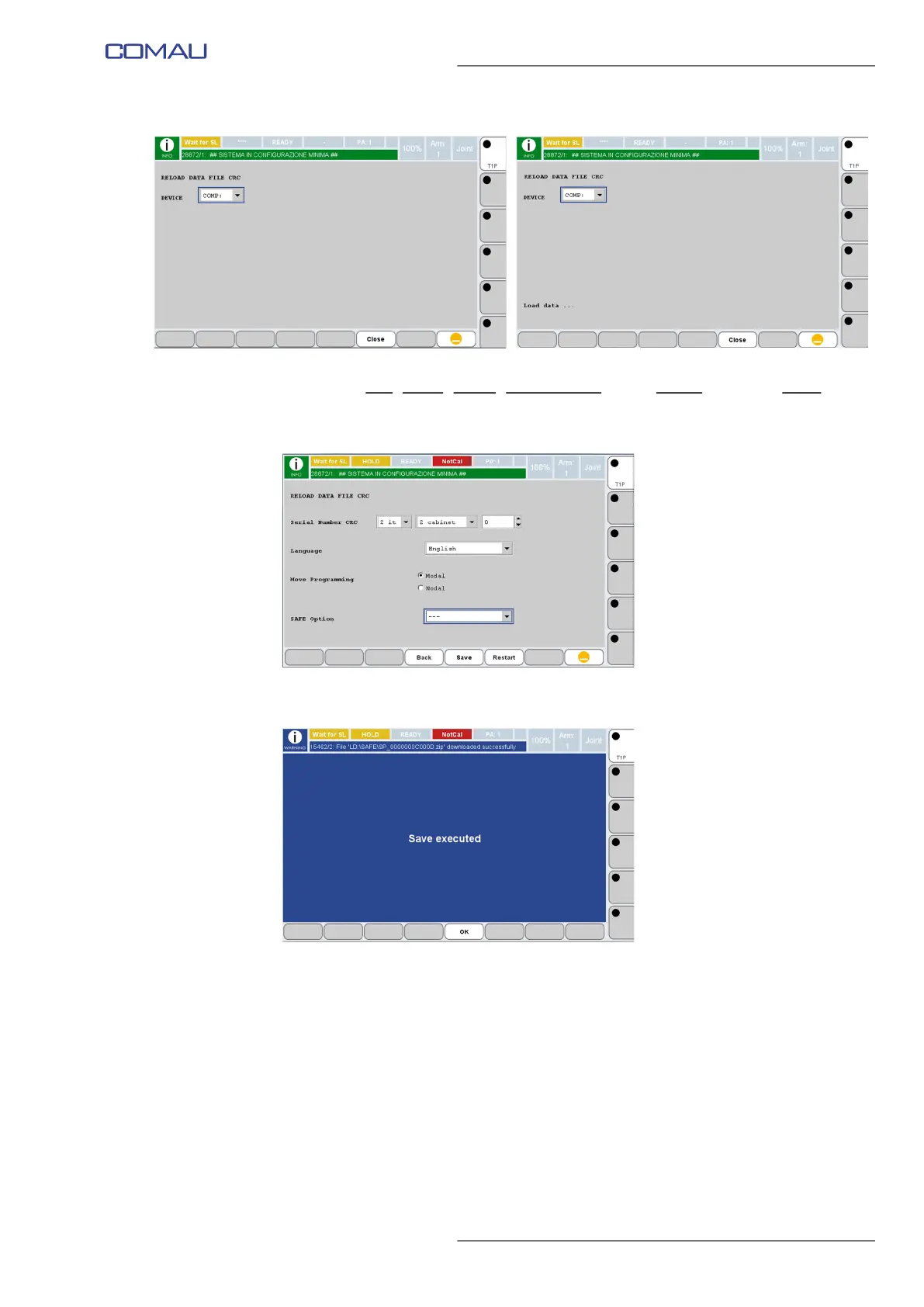
e. Select arm, family, model, auxiliary axes if any, MOVE statement mode, etc. to
configure the virtual system.
f. Press Save key at the end, to save the newly created configuration.
g. Click OK key to confirm.
h. Restart the Virtual System by pressing Restart key.



 To Next Page