Comau Robotics Product Instruction
66
MULTICONTROL PANEL
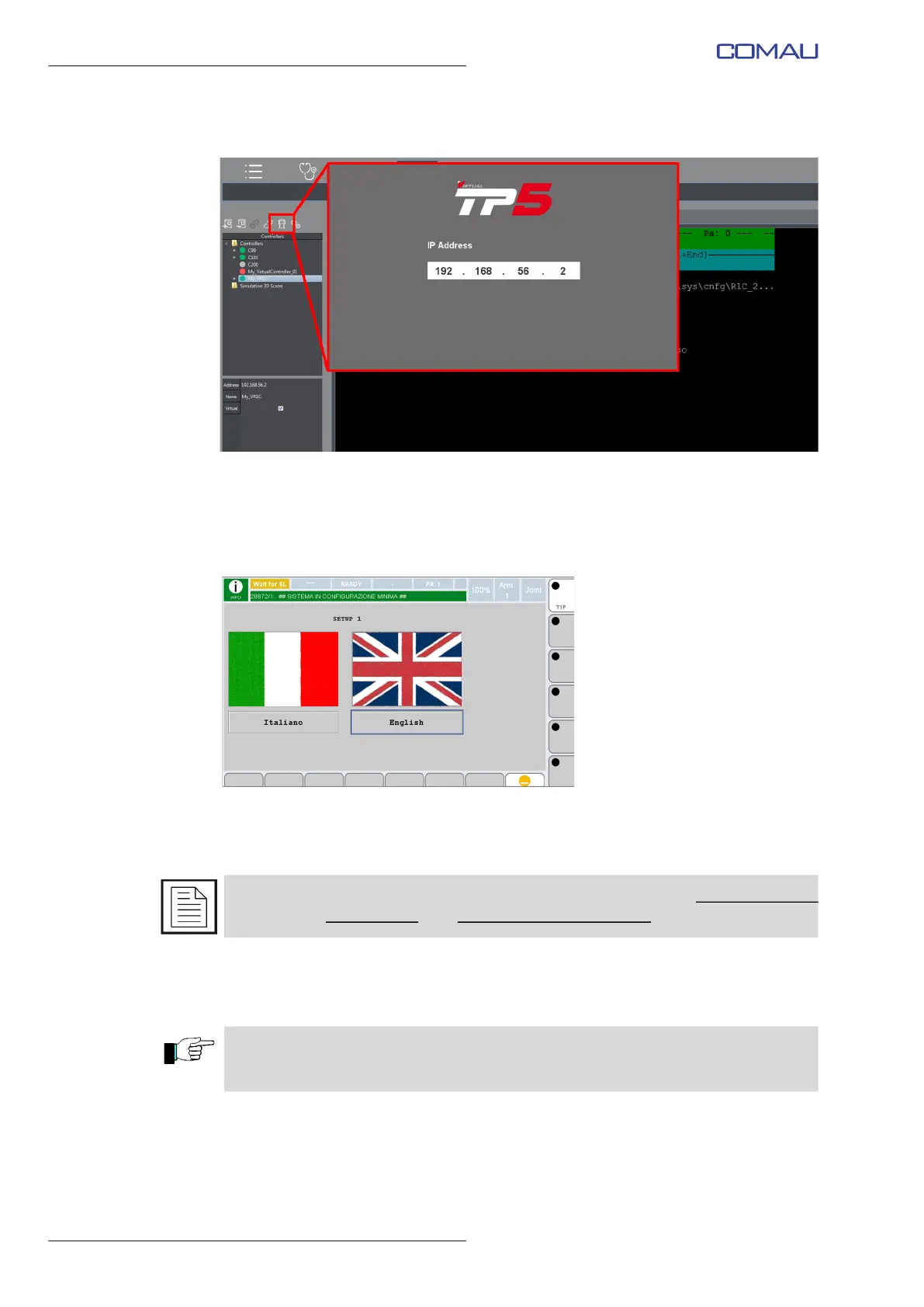
a. Activate the Virtual Teach Pendant by means of the dedicated key.
Program SETUP1 is automatically run, to allow the user to configure the system as
wished.
b. Select the wished language for SETUP1 execution (Italian or English), clicking the
language name.
Execute the described below steps to customize the new Virtual System
configuration.
c. Click the DEVICE field in the displayed page, to open the menu and select the
wished device from which loading the wished configuration.
d. Click OK to confirm.
For a detailed description about the system configuration, refer to Control Unit USE
manual, chap. SETUP Page, par. 5.17.3.11 - Reload Software.
CAUTION - Before going on, verify that the Transfer Directory is set to the directory of
the data files related to the chosen Virtual Control version. Refer to par. 5.2.8.1 File
Transfer on page 74 for further details.



 To Next Page