ENVIRONMENTS
33
Comau Robotics Product Instruction
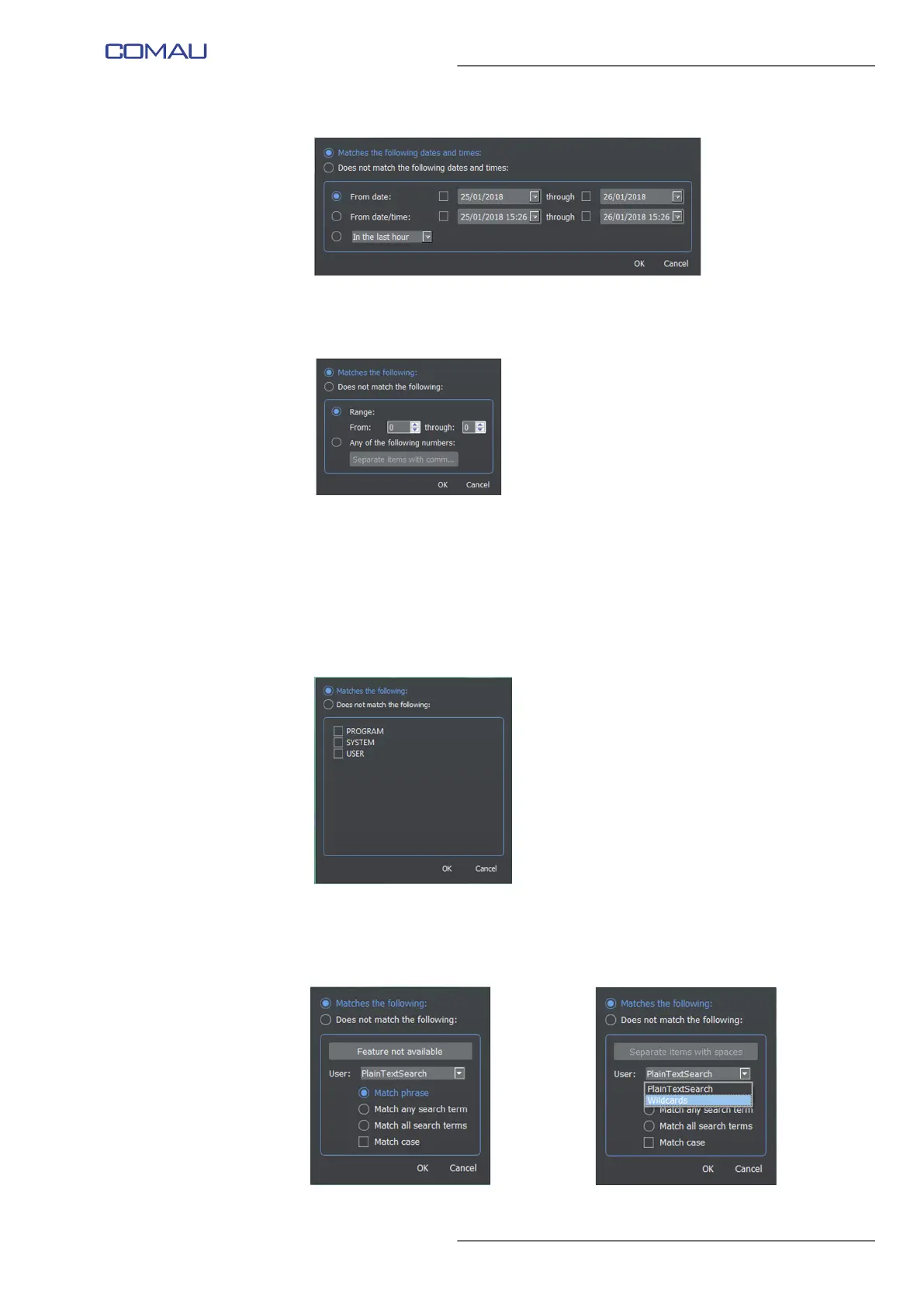
• Count - allows matching or excluding elements, by specifying a range of
elements or a list of elements separated by commas, based on their count
number.
• Error Code - allows matching or excluding elements, by choosing a range of
elements or a list of elements separated by commas, based upon their error
code. This window is exactly like the Count column one.
• Severity - allows matching or excluding elements, by choosing a range of
elements or a list of elements separated by commas, based upon their error
severity. This window is exactly like the Count column one.
• Source - allows matching or excluding elements, by choosing the element
source (PROGRAM, SYSTEM, USER, etc).
• Message - allows matching or excluding elements, by choosing the message
content (e.g. “Feature not available”), or a list of contents separated by
commas, choosing whether looking for the whole phrase, any words, all
words in any sequence, matching case, using wildcards.



 To Next Page