Comau Robotics Product Instruction
48
ENVIRONMENTS
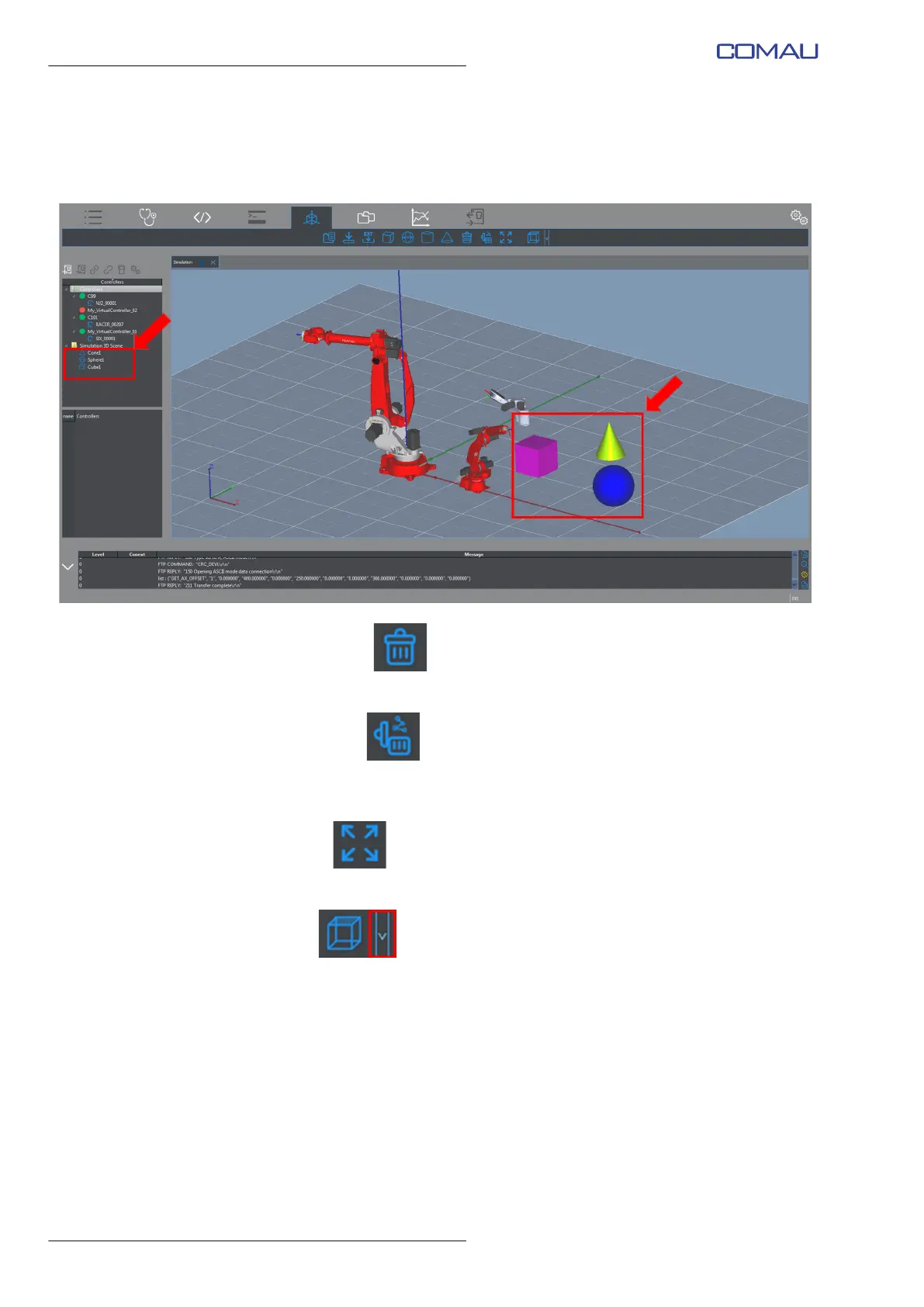
When one of these commands is clicked, the required object is added by the
program (example in the figure below), both in the 3D environment and in the
Simulation 3D Scene folder in the Nodes Panel.
– Delete Object
allows deleting the currently selected object in the Nodes Panel
– Delete Trace
Cancels the displayed trace of the currently selected robot trajectory. Refer to
par. 4.6.1.1 Robot on page 44 to modify the trajectory trace settings.
– Fit View
Fits the 3D scene viewing to the 3D Visualization window dimensions
– Views
Allows viewing the 3D scene from different perspectives. Click to open the choice
menua:
• Top View - from the top
• Bottom View - from the bottom
• Left View - from left
• Right View - from right
• Front View - from the front
• Back View - from the back



 To Next Page