ENVIRONMENTS
53
Comau Robotics Product Instruction
Act as follows to view a moni file diagram:
– for moni files on the Control Unit
, click twice the filename in the File System
environment
– for moni files on the PC
• open the Moni Viewer environment and use the Open File contextual key, or
• click twice the filename in the File System environment.
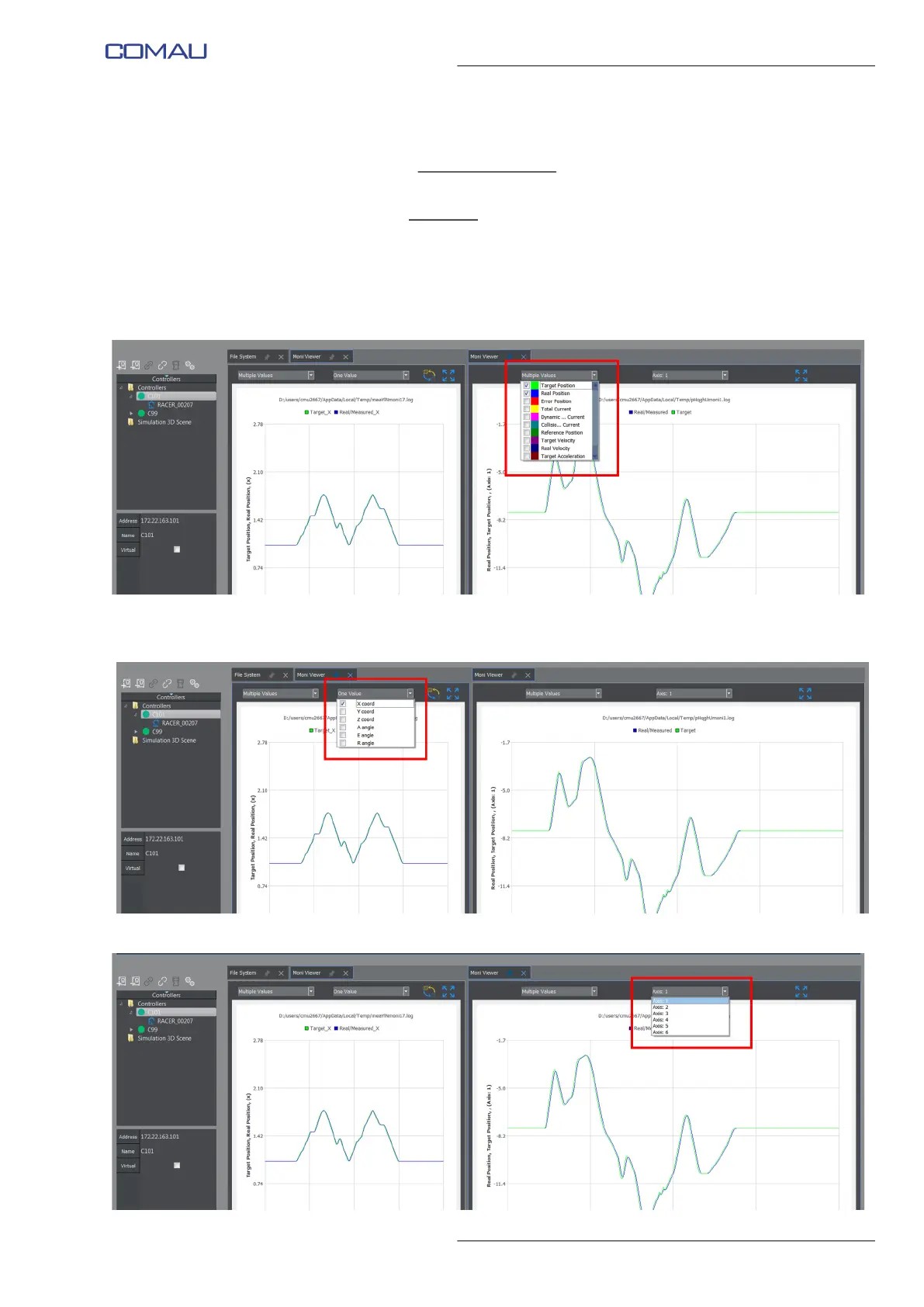
The user is allowed to change the viewing mode of the diagram, selecting the displayed
information (Target Position, Real Position, Error Position, etc), by means of the
Multiple Values menu shown in the following figure.
For the Cartesian movements it is also allowed to select the wished components (X, Y,
Z, individual Euler angles) by means of the One Value menu.
For the Joint movements it is allowed to select the wished Axis (Axis menu).



 To Next Page