Comau Robotics Product Instruction
58
ENVIRONMENTS
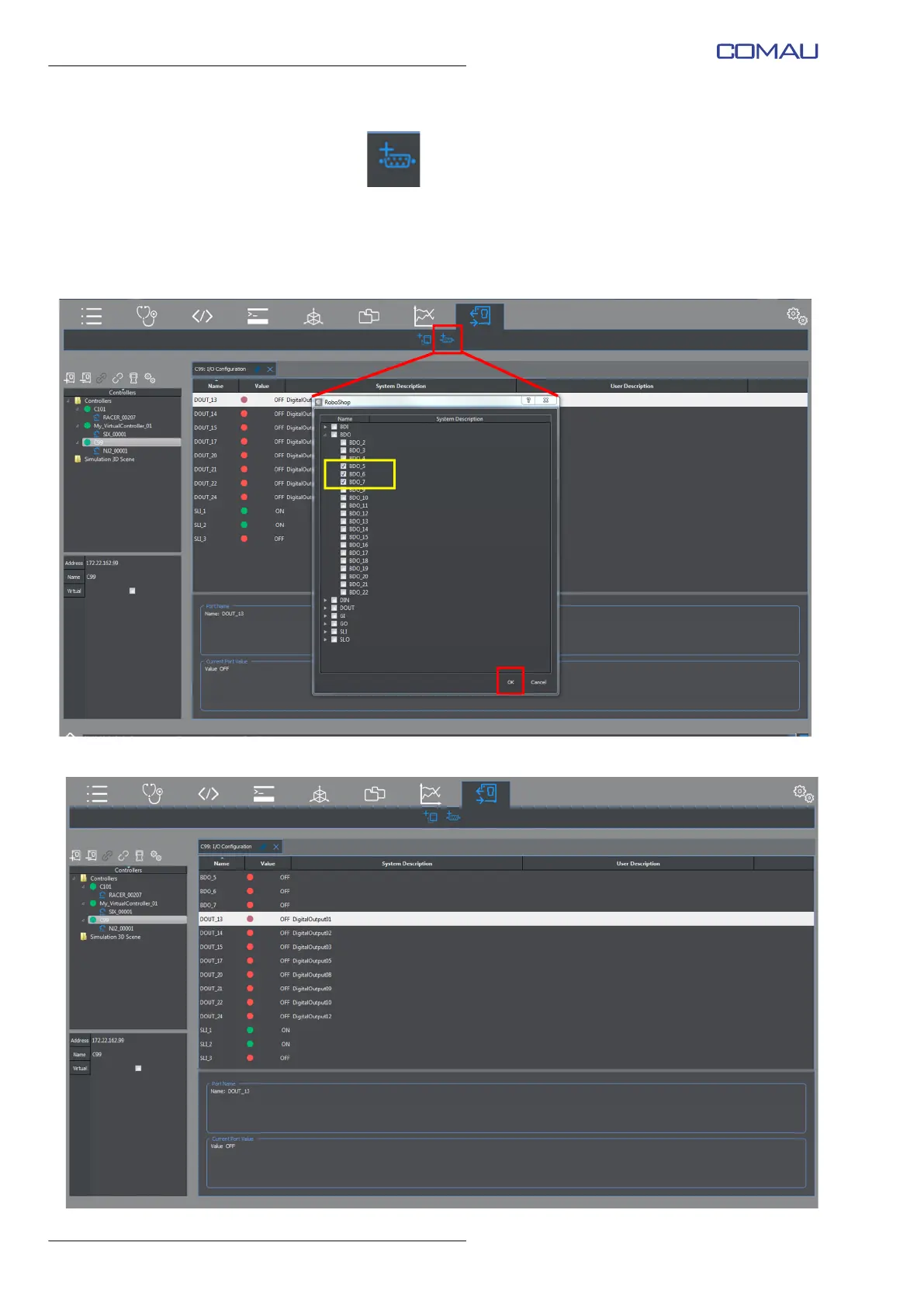
– Add I/O Port
this command adds the wished I/O ports to the current view. The user is allowed to
select them in a list in which they are displayed by port type, as shown in the figures
below.
In the following example, some I/O ports are added to the ones already displayed
in the previous example (par. – Add I/O Device on page 57).
Click OK to confirm and display the selected I/O ports.



 To Next Page