Comau Robotics Product Instruction
26
CONFIGURATION AND CONNECTION OF THE COMMAND INTERFACE (TABLET)
4.3 Installation of the app
Once the Download of the app is finished, open the file called “edo-ui-signed.apk” as
soon as it is downloaded.
Install the app by following the step-by-step wizard that will appear on the tablet screen.
At the end of the installation, the e.DO app will be available among the tablet
applications, identified by the icon
.
If, during the installation process, a warning message is displayed indicating that “For
security reasons, the tablet is not enabled to install unknown applications from this
source”*, proceed as follows:
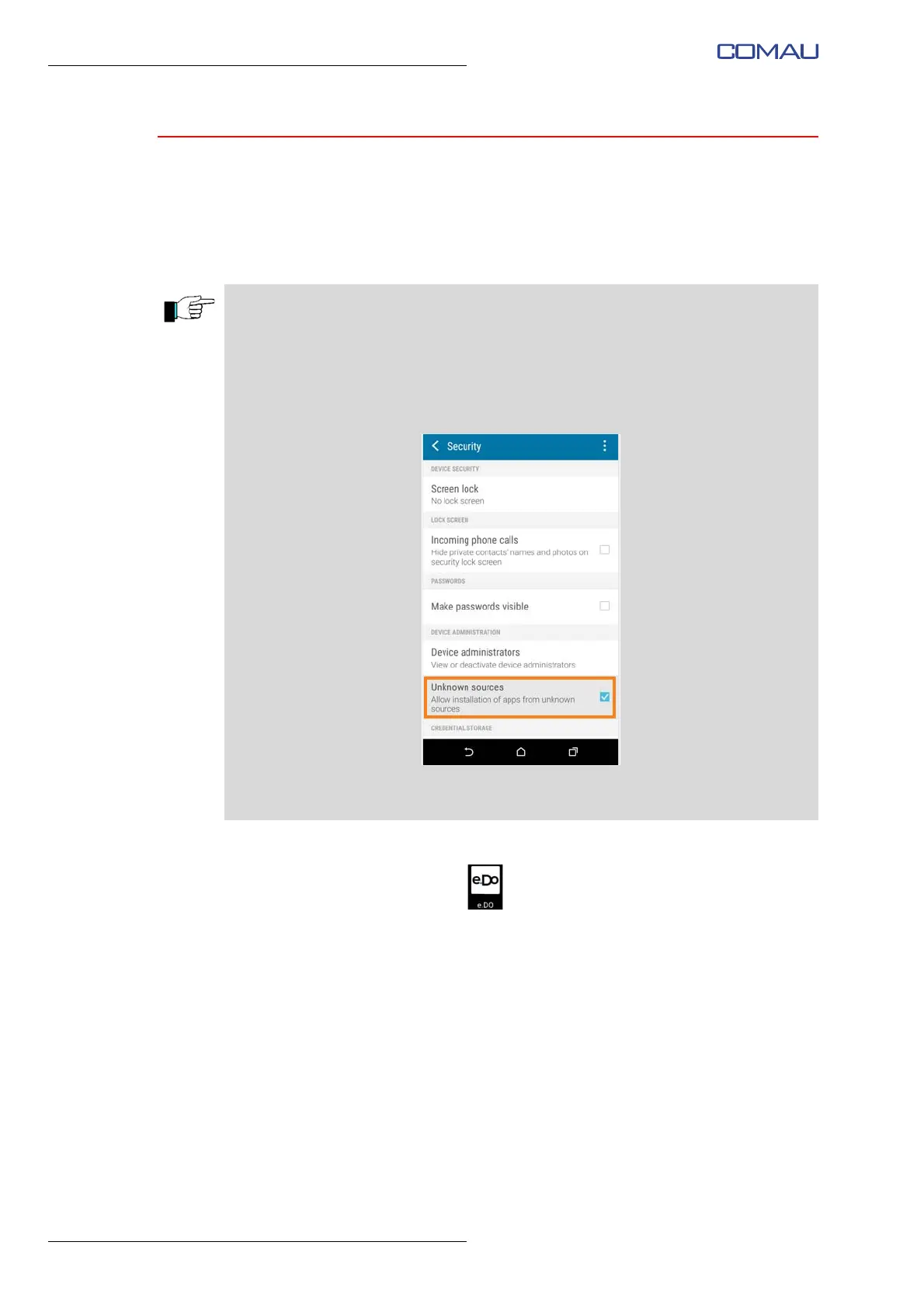
– on the tablet, open the Settings menu -> Security;
– scroll until you find the item “Unknown sources”;
– enable the installation of apps from unknown sources, checking the related tick box
as shown in the following figure:
* the wording may vary depending on the tablet model and the version and/or customization of the tablet's
operating system.





 To Next Page