USE OF THE “E.DO” APP
35
Comau Robotics Product Instruction
5.1.2 Movement in Joints mode
The movement in Joints mode makes it possible to move the e.DO axes (joints) one at
a time by selecting them individually directly from the app interface.
Movement modes
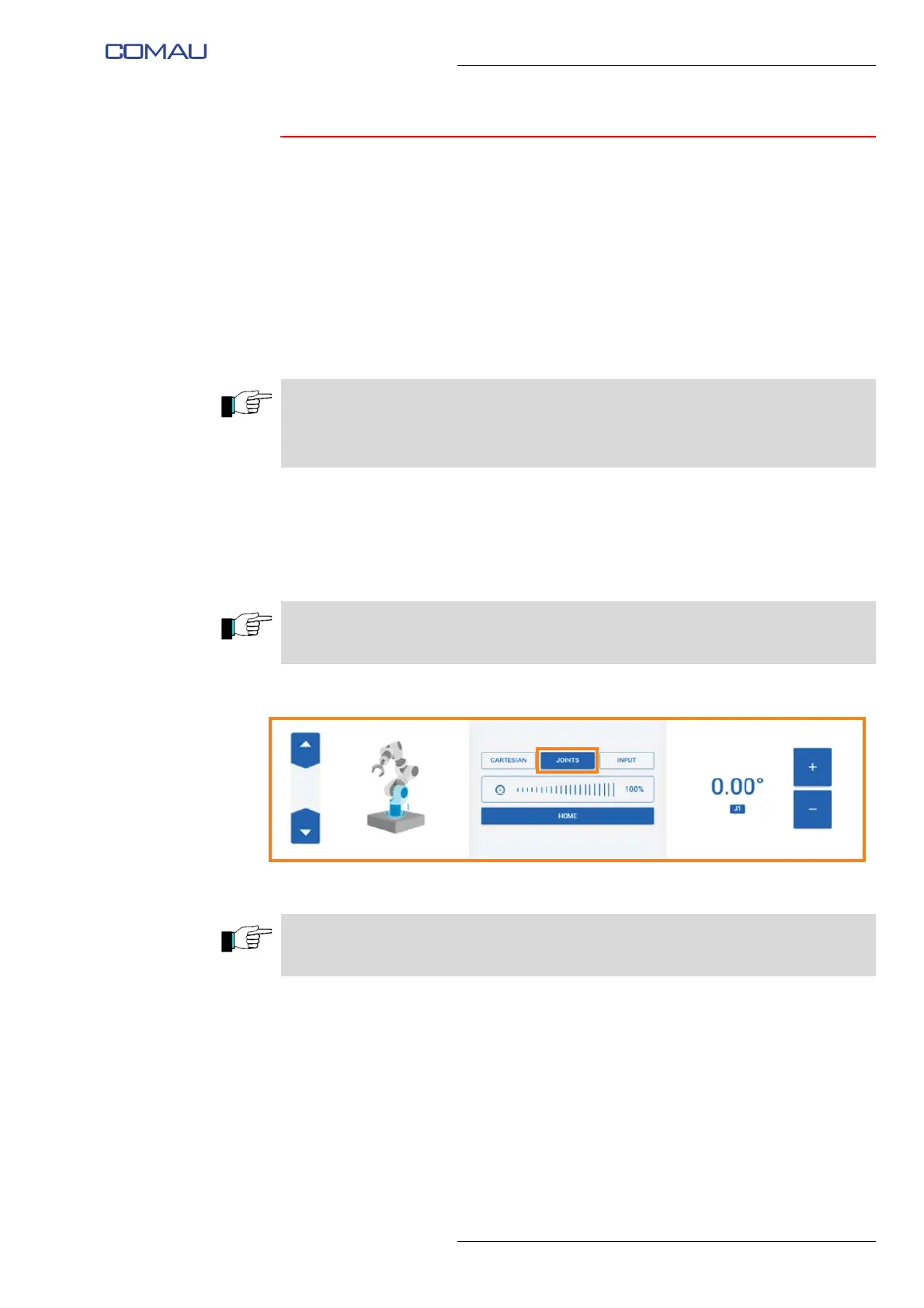
To carry out the movement in Joints mode:
– select the “Joints” item;
– using the arrows on the left side of the page, select the joint you want to move; the
selected joint will be highlighted on the image illustrating the Robot;
– if necessary, adjust the movement speed using the slider in the center of the
screen image;
– move the selected joint using the “+/-” arrow keys on the right side of the screen
image.
Stopping mode
In the Joints mode, the Robot stops automatically after pressing and holding the “+/-”
keys on the right side of the screen image or after releasing the “Home” button.
When present, the e.DO Gripper is identified as an additional joint (joint 7) and can be
moved in the same modes as the other joints of the Robot. By pressing the “+” key, it
commands the opening of e.DO Gripper; by pressing the “-” key, it commands the e.DO
Gripper to close.
The commands are of hold-to-run type; press and hold the “+” or “-” key until the selected
joint reaches the desired position.
The “Home” button allows you to move the Robot to the calibration position. The
command is of the hold-to-run type.





 To Next Page