Comau Robotics Product Instruction
34
USE OF THE “E.DO” APP
5.1.1 Movement in Cartesian mode
The movement in Cartesian mode allows e.DO to be moved using Cartesian
coordinates.
Movement modes
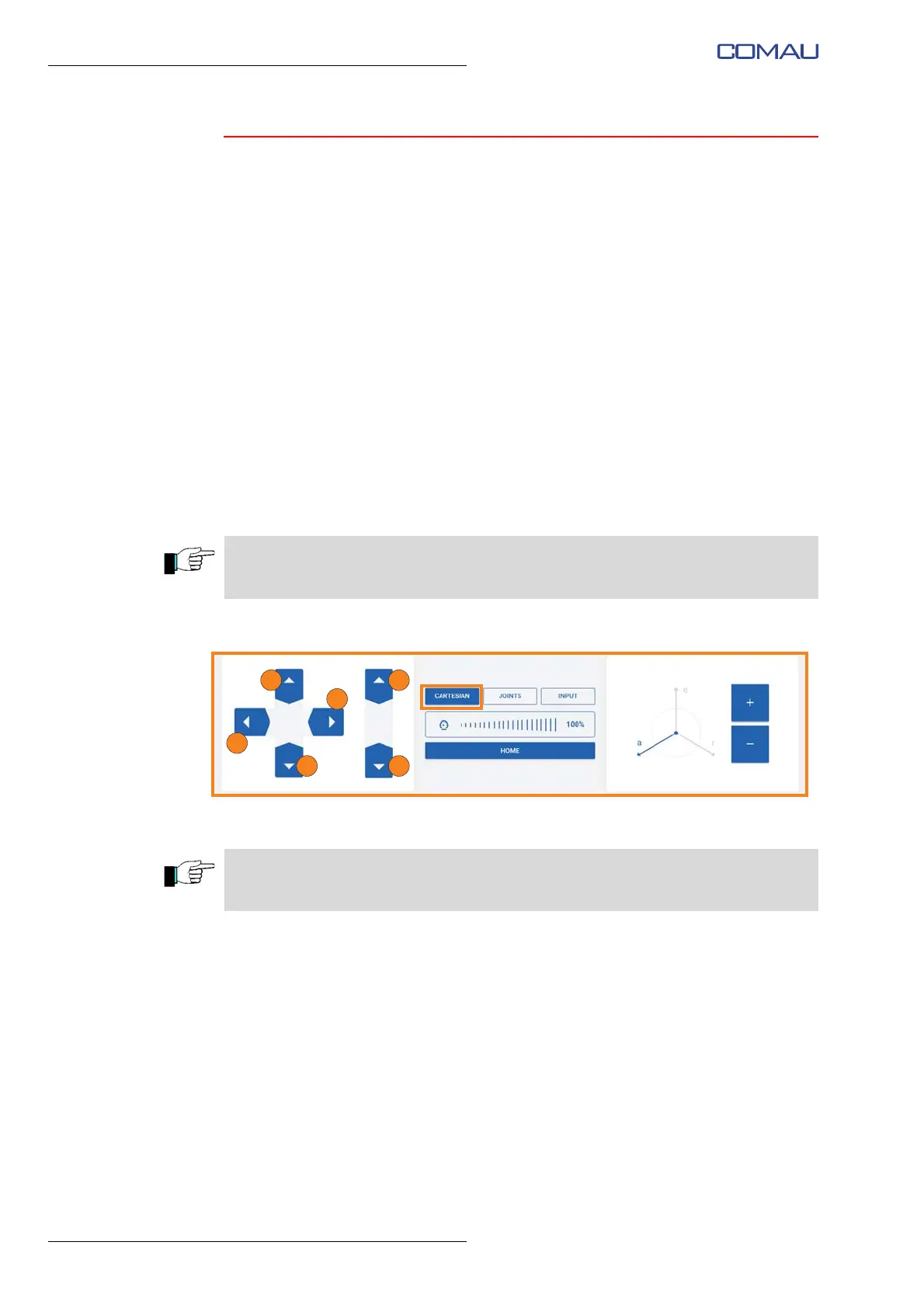
To carry out the movement in Cartesian mode:
– select the “Cartesian” item;
– if necessary, adjust the movement speed using the slider in the center of the
screen image;
– using the directional arrows on the left side of the screen image, it is possible to
move the Robot in Cartesian mode, on the reference frame X, Y, Z (whose origin
is positioned on Robot base) as shown in the figure;
– furthermore, by manually selecting an axis (a, e, r) of the reference frame on the
right side of the screen image (tap the axis to select it) it is possible to move the
Robot using the “+/-” keys; the Robot will move in Cartesian mode (coordinating all
the axes simultaneously) on the reference frame a, e, r.
Stopping mode
In the Cartesian mode, the Robot stops automatically after releasing the directional
arrows on the left side of the screen image or after releasing the “Home” button.
Recovery mode from anomaly / collision
Following a collision, the Robot stops automatically and no movement is allowed
through the app; “Unbrake” screen image appears on the tablet (need for the execution
of the Robot axis brake release).
To perform the recovery after the collision it is necessary to perform the Robot axis
break release through the relevant screen image on the tablet. After the collision it is not
necessary to calibrate the Robot.
The commands are of hold-to-run type; press and hold the directional arrows until the
Robot reaches the desired position.
The “Home” button allows you to move the Robot to the calibration position. The
command is of the hold-to-run type.





 To Next Page