USE OF THE “E.DO” APP
37
Comau Robotics Product Instruction
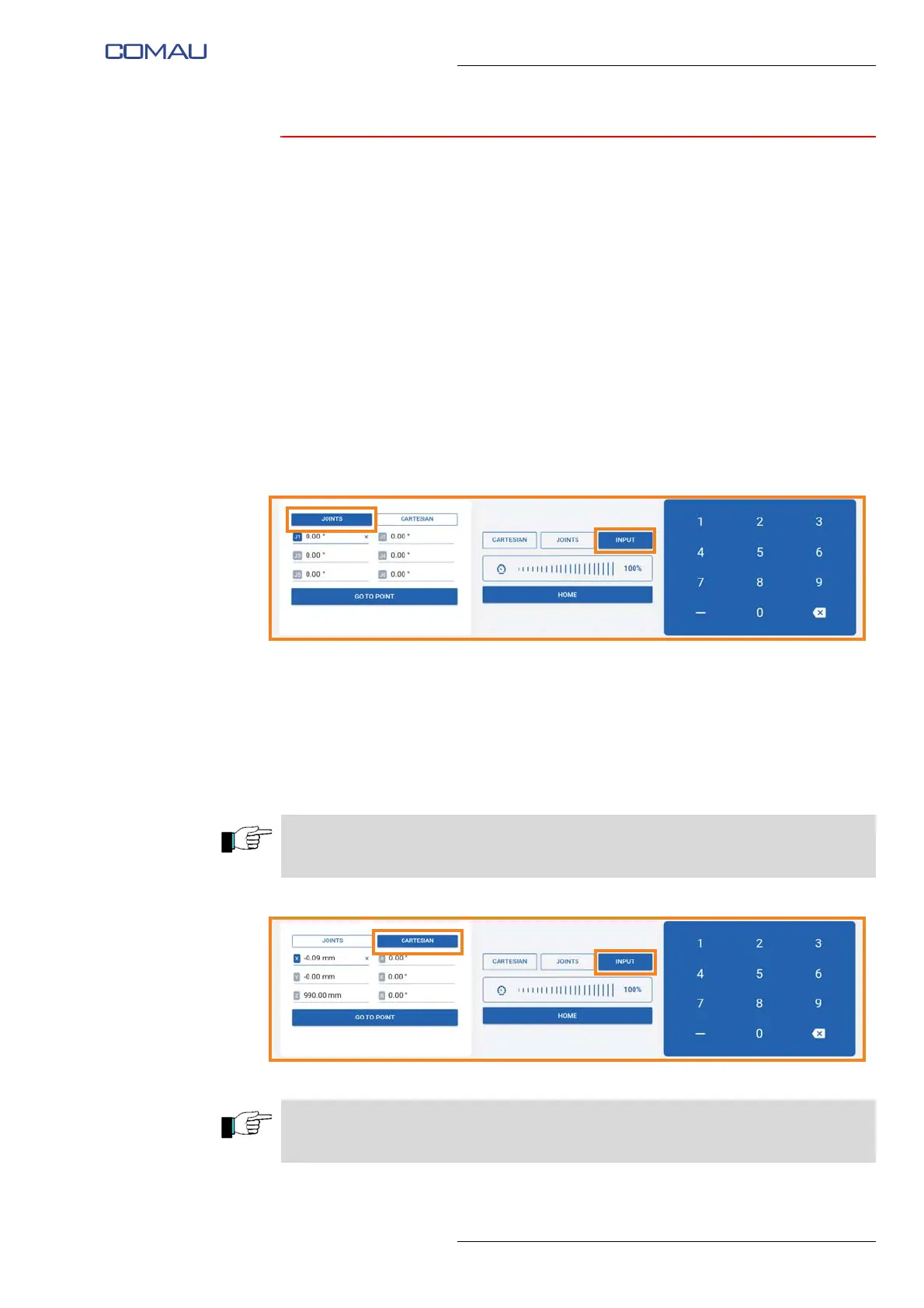
5.1.3 Movement in Input mode
The movement in Input mode makes it possible to manually enter the coordinates of the
individual points you want e.DO to reach; e.DO will reach the set points by automatically
coordinating the movements of the individual axes.
Movement modes
To carry out the movement in Input mode:
– select the “Input” item present in the center of the screen image;
– on the left side of the screen image, select the mode (Joints or Cartesian) through
which to enter the coordinates of the point that you want to be reached by e.DO;
– in case of selection of “Joints”
• select the various joints individually (J1 ÷ J6);
• using the numeric keypad on the right, enter the value in degrees for each
joint movement;
• then, press “Go to point” button to move the Robot to the desired point.
– in case of selection of “Cartesian”
• using the numeric keypad on the right, enter the desired coordinates for each
axis (reference frame X, Y, Z with the origin in the center of the joint 1 on
Robot base);
• using the numeric keypad on the right, enter the desired degrees for each
corner (a, e, r);
• then, press the “Go to point” button to move the Robot to the desired point.
The “Go to point” button is of the hold-to-run type; press and hold the button until the
Robot reaches the desired position.
The “Home” button allows you to move the Robot to the calibration position. The
command is of the hold-to-run type.





 To Next Page