USE OF THE “E.DO” APP
43
Comau Robotics Product Instruction
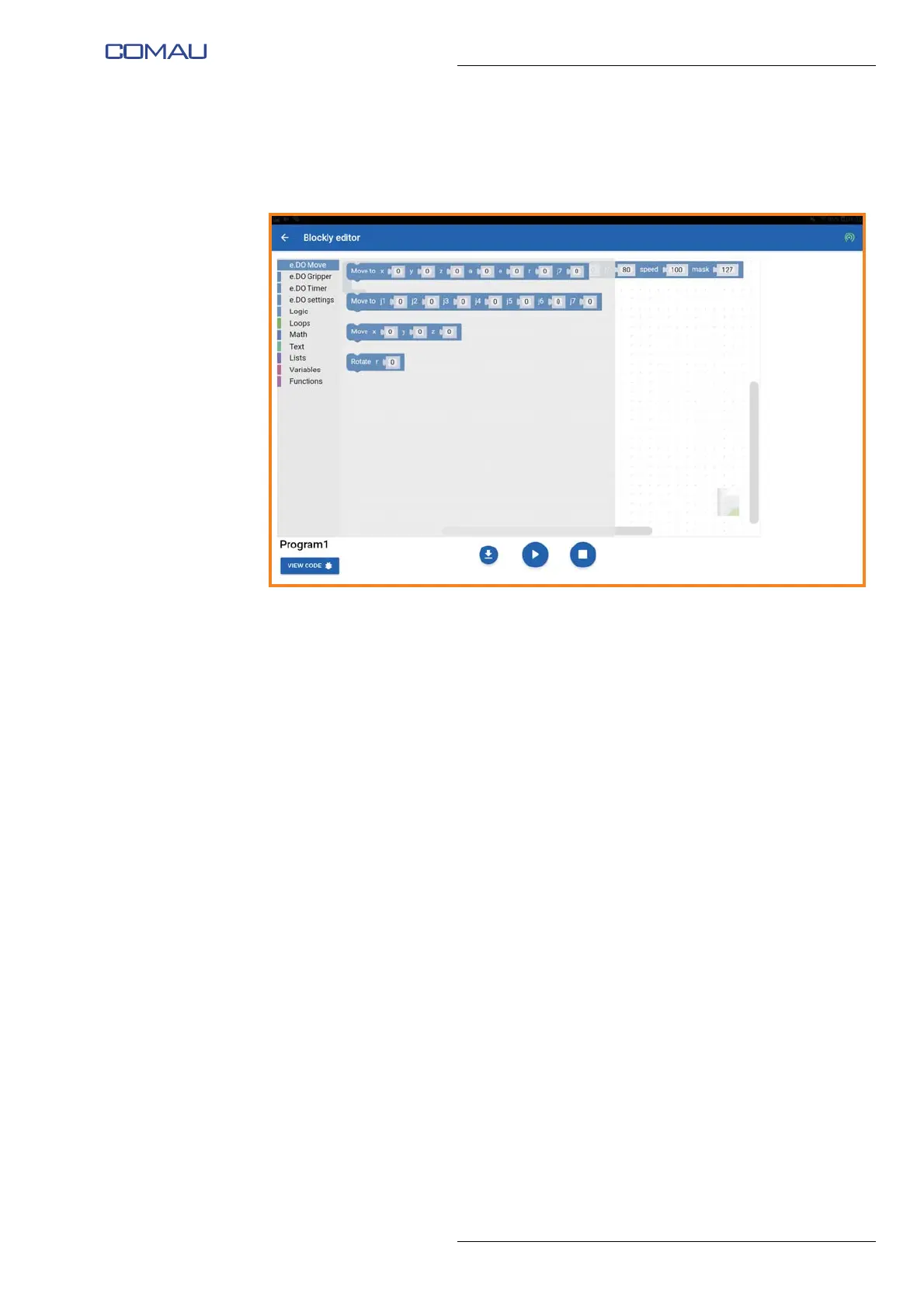
– from the menu on the left side you can select a series of operating blocks:
• specific for e.DO (the first 4 from the top, described below), or
• belonging to the standard Blockly libraries (the methods of use of which can
be found at the following address https://developers.google.com/blockly/);
– e.DO specific blocks have the following functionality / characteristics:
• “e.DO Move” blocks allow to enter e.DO movement commands in Joints or
Cartesian mode;
• “e.DO Gripper” blocks allow to enter e.DO Gripper movement commands
(opening / closing) and to measure the opening level of the e.DO Gripper
itself;
• “e.DO Timer” blocks allow to enter delays between the movements;
• “e.DO Settings” blocks allow to enter the settings of individual e.DO
movements (e.g. speed of the movements);
– by dragging the various blocks into the “Blockly editor” programming space, you
can create Robot movement programs;
– within each block it is possible to enter specific parameters, tapping on the desired
field and entering the relevant value;





 To Next Page