10
4
Tec hni cal ch ara cte ris tic s
Absorption Min. 0.7 W Max. 2.6 W
Power supply 36/57 Vdc 3A Max.
3
1
2
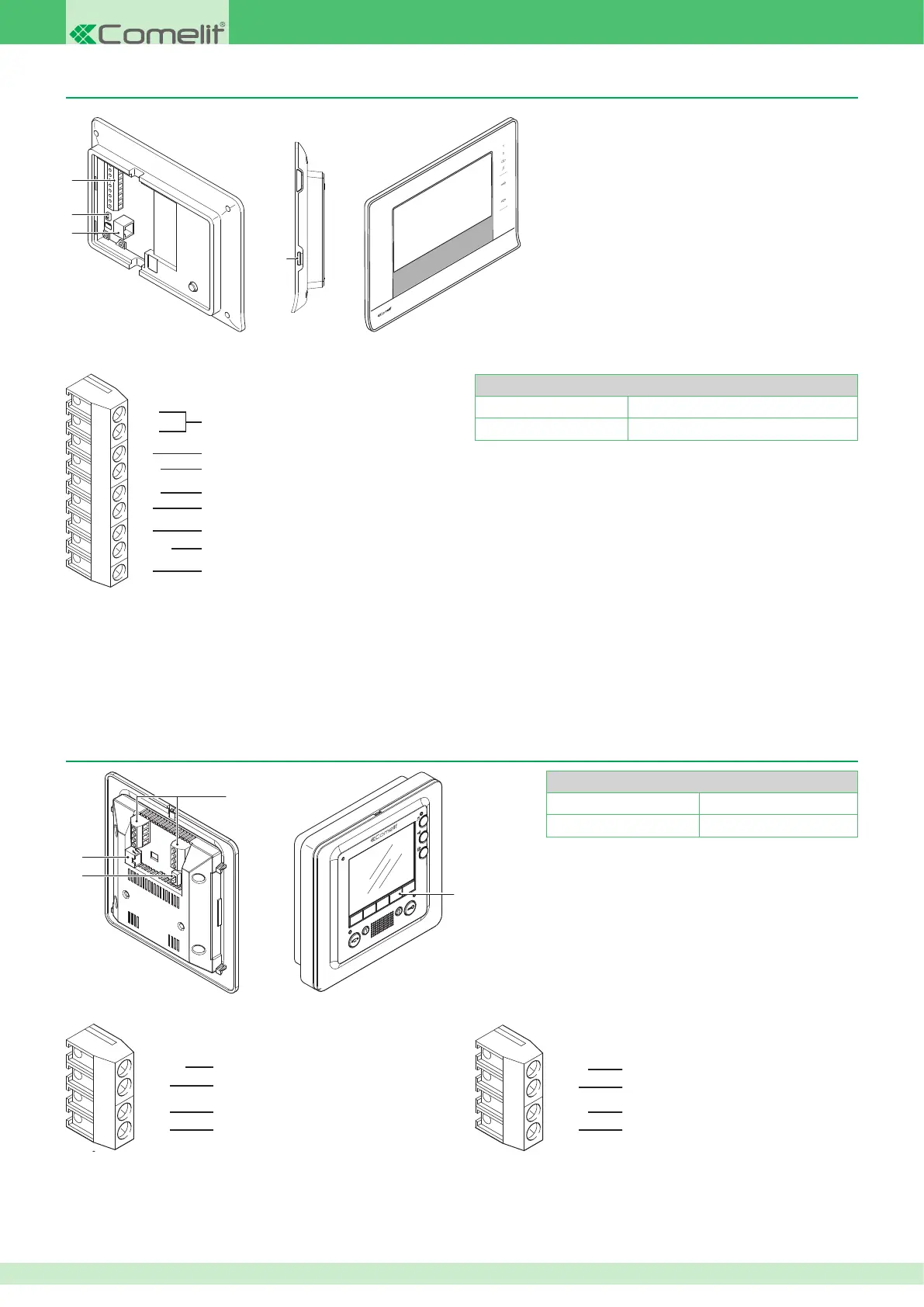
7Stelle monitor Art. 6501
Tec hni cal ch ara cte ris tic s
Absorption Min. 0.7 W Max. 2.6 W
Power supply 36/57 Vdc 3A Max.
0V
OUT1
AL
0V
PAN
CFP
S+
OP-
OP+
Reference for CFP, PAN and S+ terminals
Panic contact terminal
Floor door call contact terminal
Additional ringtone terminals
Optically coupled input terminals
Reference for OUT1 and AL terminals
Output terminal 12 V MAX 100 mA
Alarm contact terminal
Smart monitor Art. 6304
OUT1
0V
S+
IN1
Reference for CFP, PAN and S+ terminals
Panic contact terminal
Floor door call contact terminal
Additional ringtone terminals
Reference for OUT1 and AL terminals
Output terminal 12 V MAX 100 mA
Alarm contact terminal
Input terminal 1
0V
AL
PAN
CFP
4
1.
Connection terminals
2.
VIP - POE selector for tting to the latter if the internal unit is used on a standard - not VIP - PoE network
3.
RJ45 Ethernet connector for connecting the internal unit to the VIP network
4.
SD Card slot
For wiring details, refer to the diagrams section at the end of this manual.
We recommend using VIP Manager software Art. 1449 to congure the internal unit (see specic manual). However, the main parameters can also be
congured directly, on the device itself (see page 62).
1.
Connection terminals
2.
VIP - POE selector for tting to the latter if the internal unit is used on a standard - not VIP - PoE network
3.
RJ45 Ethernet connector for connecting the internal unit to the VIP network
4.
Optional buttons Art. 6332
For wiring details, refer to the diagrams section at the end
of this manual.
We recommend using VIP Manager software Art. 1449 to congure the internal unit (see specic manual). However, the main parameters can also be
congured directly, on the device itself (see page 50).












 To Next Page