68
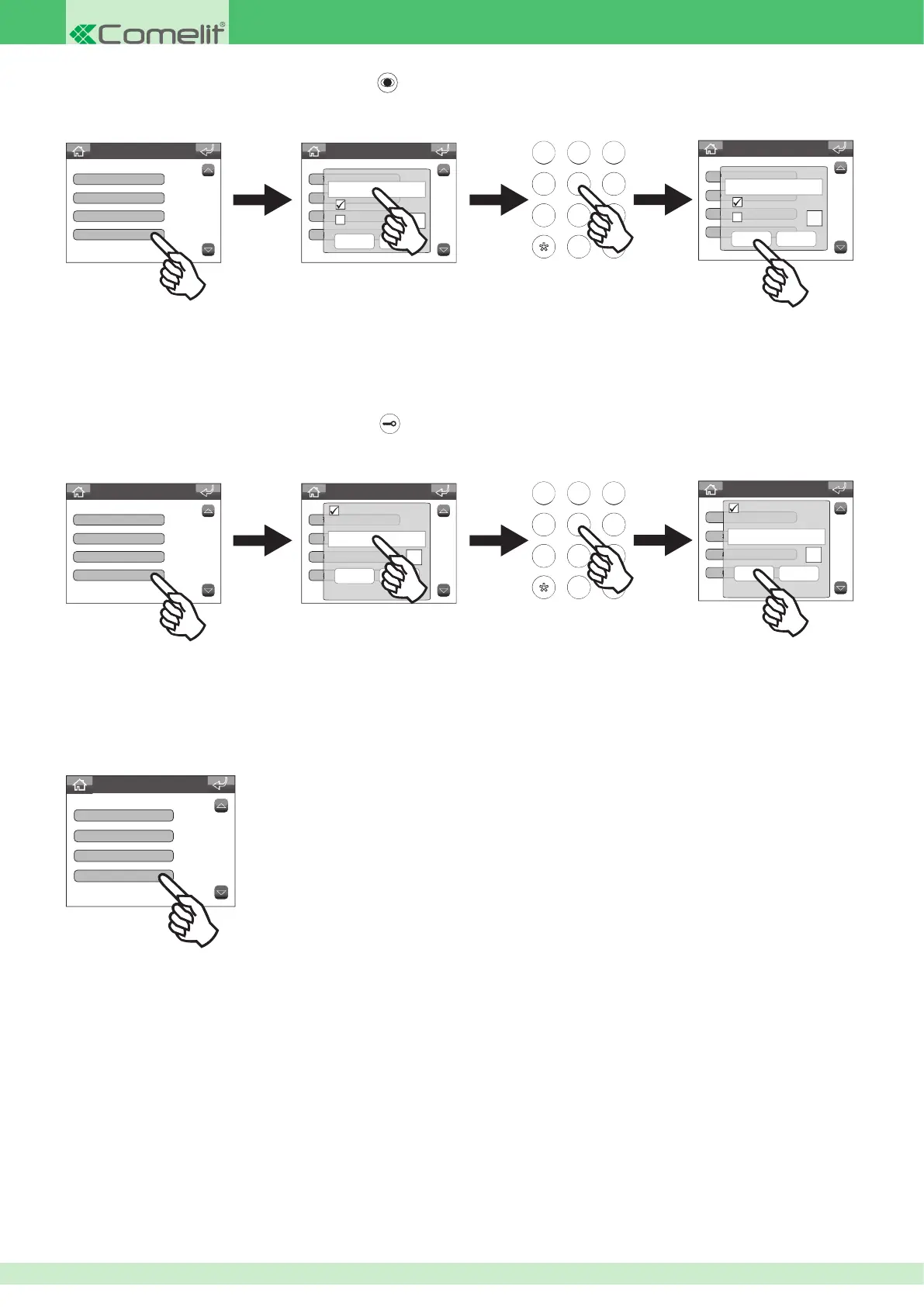
• Programming the lock-release key
Advanced Settings
Associated camera
Associated output
Self-ignition key
Lock-release key
Advanced Settings
ViP address
About
Associated camera
Associated video output
456
789
456
789
0#
ABC DEF
MNOJKLGHI
WXYZTUVPQRS
Advanced Settings
ViP address
About
Associated camera
Associated video output
Active:
Confirm Cancel
Porter Address
Relay number
1
Active:
Confirm Cancel
Porter Address
Relay number
1
00002003
Activating / deactivating the OFF key
Advanced Settings
Associated video output
Self-ignition key
Lock-release key
OFF key disabled
• Programming the self-ignition key
Advanced Settings
About
Associated camera
Associated output
Self-ignition key
Advanced Settings
ViP address
About
Associated camera
Associated video output
456
789
456
789
0#
ABC DEF
MNOJKLGHI
WXYZTUVPQRS
Advanced Settings
ViP address
About
Associated camera
Associated video output
Confirm Cancel
Camera ViP address
Automatic camera
Camera number
Confirm Cancel
Camera ViP address
Automatic camera
Camera number
00002001
This function can be used to view the images transmitted by the camera for one or more devices connected to the system.
• The VIP address function determines the address of the external unit or remote camera module Art. 1445.
• Select the Automatic camera function to associate the camera for the external unit.
• Select the Camera number function and enter the input number from the 4 available when using a remote camera module Art. 1445.
This function can be used to activate a relay for the associated external unit.
• In the Porter Address eld, enter the VIP address of the external unit you want to associate with the function.
• In the Relay number eld, enter which of the two external unit relays you want to activate.
If activated, the OFF key can be used to switch the switchboard on and off.












 To Next Page