5
Chapter 1: Introduction to the VIP system
What is the VIP system?
The VIP system is the new IP video entry phone system combining powerful performance with ease of installation. The VIP network, based on a
connection via Ethernet cable, connects an innite number of users in simultaneous conversations and with no distance restrictions. It integrates a
video entry phone system, burglar alarm, video surveillance, home automation and access control functions into a single system.
The VIP System can be used to create either a dedicated, proprietary network or integrated into an existing LAN, creating a video entry phone system
that runs in parallel with other existing systems.
General structure of a VIP system
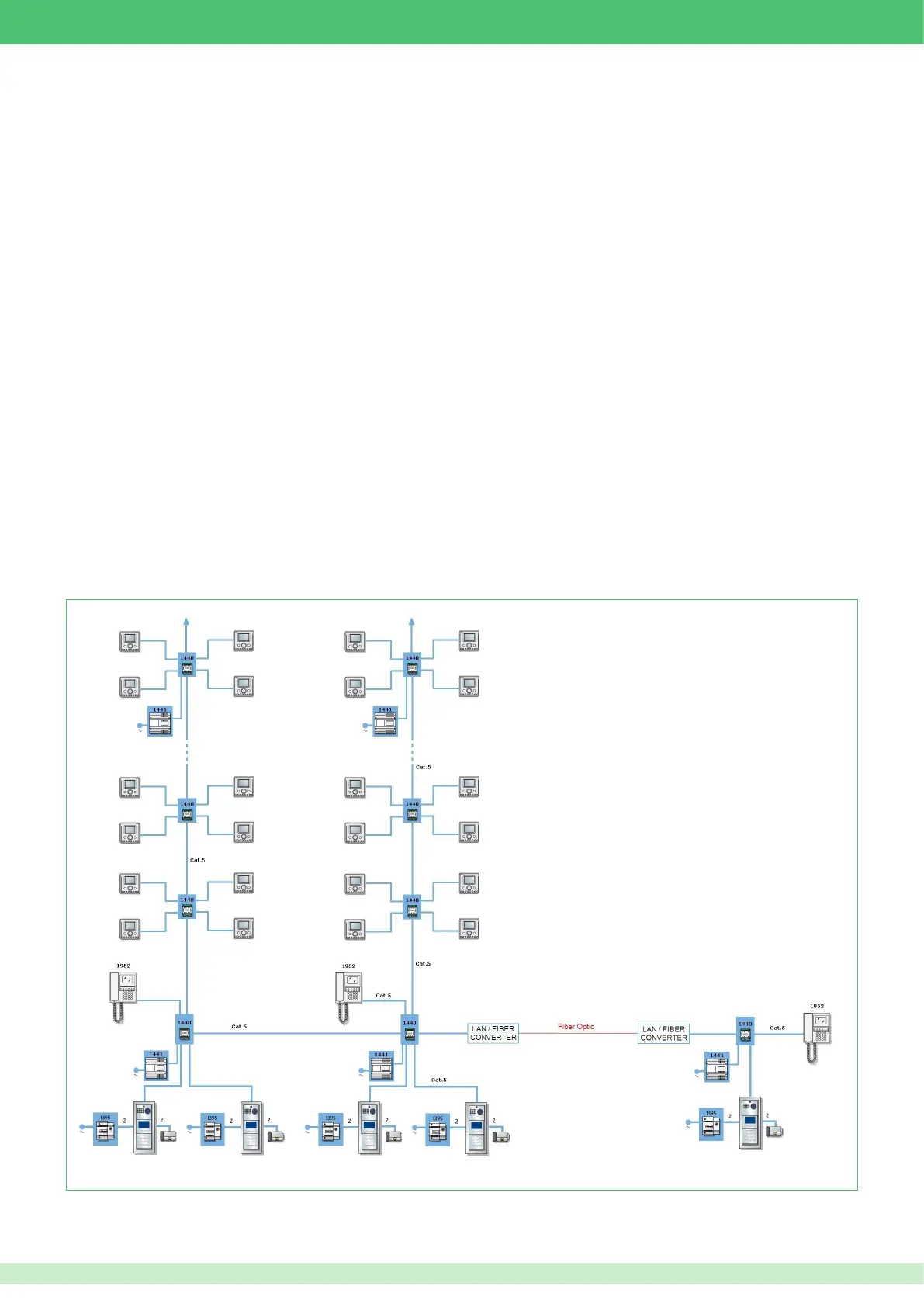
Below is a synoptic diagram providing a general illustration as to how a VIP system can be laid out.
The optimal freedom offered by the VIP system means that networks can be created using cascade or branch connections, with no restrictions.
Main features
The VIP System delivers optimal performance across an intelligible infrastructure, untangling the communication, control, security, automation and
monitoring apparatus needed for access and building control.
• Multiple simultaneous audio-video conversations
• An unlimited number of users and devices can be plugged into the network
• No limits on the number of connected entrance panels, internal units, switchboards and cameras
• All network devices are connected to the network via RJ45 plug
• Simultaneous communication capabilities between all network users
• Memovideo function installed as standard on all monitors
• Interface management for lifts and additional oors
• Integrated access control and video surveillance options
• Alarms or panic messages can be sent to porter switchboards
• Audio and text messages between users and switchboards
• "Follow me" and data transfer to external applications (PC or telephone)
• Remote home automation management












 To Next Page