54
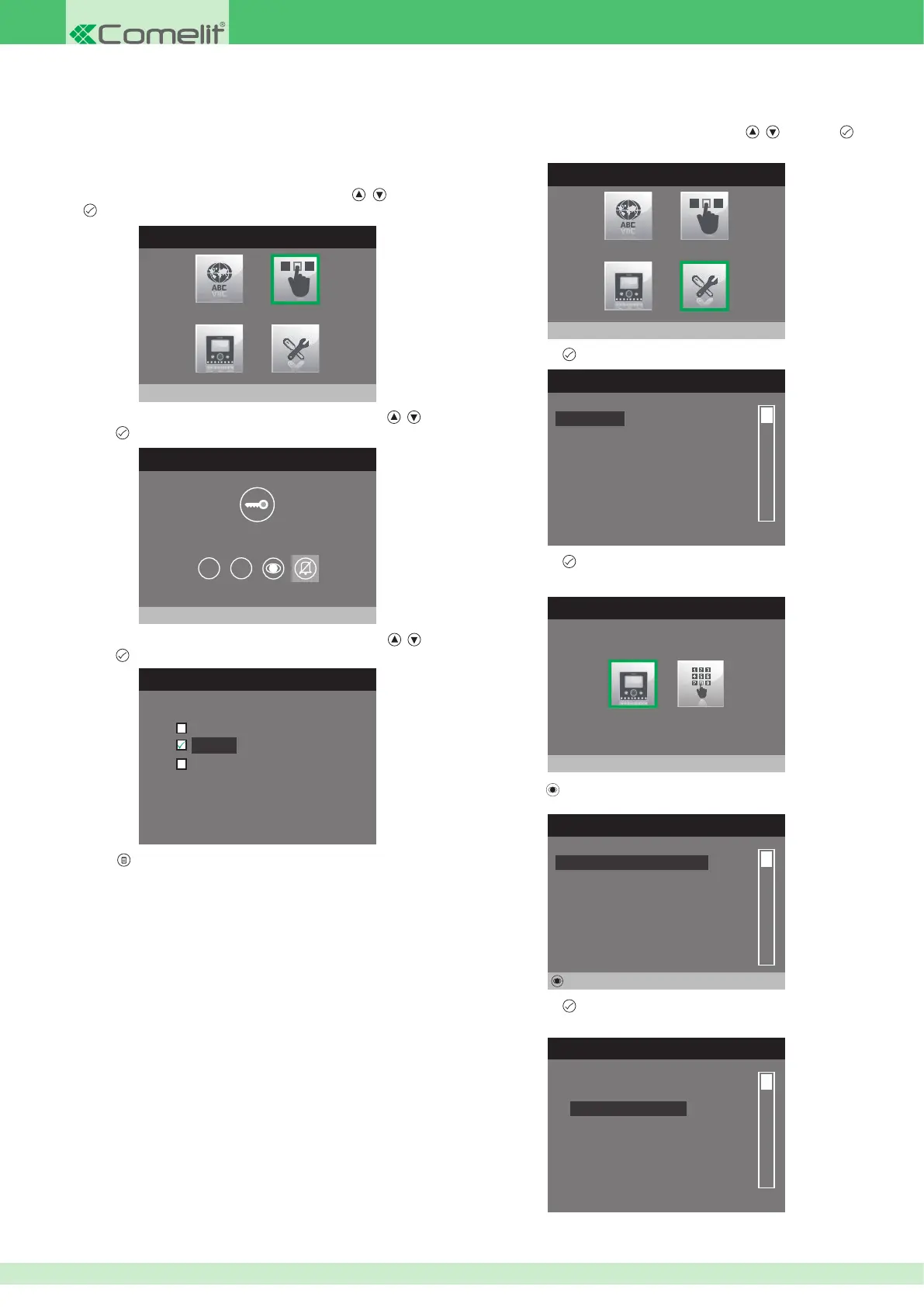
• Con guring the intercom directory
1. Access the installer menu.
2. Select the Special Settings menu by pressing
, and press
to access it.
INSTALLER MENU
Special Settings
3. Press button to access the Call menu.
SPECIAL SETTINGS MENU
Alarms
Door open
Self-ignition
Call
Set ringtone repetition
Set call times
4. Press button to access the Intercom Directory menu.
CALL
Intercom Directory
5. Press the button.
INTERCOM CALLS DIRECTORY
Not assigned
Not assigned
Not assigned
Not assigned
Not assigned
Not assigned
Edit
6. Press button to access the Con g u r e n a m e menu.
CONFIGURE DIRECTORY
Configure ViP address
Configure name
• Con guring the Privacy / Doctor button
1. Access the installer menu.
INSTALLER MENU
Configure buttons
2. Select the Con gure buttons menu by pressing , and press
to access it.
3. Select the Con gure Privacy/Doctor menu by pressing
, and
press to access it.
CONFIGURE BUTTONS
1 2
4. Select the function you wish to assign to the button using , and
press to con rm.
CONFIGURE PRIVACY / DOCTOR
Doctor mode
Privacy
Doctor + privacy mode
5. Press to exit and save the changes.
The Privacy function disables the ringtone for calls from the external unit
and intercom. The Doctor function, as well as disabling the door-entry phone
ringtone in the same way as the Privacy function, also enables automatic
activation of the lock-release in response to a call from the external unit.












 To Next Page