61
• Call divert
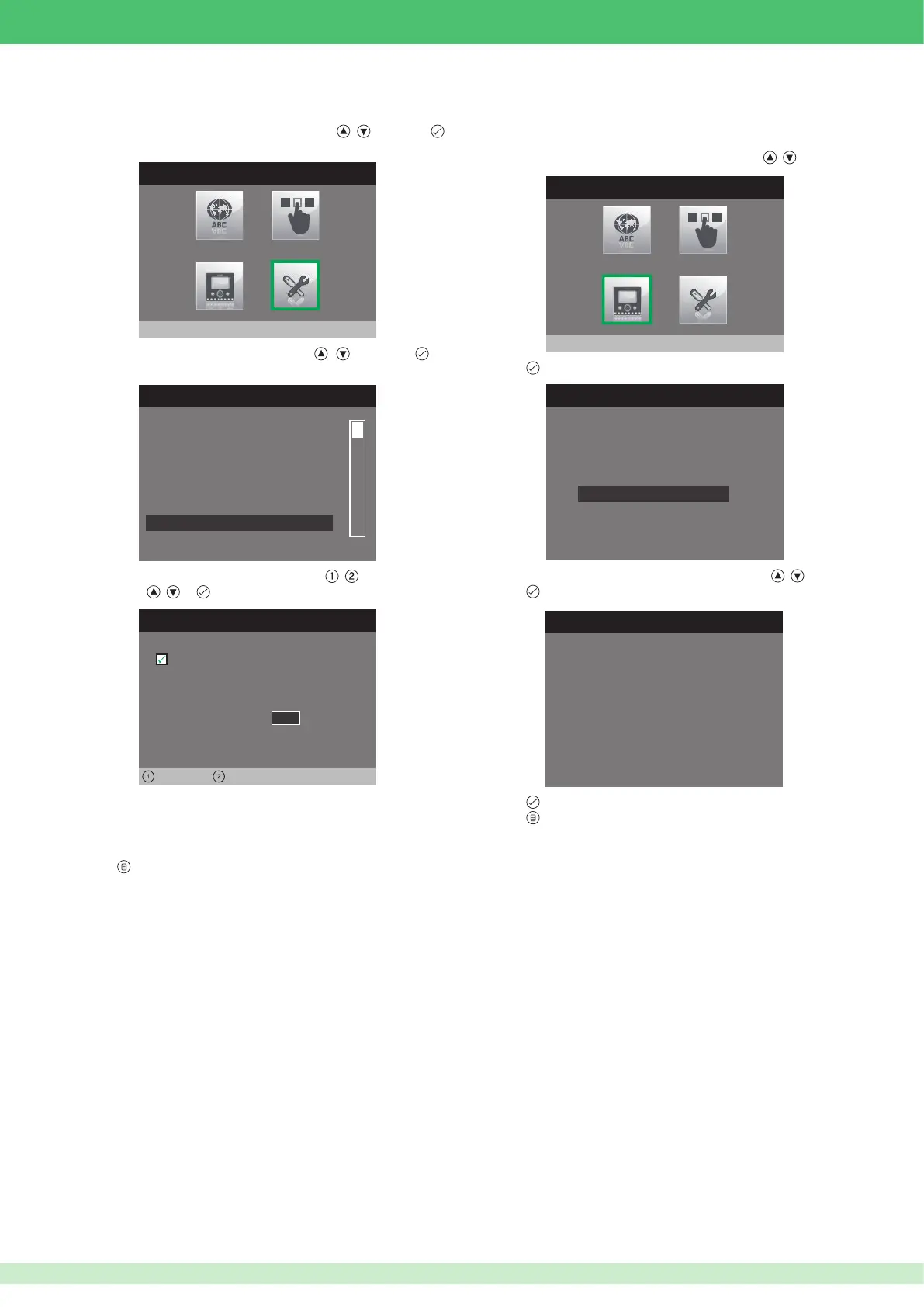
1. Access the installer menu.
2. Select the Special Settings menu by pressing
, and press
to access it.
INSTALLER MENU
Special Settings
3. Select the Call divert menu by pressing , and press to
access it.
SPECIAL SETTINGS MENU
Video mem. records always
Set automatic answer
Set call times
Set ringtone repetition
Activate output
Call divert
4. Select the elds which can be changed using , and change the
value using , or .
Call divert
Left Right
0 0 0 0 0 1 0 1
ViP address:
Wait time
1 0
Active:
•
The VIP address e l d i d e n t i e s t h e i n t e r n a l u n i t o r C P S t o w h i c h
you want to divert the call.
•
The Wait time e l d i d e n t i e s t h e w a i t t i m e b e f o r e t h e c a l l i s d i v e r t e d .
5. Press to exit and save the changes.
• Reset con guration
This function can be used to restore the factory set values of the monitor,
deleting all con gurations applied in the meantime.
1. Access the installer menu.
2. Select the Con gure monitor menu using buttons
, .
3. Press
to access it.
4. Select the Reset con guration menu using buttons
, .
5. Press to access it.
INSTALLER MENU
Configure monitor
CONFIGURE MONITOR
Reset configuration
About
ViP address
RESET CONFIGURATION
Continue?
6. Press to con rm.
7. Press to cancel.












 To Next Page