55
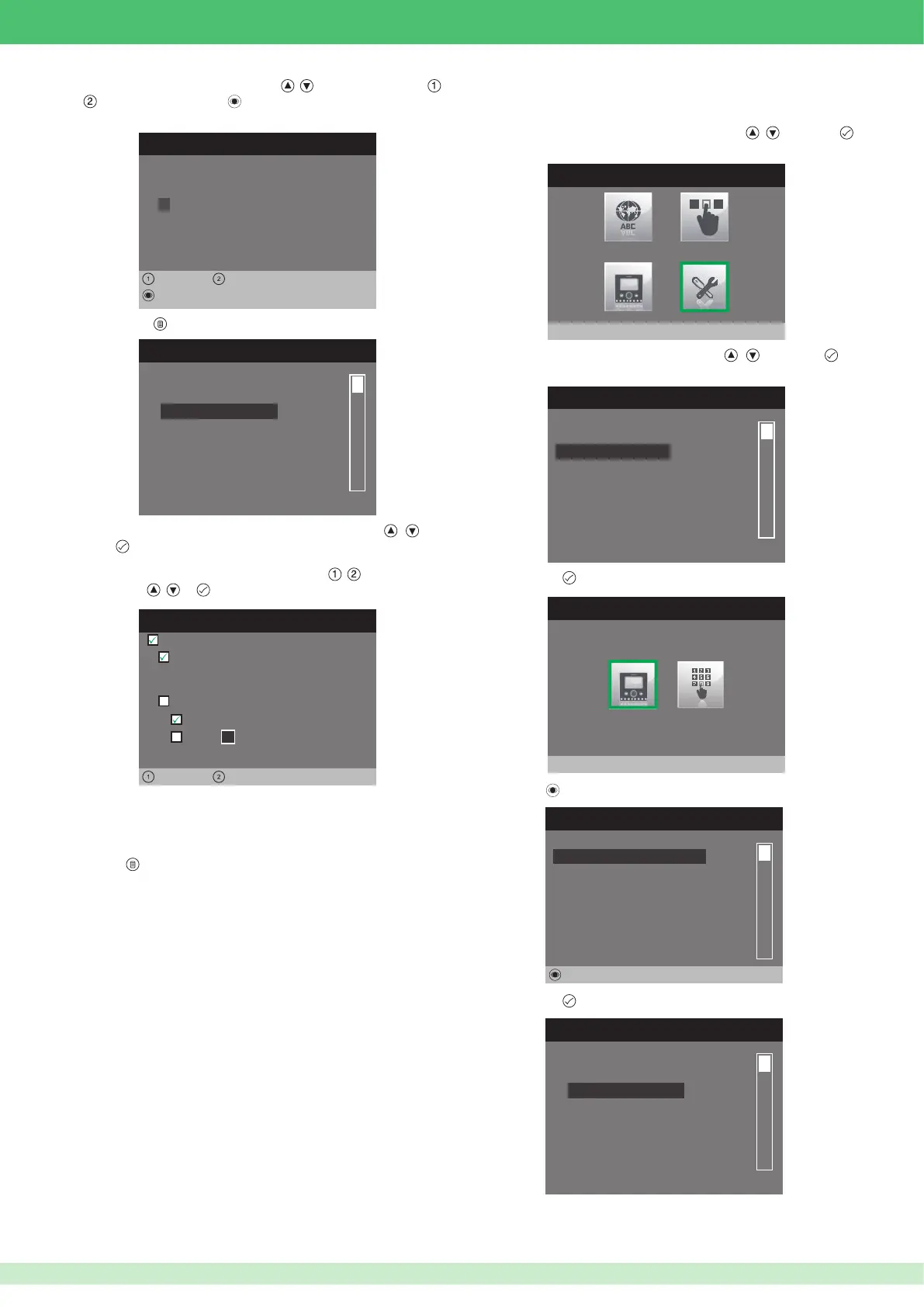
7. Enter the desired name using buttons , to change the letters, ,
to move right or left and to delete.
EDIT ENTRY
Configure Name
SMITH
Left Right
Edit
8. Press button to return to the previous menu.
CONFIGURE DIRECTORY
Configure ViP address
Configure name
9. Select the Con gure VIP address menu by pressing , and
press
to access it.
CONFIGURE VIP ADDRESS
0 0 0 0 0 1 0 1
ViP address:
Left Right
Slave
Master
Backplate:
1
Active:
10. Select the elds which can be changed using , and change the
value using
, or .
•
The VIP address function determines the address of the internal unit
to be called once the button is pressed.
•
The Backplate function determines whether to call the main or
secondary internal unit with the same VIP address.
11. Press
to exit and save the changes.
• Con guring the self-ignition directory
1. Access the installer menu.
2. Select the Special Settings menu by pressing
, and press
to access it.
INSTALLER MENU
Special Settings
3. Select the Self-ignition menu by pressing , and press to
access it.
SPECIAL SETTINGS MENU
Alarms
Door open
Self-ignition
Call
Set ringtone repetition
Set call times
4. Press button to access the Camera directory menu.
SELF-IGNITION
Camera directory
5. Press the button.
Not assigned
Not assigned
Not assigned
Not assigned
Not assigned
Not assigned
6. Press button to access the Con gure name menu.
CONFIGURE DIRECTORY
Configure ViP address
Configure name












 To Next Page