51
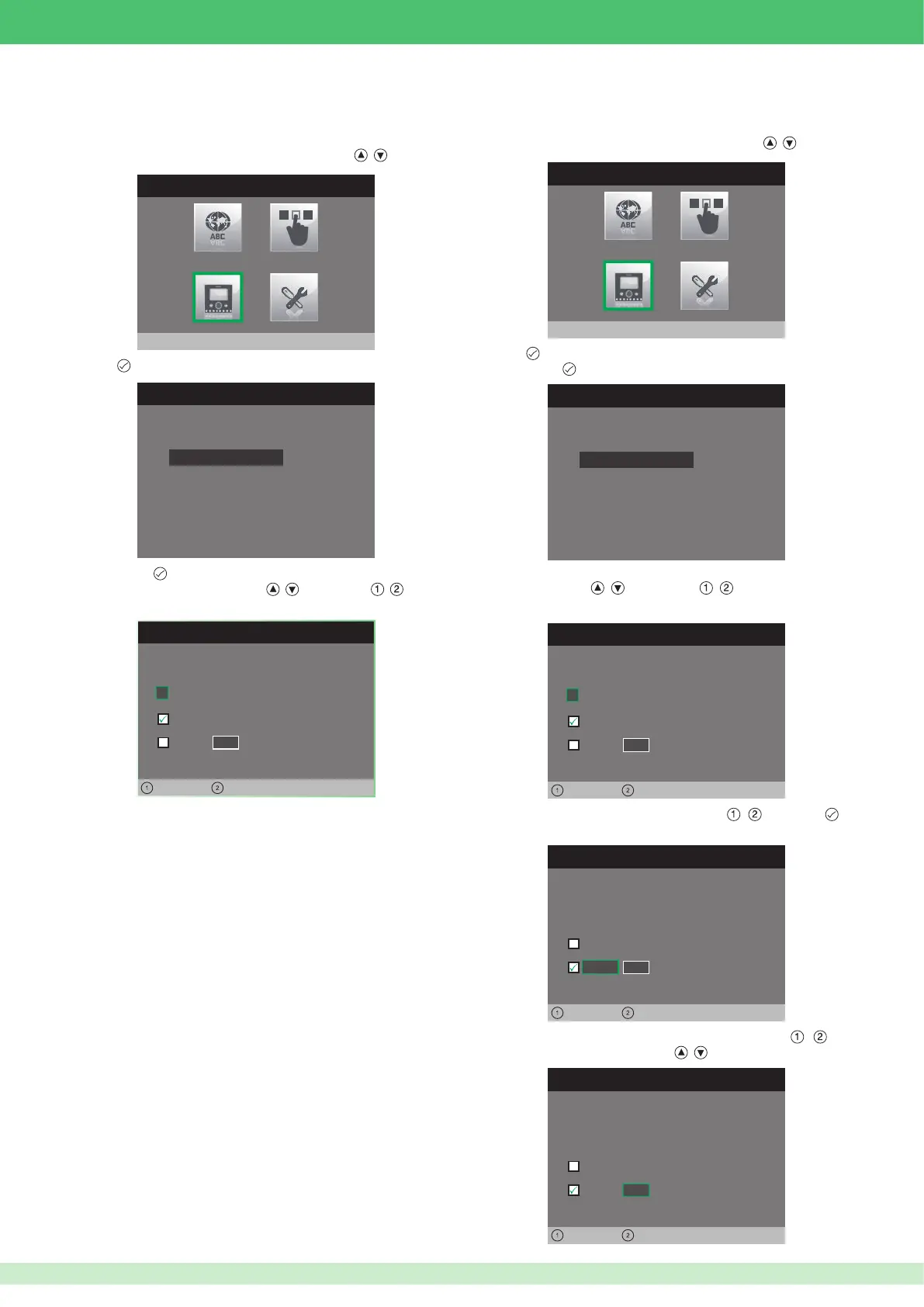
1. Access the installer menu.
2. Select the Con gure monitor menu using buttons , .
3. Press
to access it.
4. Press button
to access the VIP address menu.
5. Change the address using buttons
, . Use buttons , to pass
from one digit to the next.
INSTALLER MENU
Configure monitor
• Programming the VIP code for main
Planux monitors
CONFIGURE MONITOR
Reset configuration
About
ViP address
CONFIGURE VIP ADDRESS
ViP address
0
Master
Slave
0 0
Left Right
0 0 0 0 0 0 1
1. Access the installer menu.
2. Select the Con gure monitor menu using buttons , .
3. Press
to access it.
4. Press button to access the VIP address menu.
5. Set the logic address for the main monitor in the same residential
unit using buttons
, . Use buttons , to pass from one digit
to the next.
6. Move over the Slave option using buttons
, and press to
con rm.
7. Move over the Slave address option using buttons
, and
change the address using buttons
, .
INSTALLER MENU
Configure monitor
CONFIGURE MONITOR
Reset configuration
About
ViP address
• Programming the VIP code for secondary
Planux monitors
CONFIGURE VIP ADDRESS
ViP address
0
Master
Slave
0 0
Left Right
0 0 0 0 0 0 1
CONFIGURE VIP ADDRESS
ViP address
0
Master
Slave
0 0
Left Right
0 0 0 0 0 0 1
CONFIGURE VIP ADDRESS
ViP address
0
Master
Slave
0 1
Left Right
0 0 0 0 0 0 1












 To Next Page