60
Planux monitors are equipped with an NC/NO output which can be
programmed as monostable or bistable. This output can be controlled
by one of the buttons on board the monitor, or by one of the inputs if
suitably con gured with the Activate output function.
• Activate output
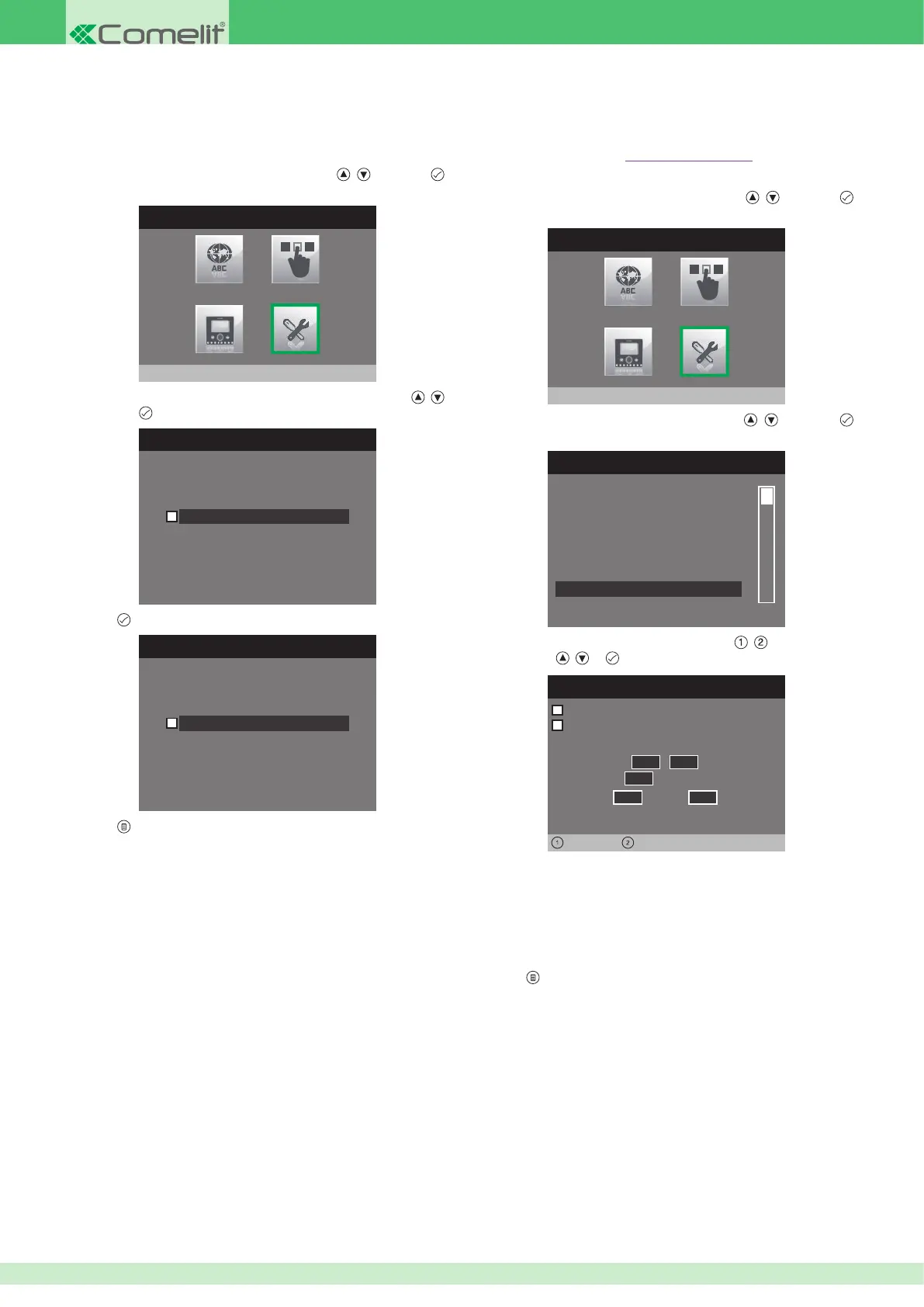
1. Access the installer menu.
2. Select the Special Settings menu by pressing
, and press
to access it.
INSTALLER MENU
Special Settings
3. Select the Activate output menu by pressing , and press
to access it.
SPECIAL SETTINGS MENU
Set automatic answer
Set call times
Set ringtone repetition
Alarms
Video mem. records always
Activate output
4. Select the elds which can be changed using , and change the
value using
, or .
Seconds
Activation period
Normally open
Monostable
0 5
,
0 0
Minutes
0 0
Hours
Days
0 0 0 0
•
The output is set as Normally open by default; tick the box next to
Normally open to change this setting to Normally closed.
•
The output is set as Monostable by default; tick the box next to
Monostable to change this setting to Bistable.
•
Fill in the Activation period elds for Monostabile mode.
5. Press to exit and save the changes.
• Video memory records always
If activated, this function can be used to record images and audio (10
sec.) from the external unit, even if the call is answered.
1. Access the installer menu.
2. Select the Special Settings menu by pressing
, and press
to access it.
INSTALLER MENU
Special Settings
3. Select the Video memory records always menu by pressing ,
and press
to access it.
VIDEO MESSAGE RECORDING
Video mem. records always
4. Press to enable it.
VIDEO MESSAGE RECORDING
Video mem. records always
5. Press to exit and save the changes.












 To Next Page