58
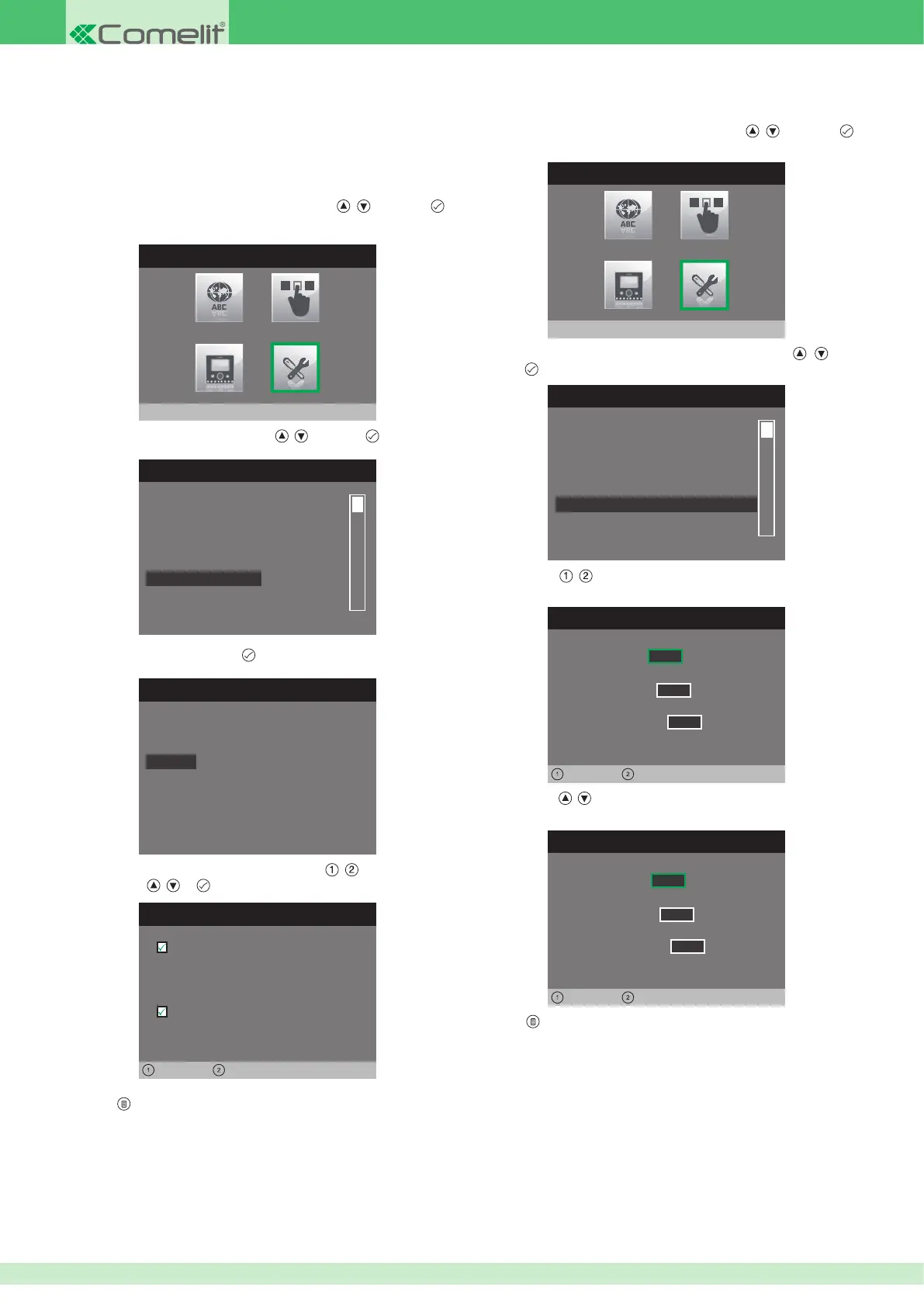
1. Access the installer menu.
2. Select the Special Settings menu by pressing
, and press
to access it.
INSTALLER MENU
Special Settings
3. Select the Set ringtone repetition menu by pressing , and
press to access it.
SPECIAL SETTINGS MENU
Alarms
Door open
Self-ignition
Call
Set ringtone repetition
Set call times
Floor door call
Intercom call
External call
0 0 1
0 0 1
0 0 1
4. Use buttons , to select for which type of call you wish to set the
function.
5. Use buttons
, to change the number of repetitions as desired for
the type of call selected.
SET RINGTONE REPETITION
Floor door call
Intercom call
External call
0 0 3
0 0 1
0 0 1
6. Press to exit and save the changes.
• Setting the ringtone repetition• Setting the Alarm function
This menu can be used to set the VIP address which will be contacted
when a priority call is sent. The procedure applies for all 4 call types; the
example below illustrates a Panic priority call.
1. Access the installer menu.
2. Select the Special Settings menu by pressing
, and press
to access it.
INSTALLER MENU
Special Settings
3. Select the Alarms menu by pressing , and press to access it.
SPECIAL SETTINGS MENU
Actuator
Self-ignition
Call
Set ringtone repetition
Door open
Alarms
4. Select the call type and press .
Alarms
Panic
Alarm
Fire
Priority call 4
5. Select the elds which can be changed using , and change the
value using
, or .
CONFIGURE ALARMS
0 0 0 0 0 2 0 0
ViP address:
Left Right
Active:
Audio message
6. Press to exit and save the changes.












 To Next Page