26
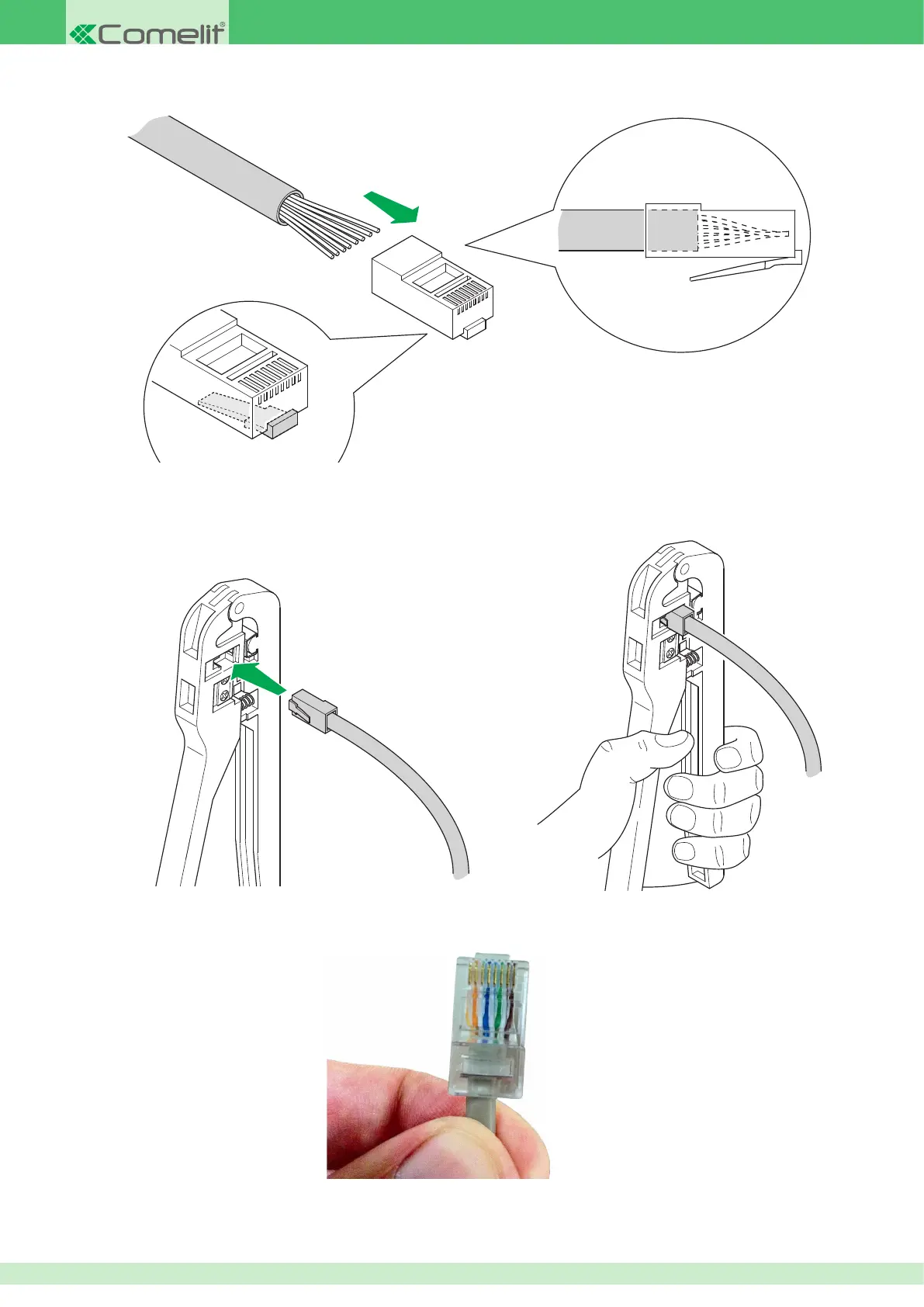
6. Insert the wires into the RJ45 connector, still holding them tightly between your ngers. The connector tab should be facing downwards and not
visible. The insulating sheath should just reach the edge of the connector.
7. Make sure the wires are fully inserted by inspecting the side of the transparent connector. Next, insert the connector into the crimping pliers and,
using both hands, crimp the connector so as to secure the wires. The pliers should not open if they did not close fully.
8. Now repeat steps 1 to 7 above, to crimp the cable on the other side.
Complete connector example












 To Next Page