HPOD C-, X-, Ku-Band High-Power Outdoor Amplifier Revision 6
Appendix C MN/HPOD.IOM
C–2
C.2 Replacing the Power Supply
C.2.1 Removing the Old Power Supply
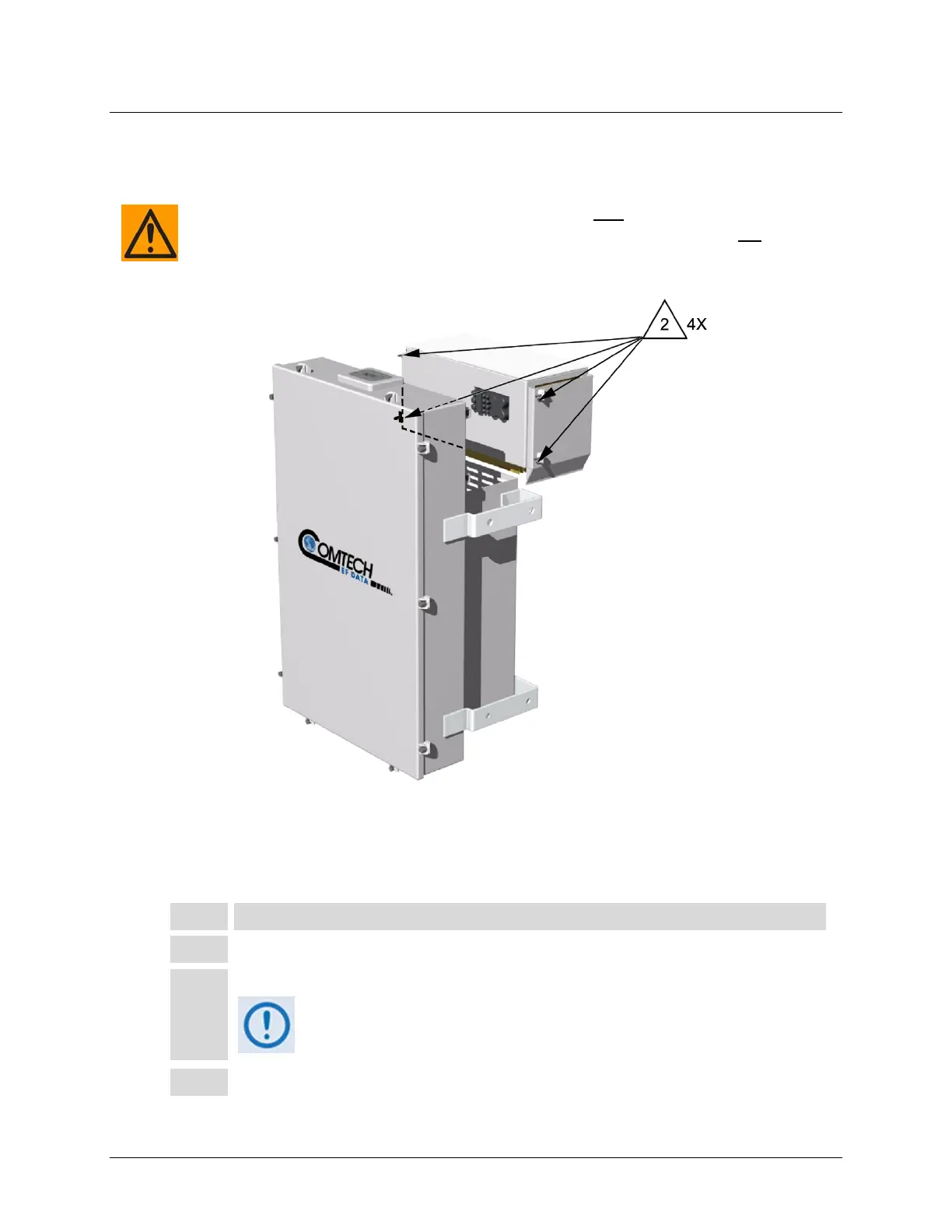
Figure C-1. HPOD Power Supply Replacement
Toremovethepowersupply:
Step Task
1 Disconnect power from the HPOD SSPA.
2 Loosen the four captive fasteners as indicated in Figure C-1.
Be sure to use an appropriate screwdriver, such as the one provided with
the SSPA, to avoid damaging the fasteners.
3 The supply can now be pulled from the SSPA.
The SSPA/power supply interconnection is waterproof only
when the power supply and
SSPAaremated.Whenexposed,theconnectionisonlywater‐resistant.Donot
leavethe
SSPAorpowersupplyexposedtothee lementsunlessproperlymatedandassembled.



 To Next Page