HPOD C, X-, or Ku-Band High-Power Outdoor Amplifier Revision 6
Ethernet-based Remote Product Management MN/HPOD.IOM
4–6
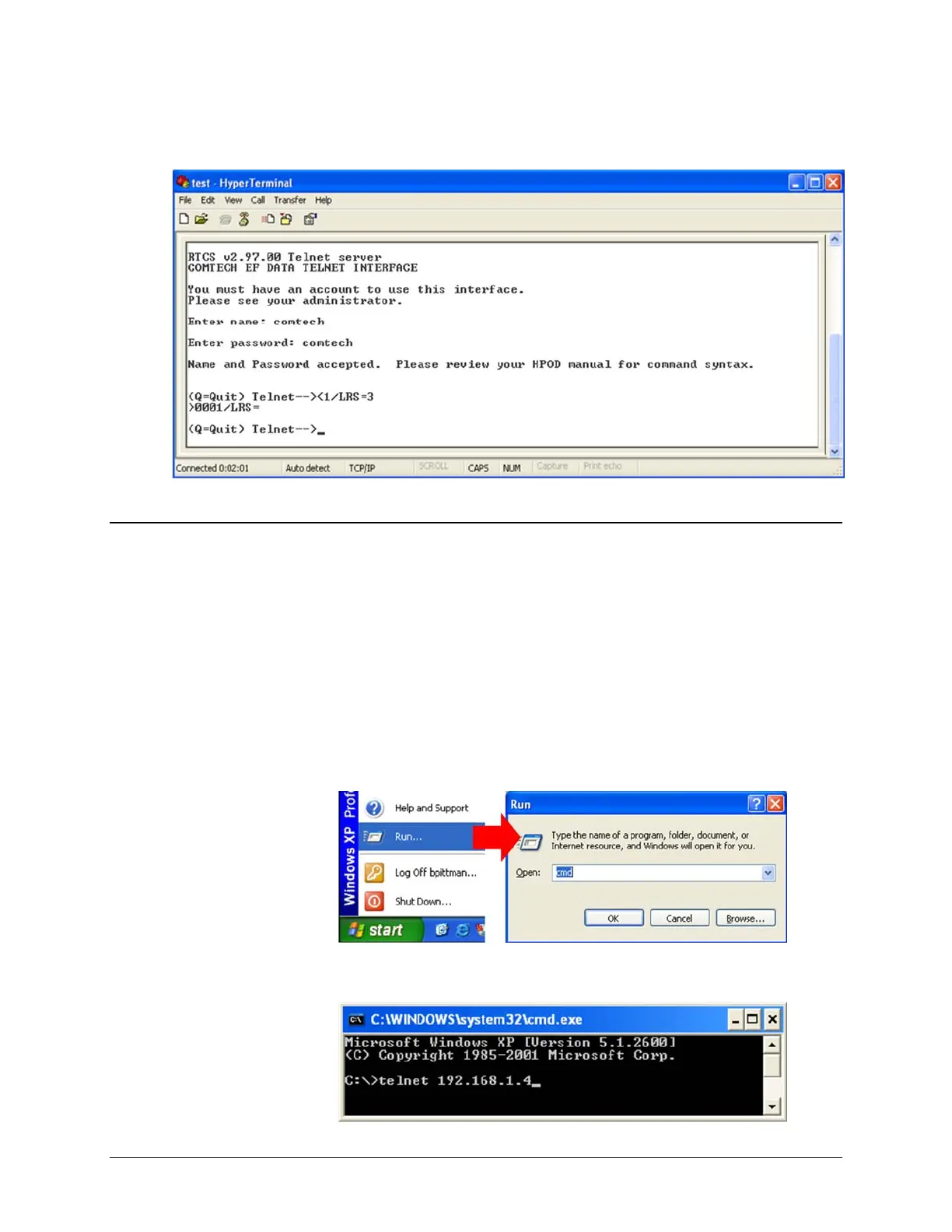
Examplesofloginandremotecommand/queryexecution,whenusingHyperTerminalasthe
Telnetinterface,appearasfollows:
4.5 HPOD Web Server (HTTP) Interface
A user‐supplied web brow ser allows the full monitor and control (M&C) of the HPOD from its
embedded Web Server Interface. This application is designed for, and works best with,
Microsoft’sInternetExplorerVersion5.5orhigher.
4.5.1 Enabling the Web Server Interface
FollowthesestepstoenabletheHPODWebServerInterfaceusingonlya10/100BaseTremote
interfaceandaMicrosoftWindowsoperatingsystem.
1. SelectStart,thenRun,thentype“cmd”toopenthecommandpromptwindow:
2. StartaTelnetsessionwiththeunitatthedefaultIPaddressof192.168.1.4:



 To Next Page