HPOD C-, X-, or Ku-Band High-Power Amplifier Revision 6
Updating Firmware MN/HPOD.IOM
3–10
3.4.2 Performing the Ethernet-based FTP Upload Procedure
1. Use Command‐line to send a “PING” command to confirm proper connection and
communicationbetweentheuserPCandtheHPOD:
• IftheIPAddressoftheHPODisstillnotknown:
o ViaTelnetRemoteControl–Typethe“<1/IPA?”remotequery(withoutquotes)at
thecomma
ndprompt.TheHPODreturnstheconfiguredIPAddress:
>0001/IPA=192.168.1.4/24(default)
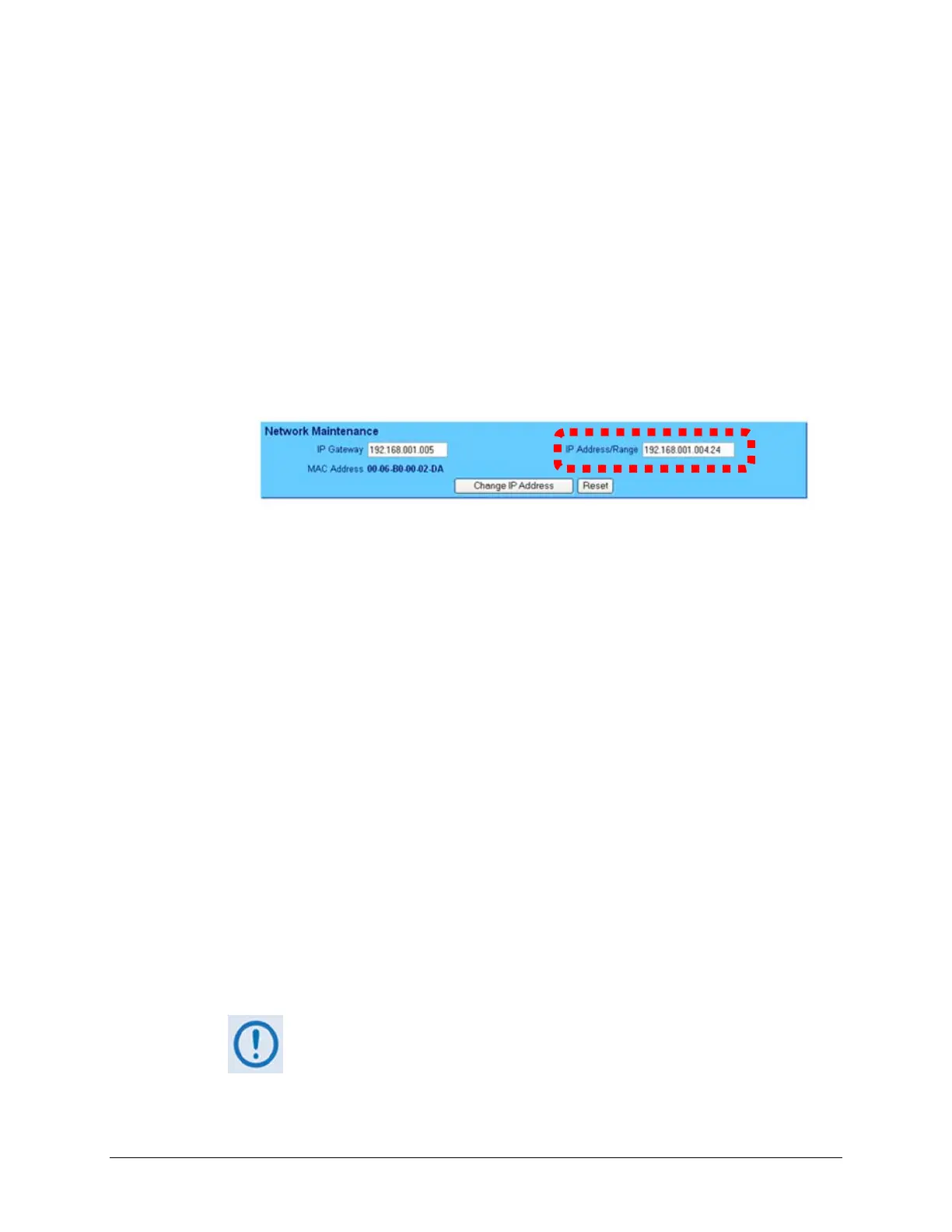
o Via the HPOD Web Server Interface – View the IP Address/Range entry in the
NetworkMaintenancesectionofthe‘Admin|Access’page:
• OncetheIPAddressisknown–useCommand‐linetoPING:
Type“pi
ngxxx.xxx.xxx.xxx”attheCommand‐lineprompt(where‘xxx.xxx.xxx.xxx’
denotestheHPODIPAddress).
The response should confirm whether or not the HPOD is properly connected and
communicating.
2. UseCommand‐linetotransfer(FTP)thefilesfromtheuserPCtotheHPOD:
A. Type"ftpx
xx.xxx.xxx.xxx"(where‘xxx.xxx.xxx.xxx’istheHPODIPAddress).
B. Type“bin”tosetthebinarytransfermode.
C. Type“prompt”andthen“hash”tofacilitate thefiletransfer.
D. Type "put FW‐0020544x.bin bulk:" (where ‘x’ denotes the revision letter) at the
Command‐li
ne prompt, without quotes, to begin the file transfer. The destination
“bulk”mustbealllowercase.
The process sequences through several blocks – this may take several minutes for the
transfertooccur.
Intheeventyoureceivethe“Connectionclosedbyremotehost.”message,
waitanotherminutebeforecontinuing.Thefirmwareupdatesometimes
takeslongerthantheFTPclientallows.
E. Type"bye"toterminatetheFTPsession,andthenclosetheCommand‐linewindow.



 To Next Page