HPOD C-, X-, or Ku-Band High-Power Amplifier Revision 6
Updating Firmware MN/HPOD.IOM
3–11
F. Repeatsteps2Athrough2EforF12524X_V####except,forStep2D:
• Type “put FW‐0020544x.bin hpodbulk: ” (where ‘x’ denotes the revision letter) at
the Command‐line prompt, without quotes, to begin the file transfer. The
destination“hpodbulk”mustbealllowercase.
3. UseTelnetRemoteCo
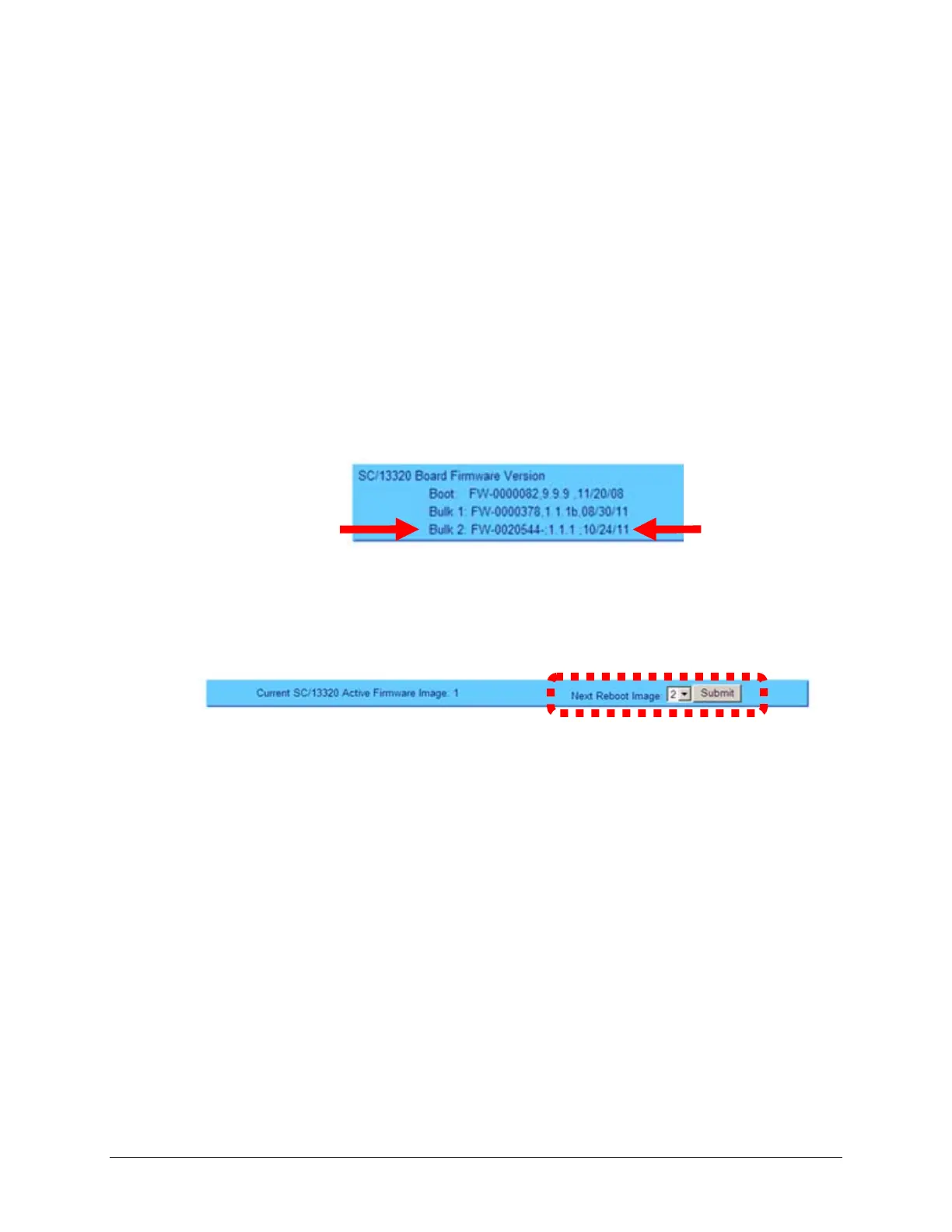
ntrolortheHPODWebServerInterfacetoverifythatthePC‐to‐Unit
FTPfiletransferwassuccessful.
• ViaTelnetRemoteControl–Typethe“<1/FRW?” remotequery(withoutquotes)atthe
command prompt. The unit will return the Bulk, MnC, and FPGA firmware load
information.
• Via th
e HPOD Web ServerInterface – Open the ‘Config | Utility’ page and reviewthe
SC/13320BoardFirmwareVersionsectiontoverifythatthePC‐to‐UnitFTPfiletransfer
wassuccessful.
4. Use the HPOD Web Server Interface to select the boot image. To select the desired boot
Image, open the HPOD We
b Server Interface ‘Config | Utility’ page. Use the Next Reboot
Imagedrop‐down list inthe Current SC/13320Active FirmwareImage # sectionto select 1
or2,andthenclick[Submit].
5. ReboottheHPOD.
A. Disconnectthepowersourcefromth
eHPOD.
B. Re‐energizetheHPOD.Theunitwillrebootusingtheupdatedfirmwareimage.
6. Toupdatetheotherfirmwareimage,repeatsteps1through5.
The HPOD is now operating with its latest firmware. The Ethernet‐based
firmwareupdateprocessisnowcomplete.



 To Next Page