HPOD C, X-, or Ku-Band High-Power Outdoor Amplifier Revision 6
Ethernet-based Remote Product Management MN/HPOD.IOM
4–8
4.5.2 User Login
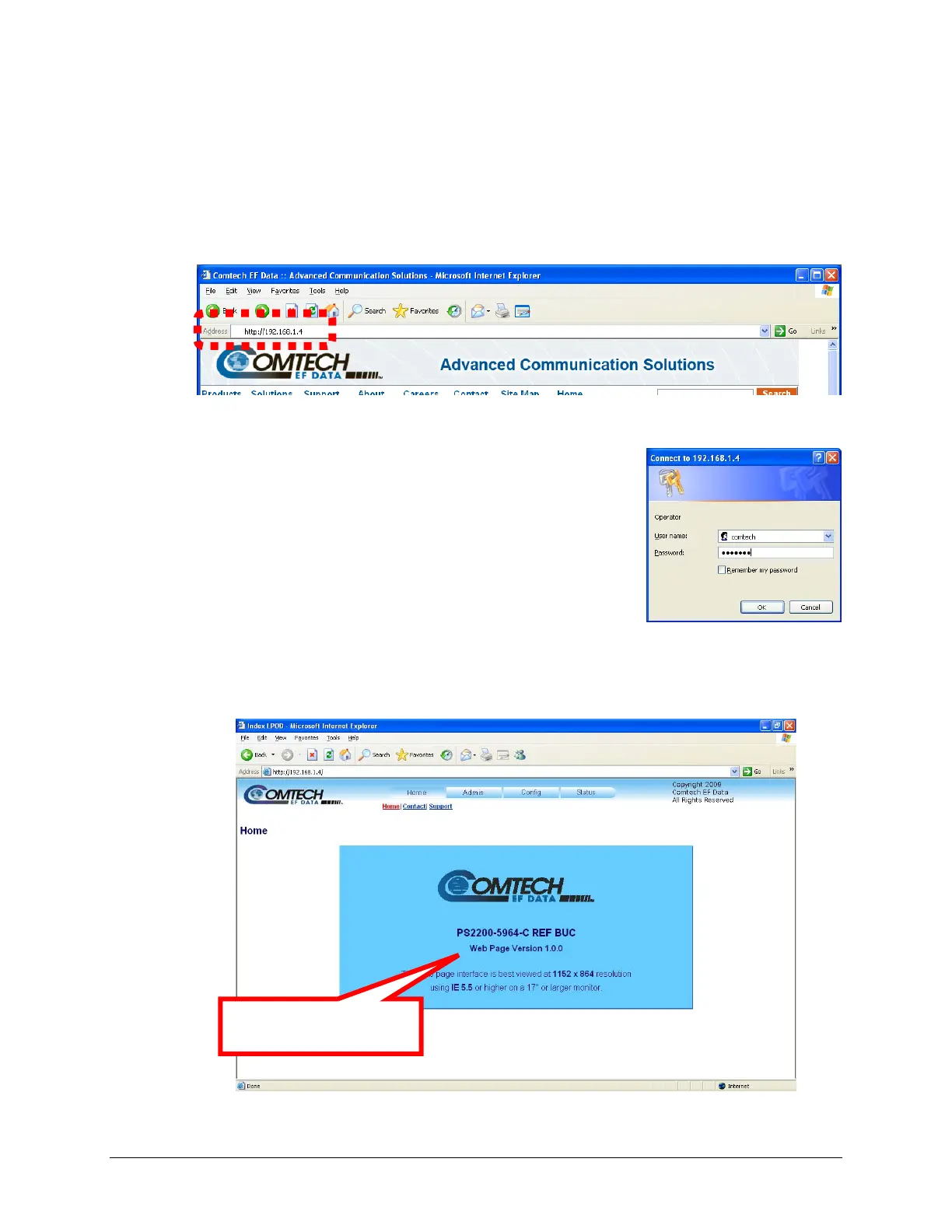
FollowthesestepstologintotheHPODWebServerInterfaceusingacompatiblewebbrowser.
1. OnthePC,typehttp://192.168.1.4(thedefaultIPaddressfortheHPOD)intothebrowser’s
Addressarea,andthenpress[Enter].
2. The Login window will appear, similar to the example shown
here. You are prompte
d to type a User name and Password.
Thedefaultforbothiscomtech.
TypetheUserNameandPassword,andthenclick[OK].
AfterthevalidUserNameandPasswordareaccepted,theHPODWebServerInterface
‘Home’pageappears:
Theversionshowninthis
examplemayvary.



 To Next Page