HPOD C, X-, or Ku-Band High-Power Outdoor Amplifier Revision 6
Ethernet-based Remote Product Management MN/HPOD.IOM
4–10
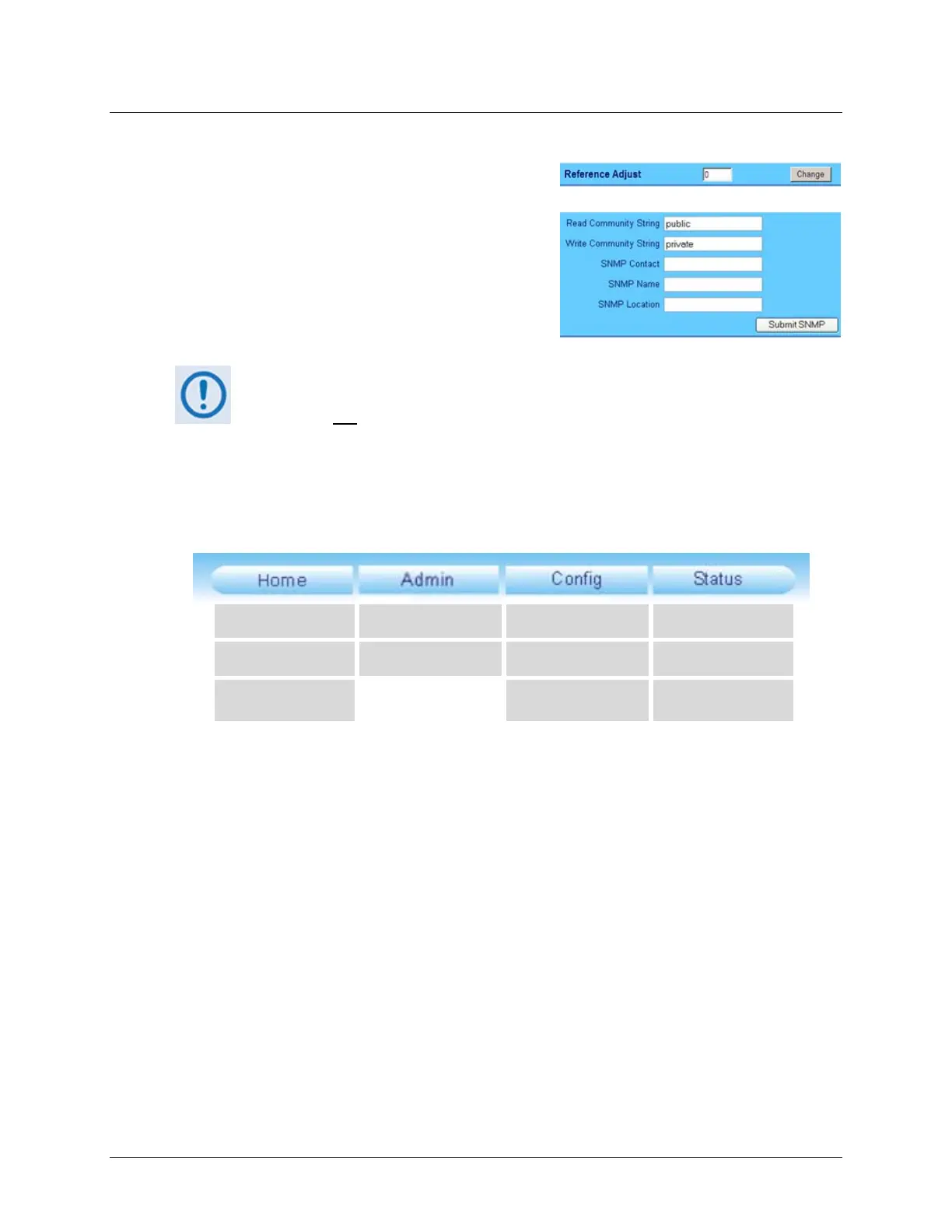
4.5.3.5 Text or Data Entry
Text boxes let you type data into a field. An action
buttonmaybe associatedwithasingletextbox,ora
groupoftextboxes.
For any text box, left‐click anywhere inside the box,
type the desired information into that field, and be
suretopress[ENTER]whendone.
Clicktherelatedactionbuttontosavetheda
ta.
If you edit any field, make sure to click the action button before you leave the
page. If you go to another page without first clicking the action button, your
changesarenot
saved.
4.5.4 Web Server Interface – Menu Tree
The HPOD Web Server Interface features four (4) navigation tabs at the top of each page.
Nestedhyperlinks(showningray)grantaccesstoindividualWebpages.
Home Access Amplifier Monitor
Contact SNMP Utility Alarms
Support Redundancy FETs
4.5.5 Web Server Page Descriptions
Thefollowingsubsections thepagesaccessibleviahyperlink fromthenavigationtabsshownin
Sect.4.5.4:
• Sect.4.5.5.1 HomePages
• Sect.4.5.5.2 Admin(Administration)Pages
• Sect.4.5.5.3 Config(ConfigureHPOD)Pages
• Sect.4.5.5.4 StatusPages



 To Next Page