HPOD C, X-, or Ku-Band High-Power Outdoor Amplifier Revision 6
Ethernet-based Remote Product Management MN/HPOD.IOM
4–14
4.5.5.2 Admin Pages
Only users logged in with the Administrator name and password have access to
these pages.
ClicktheAdmintab,andthenselecttheAccessorSNMPhyperlinktocontinue.
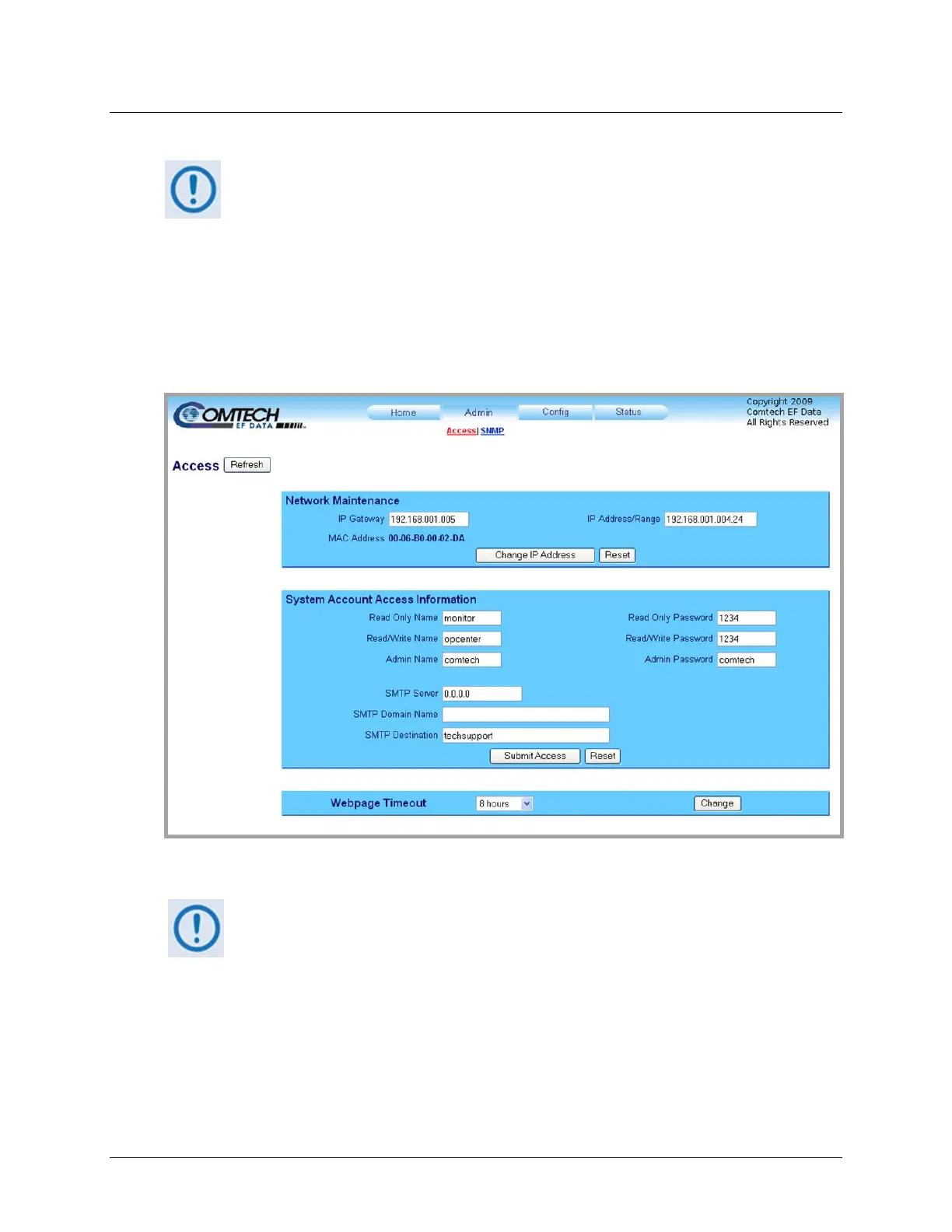
4.5.5.2.1 Admin | Access Page
The Administrator must use this page to manage the HPOD Web Server Interface access
settings.
Figure 4-4. Admin | Access Page
Atanytime,click[Refresh]toupdatethispageandseethemostrecentdata.
Network Maintenance
• IP Gateway / IP Address/Range – Enter the desired IP Gateway Address and IP Address/
Range.
Click [Change IP Address], or click [Reset] to revert to the previously assigned Network
Maintenancesettings.



 To Next Page