HPOD C-, X-, or Ku-Band High-Power Amplifier Revision 6
Updating Firmware MN/HPOD.IOM
3–9
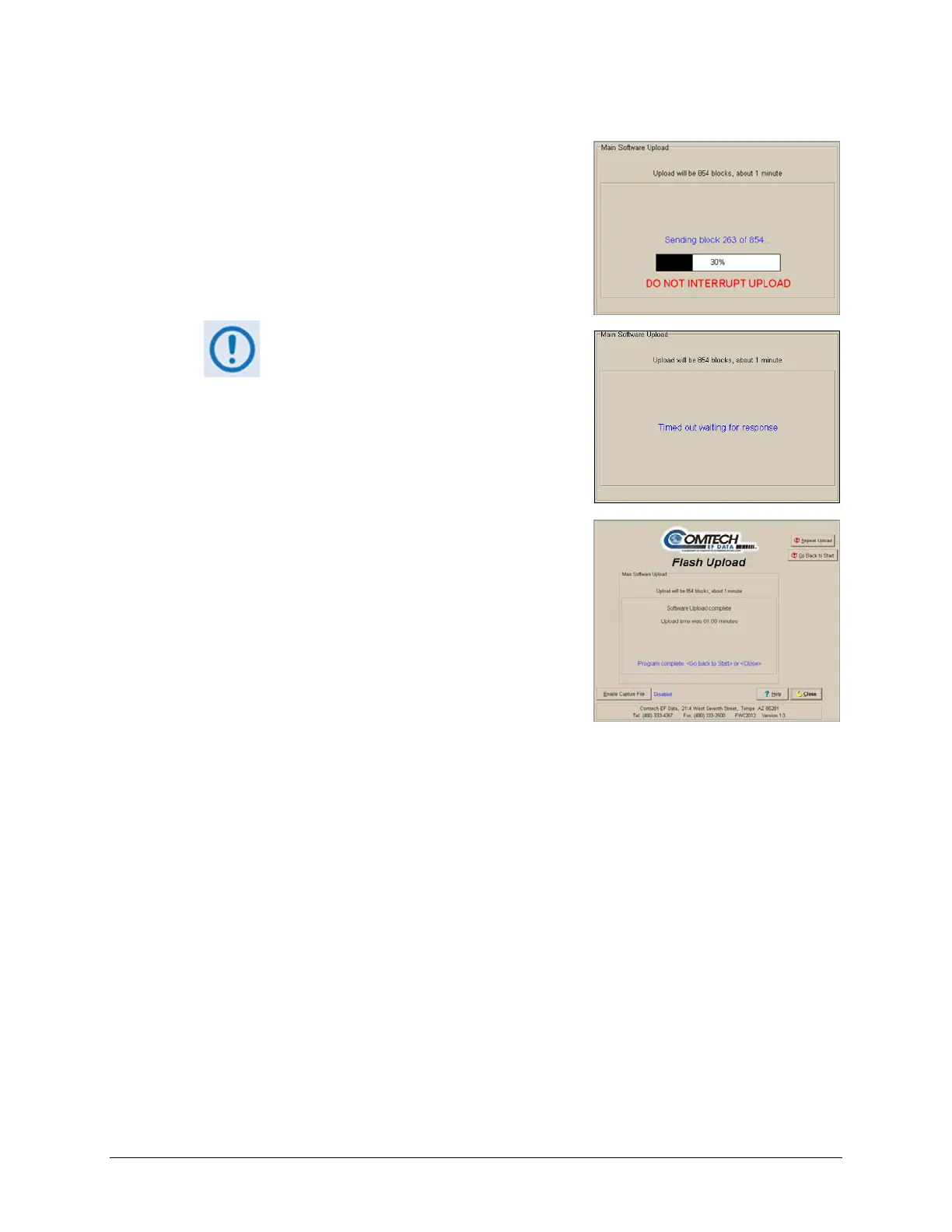
B. Oncethefileisselected,theuploadwilltakeplace
–donotinterruptthisuploadprocess.
If the upload is not successful for any
reason (e.g., the comms cable is not
physically connected, the wrong COM
port is specified, the user inadvertently
interrupted the upload, etc.),
troubleshoot the setup as needed, and
then click on ‘Repeat Upload’ or ‘Go
Back to Start’ to resume or retry the
uploadprocess.
5. Upon succes
sful completion of the upload, you may
clickon‘GoBacktoStart’(if, forexample,more than
one HPOD requires upgrade) or ‘Close’ (to exit the
FLSHCATprogram).
6. ReboottheHPOD.
A. DisconnectthepowersourcefromtheHPOD.
B. Re‐energizetheHPOD.Th
eunitwillrebootusingtheupdate dfirmwareimage.
7. Toupdateandloadtheotherimage,repeatsteps1through6.
TheHPODisnowoperatingwithitslatestfirmware.Theserial‐basedfirmware
updateprocessisnowcomplete.



 To Next Page