HPOD C-, X-, or Ku-Band High-Power Amplifier Revision 6
Updating Firmware MN/HPOD.IOM
3–6
• Some firewalls do not allow the download of *.exe files. Download the
*.zip file instead, and extract the firmware files from the archive
download with a user‐supplied utility program. For detailed information
on handling archived files, refer to the utility program Help
documentation.
G. Downloadthearchivefiletoth
etemporaryfolder.
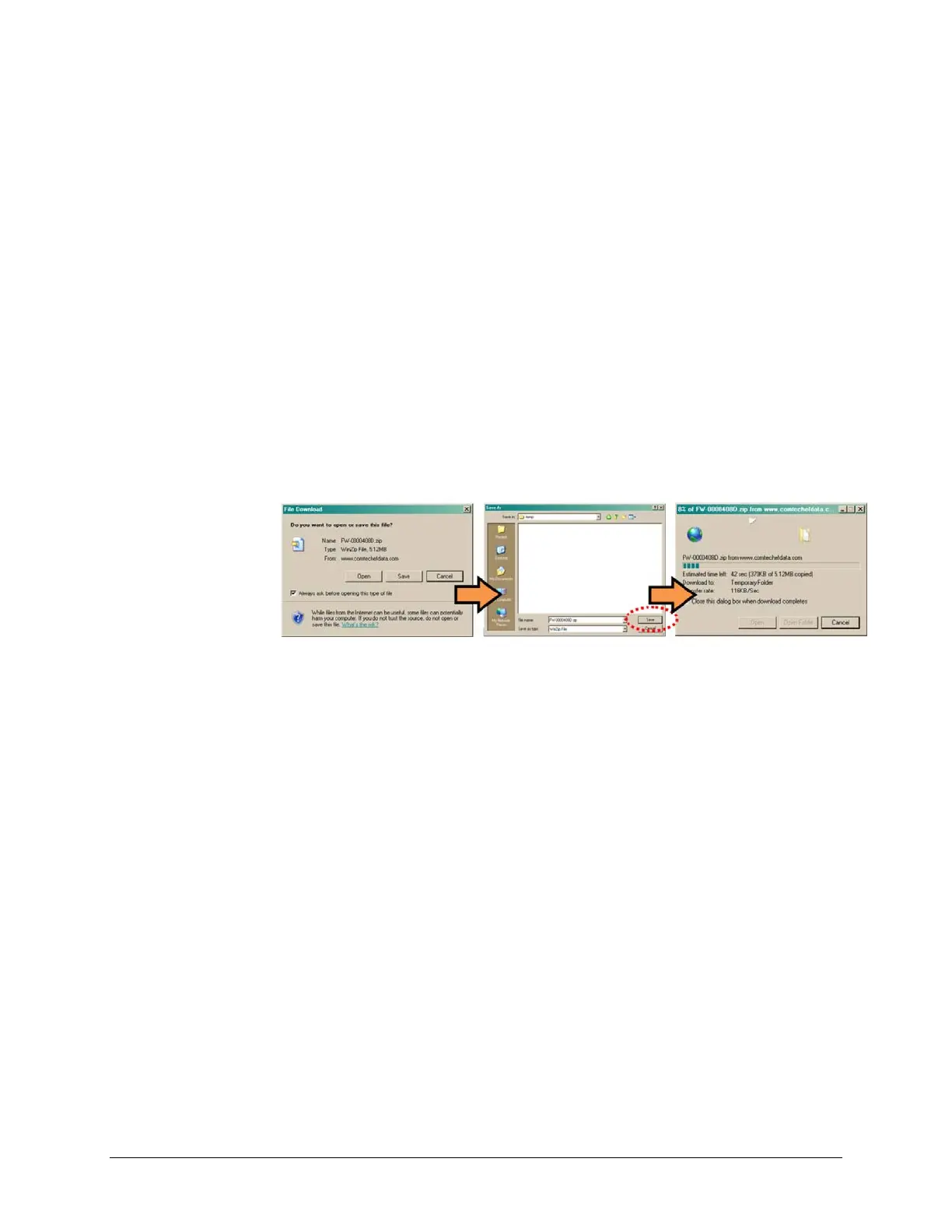
• Once the EXE or ZIP hyperlink is selected the ‘File Download’ window opens and
promptsselectionof[Open]or[Save]:
o Click[Open]toturnover fileextractiontotheuser‐suppliedutilityprogram.Be
suretoextractthefirmwarefilestothe‘temp’foldercreate
dearlier.
o Click [Save] to open the ‘Save As’ window. Be sure to select and [Save] the
archive*.exeor*.zipfiletothe‘temp’foldercreatedearlier.
Otherwise,click[Cancel]toquitandexitthefiledownloadprocess.
2. Next,extractthefirm
warefilesfromthearchivefile.
• (If not already done with File Download > [Open]) Extract the firmware files from the
downloaded*.exeor*.ziparchivefilewiththeuser‐suppliedutilityprogram:
o Double‐clickonthearchivefilename,andthenfollowthepromptsprovidedbythe
user‐supplie
dutilityprogram.
Fornon‐EthernetHPODdownloads–extract,ataminimum,fourfiles:
ReleaseNotes_HPOD_vXXX.pdf–Where“XXX”denotesthefirmwareversion
number.
Fw12524x.CCC – Firmware file, where "x" denotes the firmware revision
letter.
FLSHCSAT.EXE–TheCEFDFlashUploadUtilityProgram.
CCCf
lash.hlp–FLSHCSATHelpFile.



 To Next Page