HPOD C, X-, or Ku-Band High-Power Outdoor Amplifier Revision 6
Ethernet-based Remote Product Management MN/HPOD.IOM
4–22
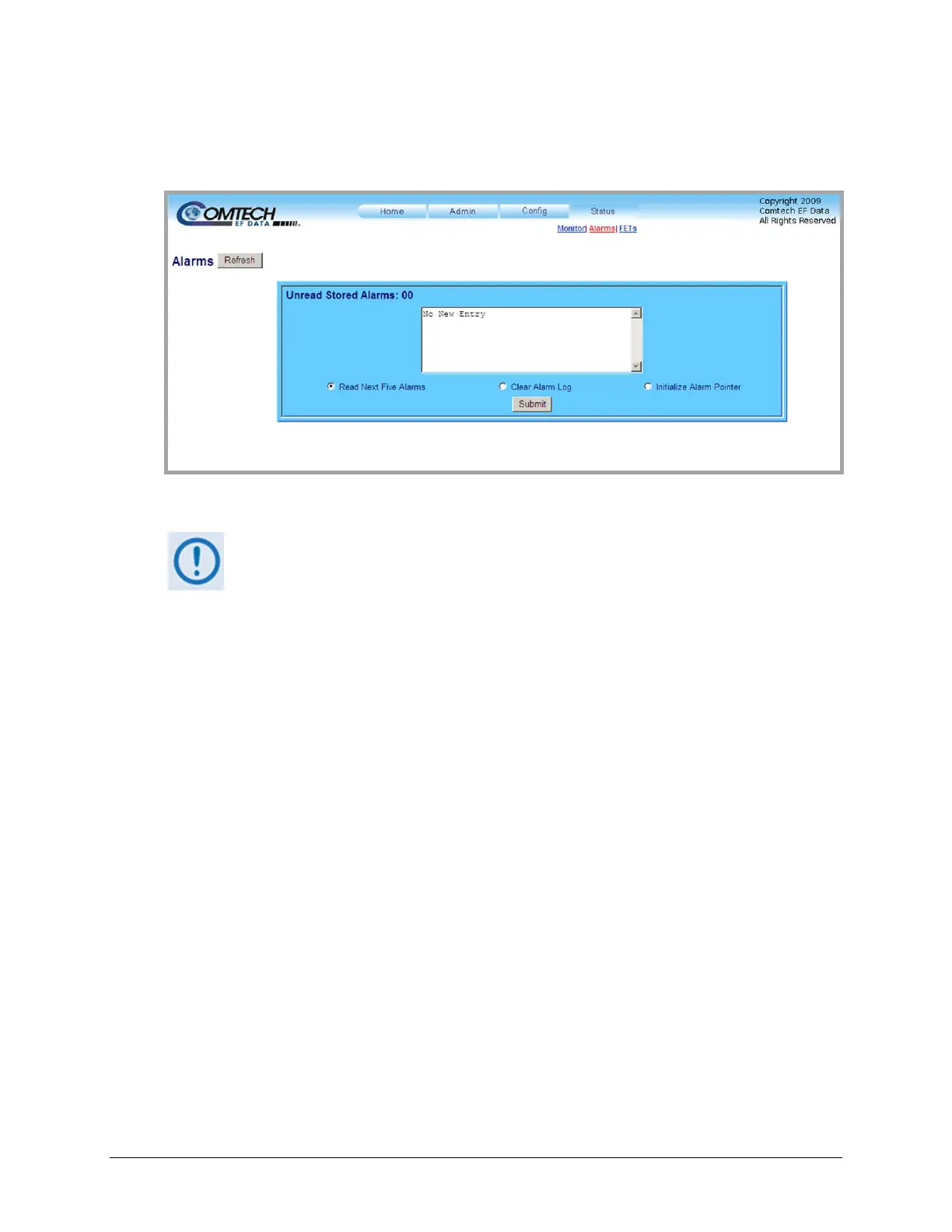
4.5.5.4.2 Status | Alarms Page
Usethispagetoviewandmanageloggedalarmsdata.
Figure 4-10. Status | Alarms page
Atanytime,click[Refresh]toupdatethispageandseethemostrecentdata.
Unread Stored Alarms: ##
Thisread‐onlyscrollabledisplaylistsunreadstoredalarmsinsequential,date‐stampedformat.
The unit returns and displays the five oldest stored alarms in the log. All alarms that are read
from the log are also automatically removed from the log. The running tally of unread stored
alarms(##)decrementsa
ccordinglyto00oncethelogiscleared.
TomanagetheUnreadStoredAlarms:
• Click the Read Next Five Alarms radio button, and then click [Submit] to display the
nextfiveunreadalarmsinthelog.
• ClicktheClearAlarmsLogradio button,andthenclick[Submit]toclearallofth
ealarms
storedinthelog.
• Click the Initialize Alarms Pointer radio button, and then click [Submi t] to reset the
internalpointertothebeginningofthelog.



 To Next Page