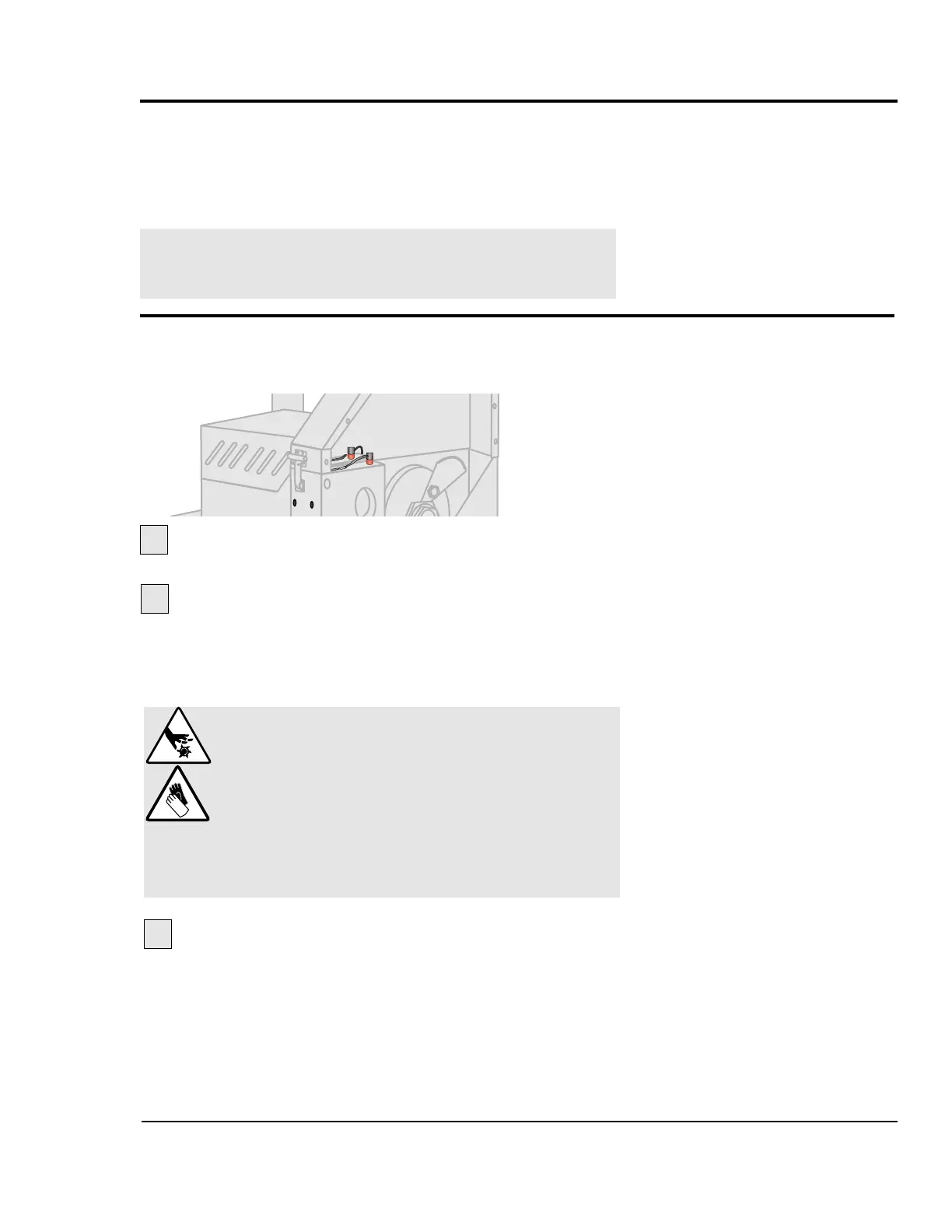
The home position proximity switch should be 0.010" from
the 5/16” thread rod on the cutter head for proper operation.
Open the knife guard.
Locate the 1/4 inch thread rod on the cutter
head.
It should be 0.010 inch from the proximity switch
sensor when it passes that location. If necessary, loosen
the jam nuts, readjust the distance, and re-tighten the jam
nuts.
ADJUSTING THE
PROXIMITY
SWITCHES
CHECKING THE
SERVO
AMPLIFIER
DANGER: Sharp blades!
Always wear cut-resistant gloves when the cut-
ting chamber is open and when handling
blades. Never open cutting chamber without
locking out the cutter power.
Most injuries caused by knife blades occur
when the cutter has been turned off. Handle
blades with care at all times.
1
2
The servo amplifier is equipped with a digital readout that can
be seen through the viewing window on the electrical enclo-
sure. This display shows amplifier status and error messages.
Refer to the supplier's documentation included with this User
Guide.
NOTE: Make sure you look for servo amplifier messages
before you shut off the power, because fault message
will be lost.
If the proximity switch does not sense the cutter
head after this adjustment, remove the switch and test it
outside the cutter. Replace if necessary.
3
UGE048/1103 CSC Combination Puller/Cutter
TROUBLESHOOTING 6-17


 To Next Page