4-18 OPERATION
CSC Combination Puller/Cutter UGE048/1103
Menus are a convenient way to access and monitor parameters
that do not need to be altered often, i.e. home position,
encoder direction, scale or unit of measure. In addition, pre-
ventive maintenance parameters can be monitored for trouble-
shooting and scheduling purposes.
Factory Softkey
This area is password protected for factory use only.
Please do not attempt to get around the password protection as
parameters beyond this point are used for calibration and
setup. These parameters should only be modified by trained
personal. Improper settings will reduce the performance and
possibly cause severe damage to your machine.
Maint. Softkey
Located under the word Maint. is the Maintenance soft key.
The Maintenance area is password protected. This area should
only be accessed by qualified personal.
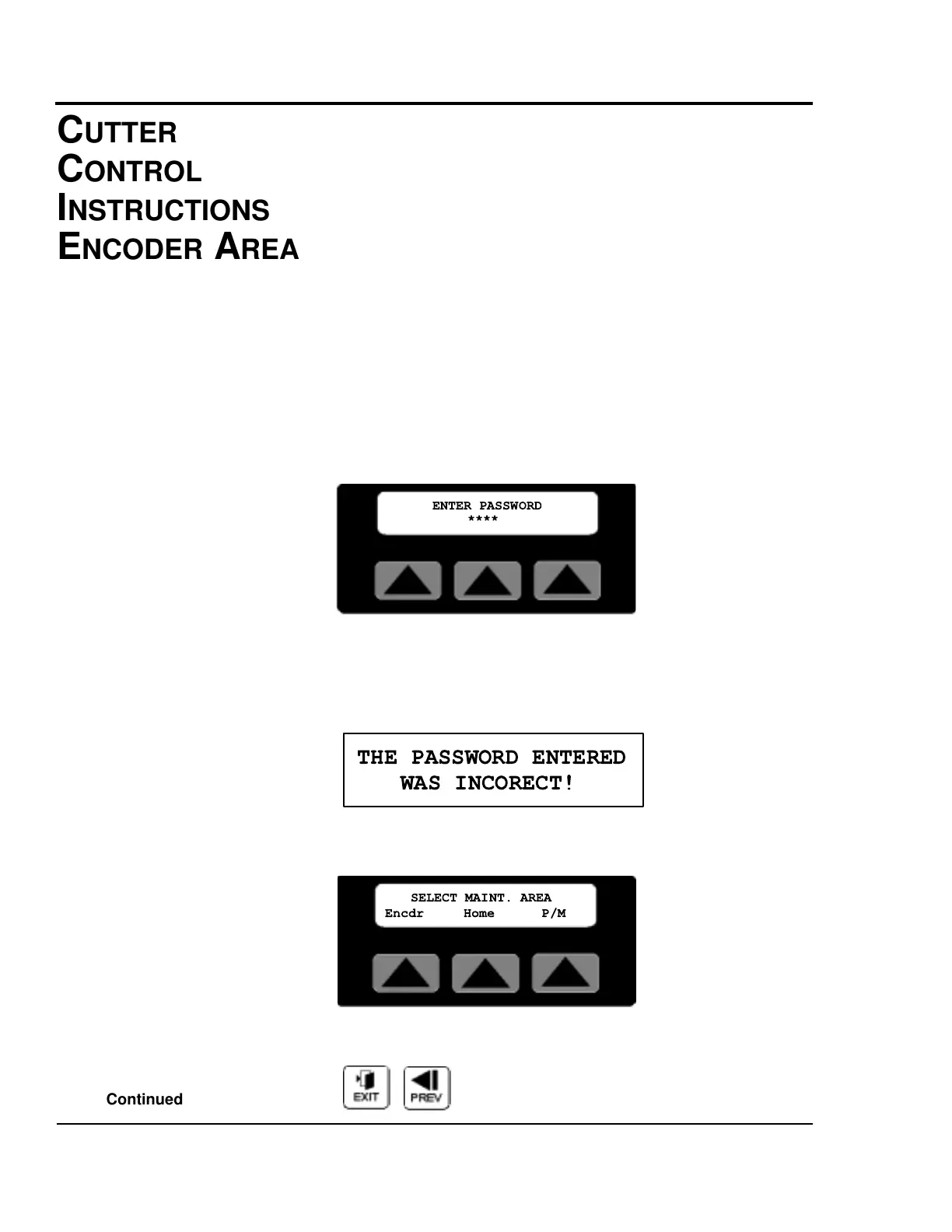
After pressing the Maintenance Softkey, the password entry
screen is displayed. With the numeral keys press 6 2 0 9 then
the Enter key to access the maintenance area. An improper
password will cause this message to be displayed for 3 sec-
onds.
There are three sub-menus, Encdr, Home, and P/M accessible
in the maintenance area.
Exit or Prev, Pressing Exit or Prev will return the display to
the Menu Area screen.


 To Next Page