4-16 OPERATION
CSC Combination Puller/Cutter UGE048/1103
Mode Softkey
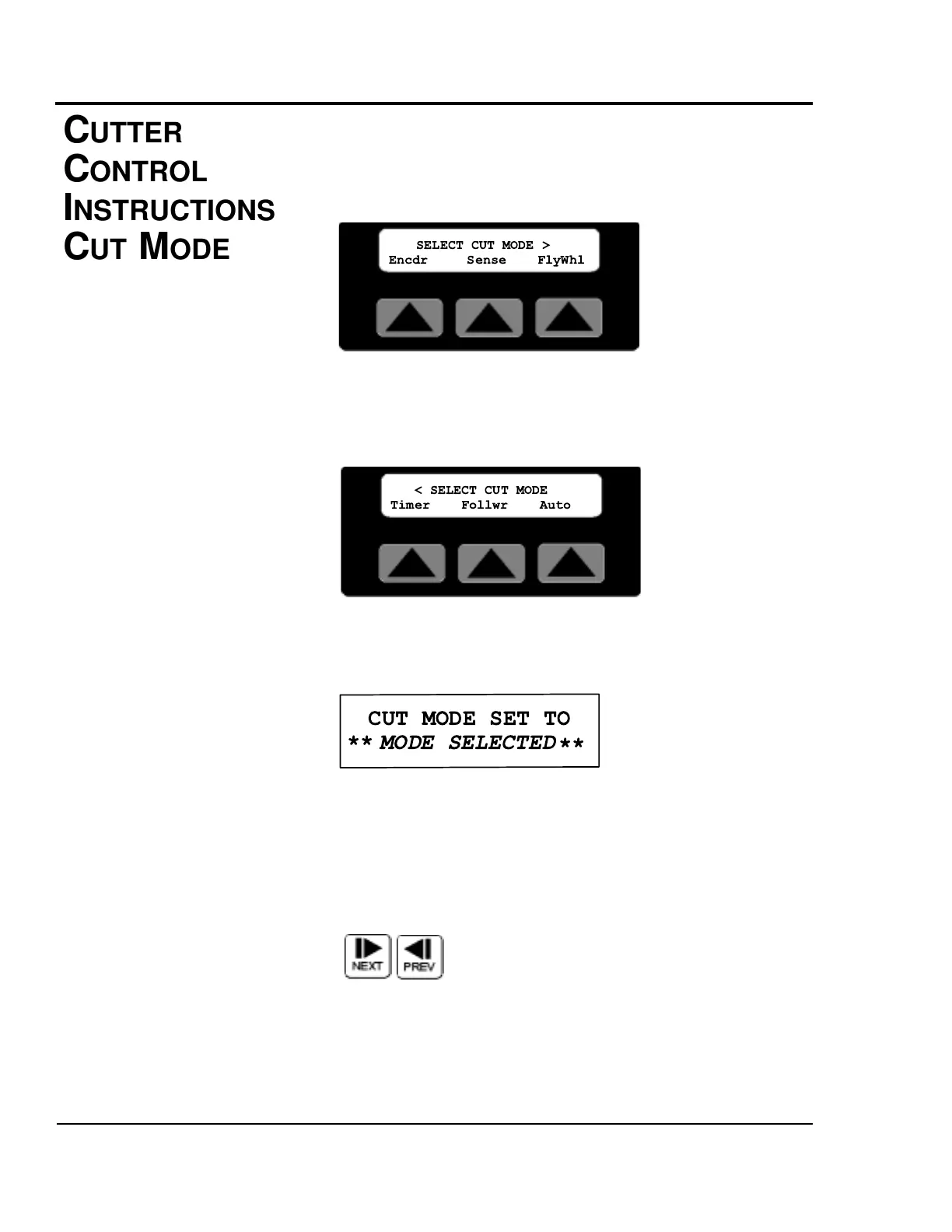
By pressing the soft key located under the word Mode, the dif-
ferent Cut Modes are available. There are two Cut Mode
screens. The first screen provides choices for the standard-
modes available on all cutters.
The second screen displays choices for optional cut modes.
The user can toggle between the two screens with the Next
and Prev fixed function keys. Additional information on how
to access this screen can be found in the operator display
overview in Appendix E of this manual.
Press the Softkey located under the cut mode desired to select
that mode. If the mode is available an acknowledgment will be
displayed.
This message will be displayed for 3 seconds or until any key
is pressed.
Next or Prev, Pressing Next selects the second Cut Mode
Area. Pressing Prev returns the display to the first Cut Mode
Area. Pressing Prev from the first Cut Mode Area screen
returns the display to the Function Area screen.


 To Next Page