OPERATION 4-25
UGE048/1103 CSC Combination Puller/Cutter
CUTTER
C
ONTROL
INSTRUCTIONS
POWER O
N
TIME
TIME SOFTKEY
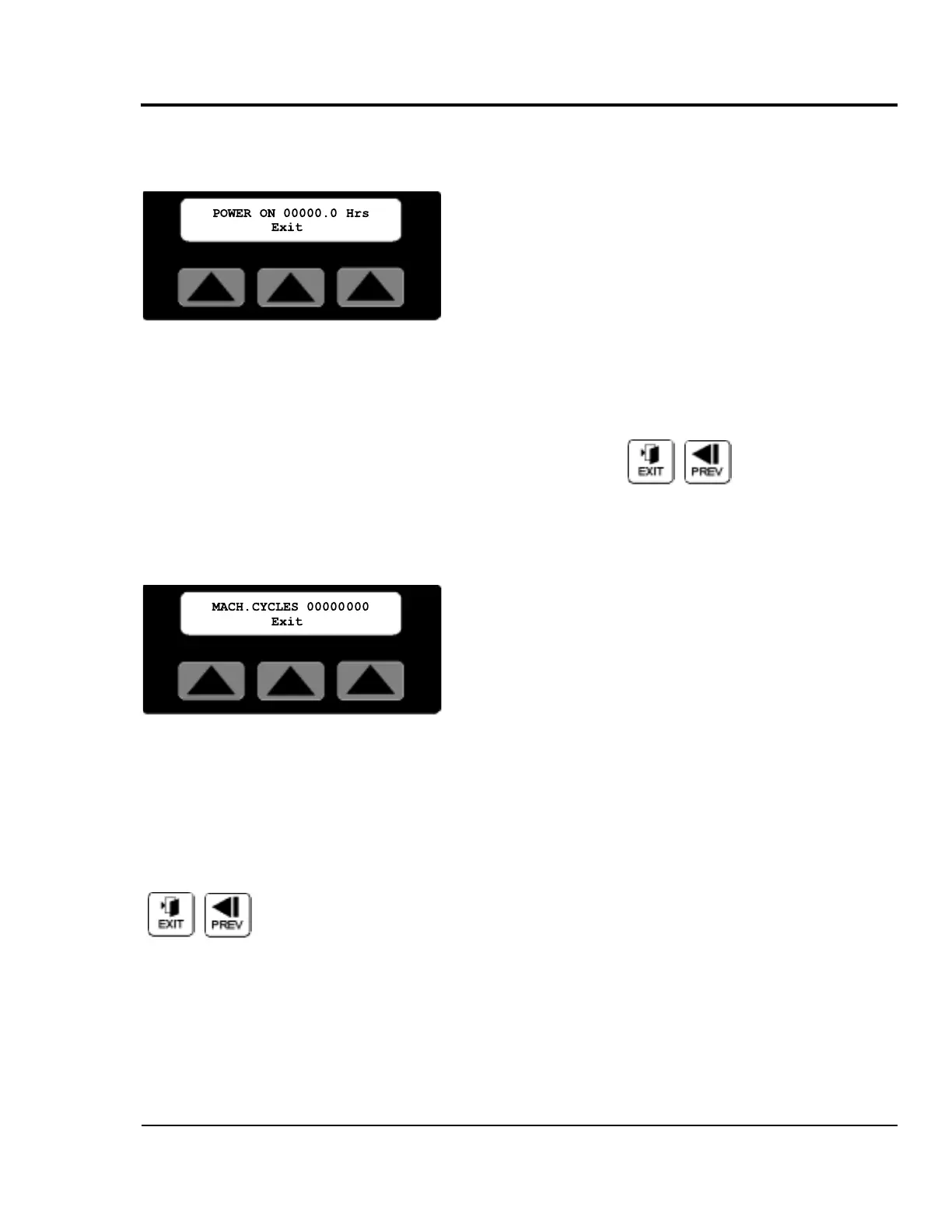
Pressing the soft key located under the word Time on the
P/M area screen, selects the Power-On time screen.
The Power-On time screen displays the total time in hours
that the machine has had the power switched on. This infor-
mation could be used for scheduling preventive maintenance.
The displayed time can not be reset.
Exit or Prev, Pressing Exit, Prev or the Softkey under the
word Exit returns the display to the Select P/M area screen.
Cycles Softkey
Pressing the soft key located under the word Cycles on the
P/M area screen, selects the machine cycles screen.
The Machine Cycles screen displays the absolute total cuts
that the machine has made since manufacture. This informa-
tion could be used for scheduling preventive maintenance.
The displayed count can not be reset.
Exit or Prev, Pressing Exit, Prev or the Softkey under the
word Exit returns the display to the Select P/M area screen.


 To Next Page