P
REVENTATIVE
MAINTENANCE
SCHEDULE
CONTINUED
UGE048/1103 CSC Combination Puller/Cutter
M
AINTENANCE 5-5
● Semi-annual (every six months)
❒❒
Inspecting electrical terminals
Check all electrical terminals for tightness; adjust as
needed. See Checking Electrical Connections, Section
5.
❒❒
Checking torque on Trantorque coupling device
Check the tightness (torque) of the Trantorque cou-
pling device with a torque gauge. This device connects
the cutter head to the Micron reducer shaft. See
Checking Torque, Section 5.
❒❒
Checking all electrical cables
Inspect all electrical cables for cuts and abrasions.
Replace as needed. See Checking Electrical
Connections, Section 5.
❒❒
Inspecting control panel lights
Check to make sure no LEDs or lights are burned out
on the control panel. Replace as needed.
❒❒
Checking motor brushes
Inspect the motor bushes. Replace as needed. See
Replacing Motor Brushes, Section 5.
● Monthly
❒❒
Checking hardware on the knife guard
Inspect the hardware on the knife guard (fasteners on
hinge and the clear blade guard window). Tighten as
needed.
❒❒
Checking bushing holder proximity switches
Inspect the proximity switch set screws. Adjust as
needed. See Adjusting the Cutter Proximity Switches,
Section 5.
❒❒
Cleaning the clear blade guard window
Clean using glass cleaner or plain water. Other materi-
als may cause premature loss of clarity or crazing.
❒❒
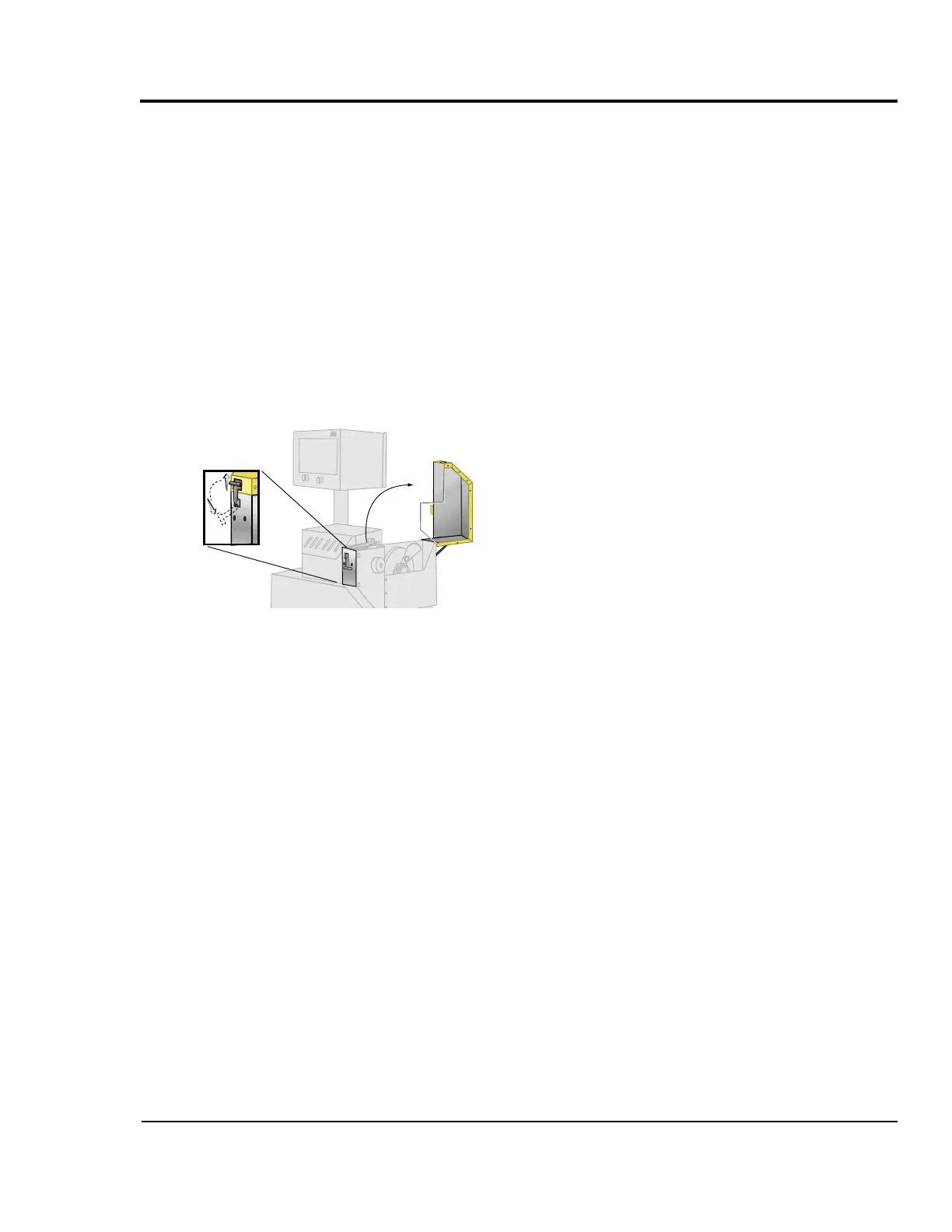
Checking the metal draw latch
Inspect the latch on knife guard for wear and proper
tension. Readjust or replace as needed.


 To Next Page