CONFIGURATION
7
1.5. IPsec status
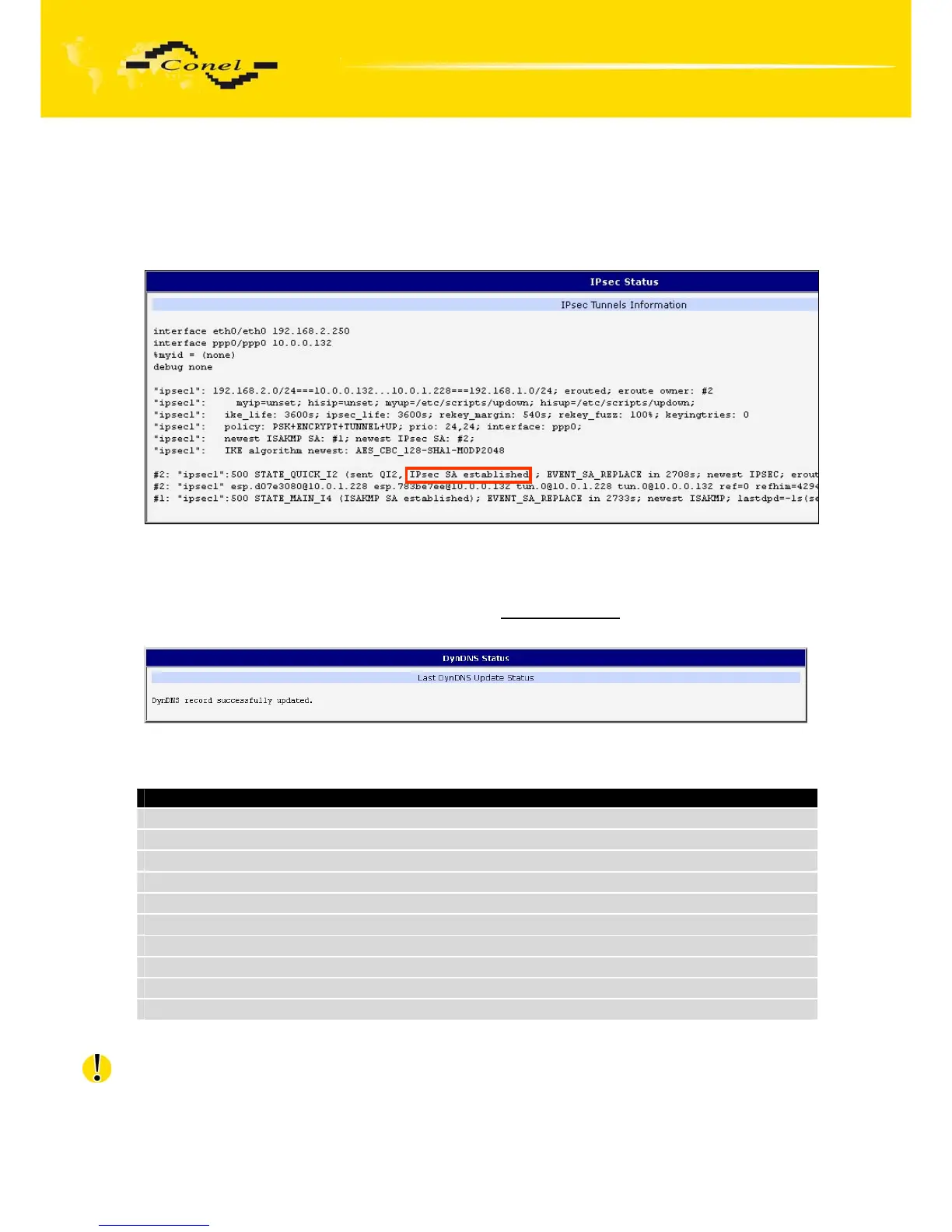
Information on actual IPsec tunnel state can be called up in option IPsec in the menu.
After correct build the IPsec tunnel, status display IPsec SA established (highlighted
in red) in IPsec status information. Other information is only internal character.
Fig. 5: IPsec status
1.6. DynDNS status
DynDNS up - dating entry result on server www.dyndns.org can be called up in option
DynDNS item in the menu.
Fig. 6: DynDNS status
In detecting the status of updates DynDNS record are possible following message:
Report
DynDNS client is disabled.
Invalid username or password.
Specified hostname doesn’t exist.
Invalid hostname format.
Hostname exists, but not under specified username.
No update performed yet.
DynDNS record is already up to date.
DynDNS record successfully update.
DNS error encountered.
DynDNS server failure.
Table 8: Possibly DynDNS report
For correct function DynDNS, SIM card of router must have assigned public IP address.



 To Next Page
 Loading...
